

Bubbly Meeting API for Automated Meeting Summaries and Transcriptions
Bubbly Meeting API lets developers manage meeting bots through an API to obtain meeting recordings, transcripts and insights.
- Best for
- Automated Meeting Transcriptions
- Key capability
- Accurate Speech-to-Text Transcription
Save Bubbly Meeting Api, follow its updates and vote on it — everything stays in your account.
Sign in or create a free account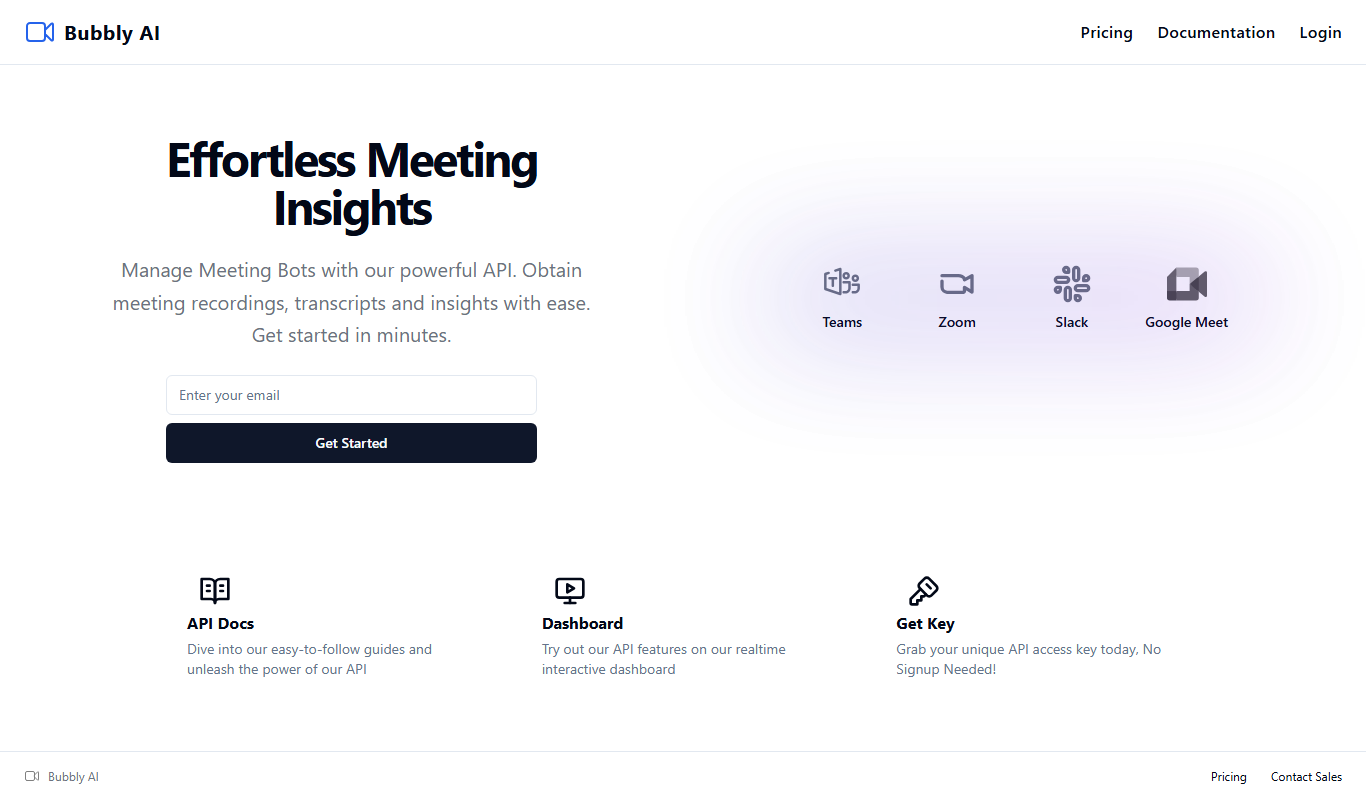
What is Bubbly Meeting Api?
Bubbly Meeting API is an API for managing meeting bots on platforms such as Teams, Zoom, Slack and Google Meet, used by developers to obtain meeting recordings, transcripts and insights.
Key features of Bubbly Meeting Api
Bubbly Meeting API offers real-time and post-meeting transcription, AI-generated summaries, speaker diarization, keyword extraction, and seamless API integration to embed meeting intelligence into various platforms.
Accurate Speech-to-Text Transcription
High-quality transcription with speaker diarization and timestamps.
AI-Powered Meeting Summaries
Automatically generated concise summaries highlighting important meeting content.
REST API Access
Easy integration with existing applications and workflows through a developer-friendly API.
Multi-format Audio Support
Supports various audio formats for upload or streaming.
Secure Data Handling
Ensures confidentiality and security of meeting data during processing.
Pros and cons of Bubbly Meeting Api
Pros
- Easy API integration for developers
- Accurate transcription with speaker diarization
- Automatic meeting summaries save time
- Supports live and recorded audio
- Secure handling of sensitive meeting data
Cons
- Currently supports only English language
- Pricing may be high for small teams
- Limited offline capabilities without internet
Key use cases for Bubbly Meeting Api
Automated Meeting Transcriptions
Convert spoken meeting content into accurate text transcripts automatically for record-keeping and review.
Meeting Summarization
Generate concise summaries of meetings highlighting key points, decisions, and action items.
Integration with Collaboration Tools
Embed meeting transcription and summary capabilities into existing workflows via API integration.
Searchable Meeting Archives
Create searchable text archives of meetings to easily find past discussions and decisions.
Real-time Meeting Assistance
Provide live transcription and note-taking during meetings to enhance participant engagement.
How Bubbly Meeting Api works
- 1
API Integration
Developers integrate Bubbly Meeting API into their applications or meeting platforms using REST endpoints.
- 2
Audio Input
Create a meeting bot through the API to obtain the meeting recording, transcript and insights.
- 3
Transcription Processing
The AI engine transcribes speech to text with speaker identification and timestamps.
- 4
Summary Generation
The system analyzes the transcript to extract key points, decisions, and action items into a summary.
- 5
Retrieve Results
Receive the transcription and summary data via API response for display or storage.
Who is using Bubbly Meeting Api
Bubbly Meeting Api pricing
Trial Plan
Free
No payment method needed. 1 Hour of Recording + Insights, 5 meeting limit, limited API access and limited platforms.
Pay as you go
$0.80 per hour
$0 to start. Unlimited Recording + Insights, unlimited meetings, full API access and access to all platforms.
Enterprise
Custom pricing
For larger organizations and teams: access to all features, custom integrations, private Slack channel support and Enterprise Security.
Plans and prices are as published by the vendor and can change. Check the official site before you buy. Open the pricing page (opens in a new tab)
Frequently asked questions about Bubbly Meeting Api
It supports common audio formats including MP3, WAV, and AAC for both uploads and streaming.
Yes, the API supports real-time audio streaming for live transcription and summarization.
Accuracy depends on audio quality, but Bubbly uses advanced AI models to provide high-quality transcriptions with speaker identification.
Yes, Bubbly AI implements strong security measures to protect your data during processing and storage.
Integration support depends on the tool and its available connectors or API. Check the official documentation or integrations page to confirm what is supported.
Integration support depends on the tool and its available connectors or API. Check the official documentation or integrations page to confirm what is supported.
Integration support depends on the tool and its available connectors or API. Check the official documentation or integrations page to confirm what is supported.
Conclusion
Everything in this API revolves around meeting bots, which developers create and manage to obtain meeting recordings, transcripts and insights. Teams, Zoom, Slack and Google Meet are the platforms shown on the home page. Requests carry an API key from the dashboard, and the endpoints create, retrieve, list, update and delete a meeting bot. API features can be tried first on a realtime interactive dashboard.
Billing is usage based: the Pay as you go plan is charged per hour and includes unlimited recording, insights and meetings with full API access. The free Trial Plan needs no payment method but is limited to 1 hour of recording, 5 meetings and limited API access. Larger organizations can arrange an Enterprise plan with custom integrations and private Slack channel support.
Sources
Sign in to review this tool.
Sign In to ReviewNo reviews yet
Be the first to share how this tool worked for you.
Ask about pricing, limits, or how it compares — or answer someone else.
Sign In to AskNo questions yet
Have a question about using or paying for this tool? Be the first to ask.
Featured on TiorAI



More AI Api Tools tools
Other tools in the same category, for when this one is not quite the fit.

Ares
Ares is an AI-powered natural language processing API by Traversa AI that provides semantic search, entity recognition, sentiment analysis, and text classification through a RESTful API.

linkshieldapi.com
LinkShieldAPI is an API service that scans URLs in real time to detect malware, phishing, and other threats, helping developers secure links before users access them.

OpenRouter
OpenRouter is a platform that provides API access to various open-source large language models, enabling developers to integrate these models into applications without managing infrastructure.

Kie.ai: Most Affordable & Reliable Veo 3 API
Kie.ai Veo 3 API is an affordable and reliable AI video analysis API designed for real-time sports and video content analytics, offering customizable event detection and multi-object tracking.

Tinq.ai – NLP API
Tinq.ai is a cloud-based NLP API platform providing sentiment analysis, entity recognition, intent detection, and text classification to help developers integrate advanced language understanding into applications.

RemoveBG.sh — Background Removal API
RemoveBG.sh is an API service that automates background removal from images, enabling easy integration into apps and workflows for fast, accurate results.

Linq API for RAG
Linq API for RAG is a scalable API platform that enables developers to build AI applications combining vector-based document retrieval with large language model generation, improving response relevance and accuracy.

SpeechFlow – Advanced Speech-to-Text API
SpeechFlow is a powerful speech-to-text API that provides real-time, accurate transcription with multi-language support and speaker diarization, ideal for developers and businesses needing voice-to-text solutions.