

Lumion 3D Rendering Software for Architects and Designers with Real-Time Visualization
Lumion is a Windows-based real-time 3D rendering software designed for architects and designers to create photorealistic images, videos, and panoramas from 3D models quickly and intuitively.
- Best for
- Architectural Visualization
- Key capability
- Real-Time Rendering
Save Lumion, follow its updates and vote on it — everything stays in your account.
Sign in or create a free account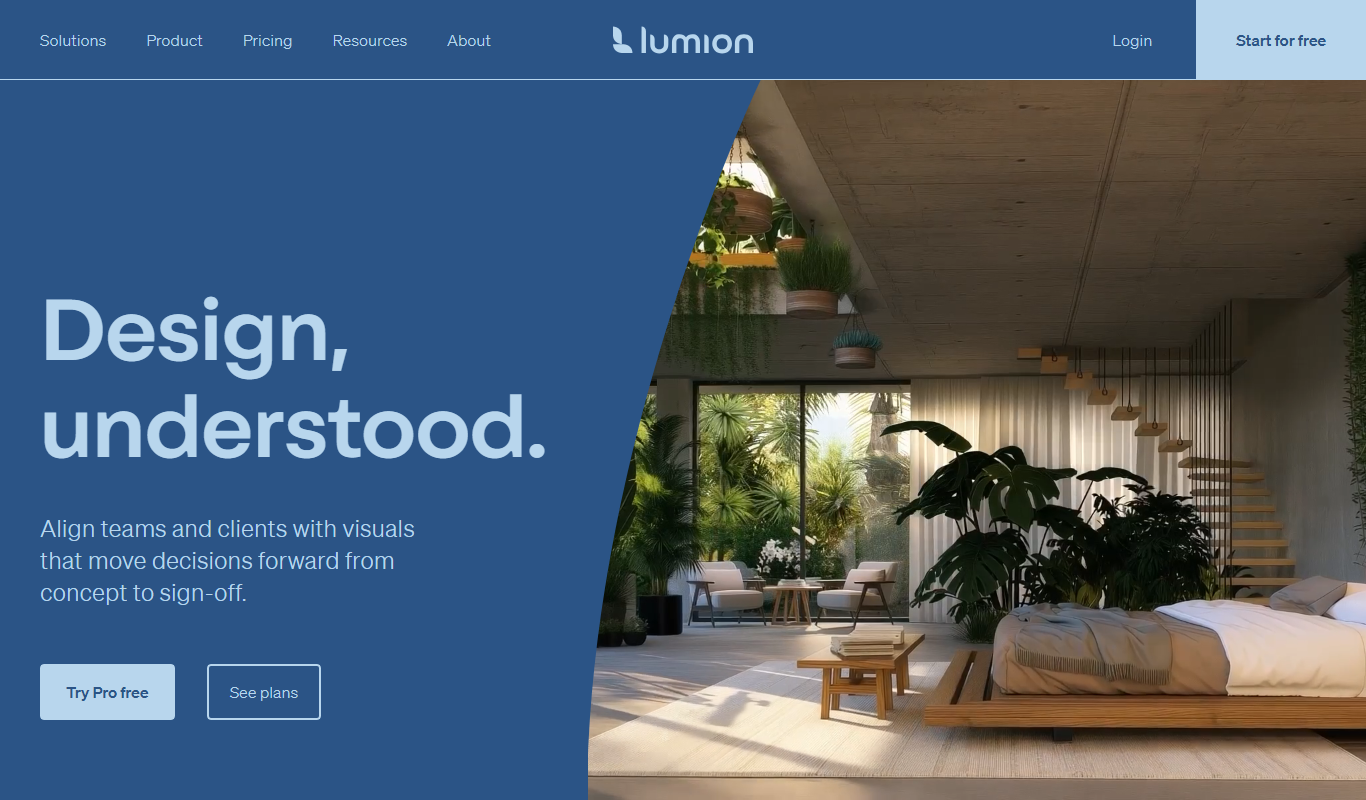
What is Lumion?
Lumion is a powerful 3D rendering software designed primarily for architects, designers, and urban planners. It enables users to transform 3D models into stunning visualizations with real-time rendering capabilities. Lumion supports a wide range of effects, materials, and environments to create photorealistic images and animations that help communicate design ideas clearly and effectively.
Key features of Lumion
Lumion offers real-time rendering, an extensive library of materials and objects, environmental effects like weather and lighting, and easy-to-use tools for creating videos and panoramas. Its intuitive interface allows users to quickly produce high-quality visual content without deep technical expertise.
Real-Time Rendering
Instantly see changes and effects applied to your scene without long wait times.
Large Content Library
Access thousands of materials, objects, and effects to enrich your visualizations.
Easy Video Creation
Create walkthroughs and flythrough animations with simple timeline controls.
Environmental Effects
Simulate weather conditions, lighting variations, and seasonal changes to enhance realism.
360 Panorama and VR Support
Generate immersive panoramas and VR content to engage clients interactively.
Pros and cons of Lumion
Pros
- Fast real-time rendering speeds
- Extensive library of materials and objects
- User-friendly interface for quick learning
- High-quality photorealistic output
- Strong support for architectural workflows
Cons
- Only available for Windows OS
- High hardware requirements for optimal performance
Key use cases for Lumion
Architectural Visualization
Create photorealistic 3D renderings and walkthroughs of architectural designs to present to clients and stakeholders.
Landscape Design
Visualize outdoor spaces with realistic vegetation, terrain, and environmental effects to enhance landscape projects.
Interior Design
Render detailed interior scenes with lighting, materials, and furniture to showcase design concepts.
Urban Planning
Simulate large-scale urban environments with real-time rendering to communicate planning proposals effectively.
Marketing and Presentation
Produce high-quality images, videos, and 360 panoramas for marketing materials and client presentations.
How Lumion works
- 1
Import 3D Models
Bring your architectural or design models into Lumion from popular 3D modeling software such as SketchUp, Revit, or Rhino.
- 2
Apply Materials and Objects
Enhance your scene by applying realistic materials and adding objects like trees, people, and furniture from Lumion’s extensive library.
- 3
Set Environment and Effects
Adjust lighting, weather, and environmental effects to create the desired atmosphere and mood.
- 4
Render Images and Videos
Use Lumion’s real-time rendering engine to produce photorealistic images, animations, and 360 panoramas for presentations.
Who is using Lumion
Lumion pricing
Lumion Pro named user
$1,149/year
Named-user Lumion Pro license for individual professionals, billed upfront for 1 year.
Lumion Pro floating seat
$1,499/year
Floating seat license for teams that shares Lumion Pro across multiple computers, with all Pro features and 24/7 premium support.
Plans and prices are as published by the vendor and can change. Check the official site before you buy. Open the pricing page (opens in a new tab)
Frequently asked questions about Lumion
Lumion requires a Windows 10 64-bit operating system, a powerful dedicated graphics card (NVIDIA recommended), at least 16GB RAM, and a multi-core processor.
Yes, Lumion supports importing models from SketchUp, Revit, ArchiCAD, Rhino, AutoCAD, and other common 3D modeling tools.
Lumion is designed with an intuitive interface that allows beginners to create impressive visualizations quickly, though some familiarity with 3D modeling helps.
Yes, Lumion includes tools to create walkthrough animations, flythroughs, and object animations.
This tool is designed to help users accomplish its core tasks more efficiently. It is typically used by individuals or teams looking to improve productivity and workflow.
It depends on your specific needs and how you plan to use the tool. The official website and documentation are the best sources for the latest details.
Yes, it can help with that use case depending on how you configure it and what features are available. You’ll get the best results with clear inputs and a defined goal.
It depends on your specific needs and how you plan to use the tool. The official website and documentation are the best sources for the latest details.
Conclusion
Models come in from 3D modeling software such as SketchUp, Revit or Rhino, and the scene is then dressed with realistic materials and objects like trees, people and furniture from a library. Lighting, weather and environmental effects set the mood before the real-time rendering engine produces photorealistic images, animations and 360 panoramas. Walkthrough and flythrough animations are created with simple timeline controls.
The software is designed primarily for architects, designers and urban planners, and marketing professionals in real estate also use it. The page notes high hardware requirements for optimal performance. Only subscriptions are sold now: Lumion Pro costs $1,149 per year for a named user or $1,499 per year for a floating seat.
Sources
Sign in to review this tool.
Sign In to ReviewNo reviews yet
Be the first to share how this tool worked for you.
Ask about pricing, limits, or how it compares — or answer someone else.
Sign In to AskNo questions yet
Have a question about using or paying for this tool? Be the first to ask.
Featured on TiorAI



Alternative Tools
Explore similar AI tools that might fit your needs

V-Ray
V-Ray is a professional 3D rendering software by Chaos that produces photorealistic images and animations using advanced ray tracing and global illumination. It integrates with popular 3D modeling tools and supports CPU and GPU rendering.
More Art & Creative Design tools
Other tools in the same category, for when this one is not quite the fit.
DecorMatters
DecorMatters is a mobile app that uses augmented reality and 3D modeling to help users design and visualize interior spaces, plan furniture layouts, and shop for home decor.

REimagine Home
REimagine Home is an AI-driven platform that transforms your room photos into virtual interior design makeovers, helping you visualize new furniture and decor styles quickly and easily.

Ministry Designs
Ministry Designs is a specialized website builder offering custom themes and tools tailored for churches and ministries, including sermon management and online giving integration.

Am I Gay Quiz
Am I Gay Quiz is a free, anonymous online quiz designed to help individuals reflect on their sexual orientation through a series of questions, providing immediate feedback for personal insight.

QRCode AI
QRCode AI is a web-based tool that uses artificial intelligence to help users create customized, branded QR codes with design options like logo integration and color adjustments.

iAsk Ai Generative Ai Search Engine
iAsk AI is a generative AI-powered search engine that provides conversational, context-aware answers by synthesizing information from multiple sources, enhancing traditional search experiences.
4K Stogram
4K Stogram is a desktop app that downloads Instagram photos, videos, and stories from public and private accounts for offline use.
Sketchpad
Sketchpad is a free web-based drawing application that supports vector and raster graphics, offering tools for digital illustration, graphic design, and creative projects accessible directly in your browser.