

From my experience with 4K Stogram, it stands out as a straightforward and reliable tool for downloading Instagram photos, videos, and stories. Its ability to handle bulk downloads and support private accounts with login makes it particularly useful for social media managers and content creators who need offline backups or content archiving. However, the free version limits the number of accounts you can download from, and there is no mobile app, which might be a drawback for some users. Overall, if you want a desktop solution to save Instagram media efficiently, 4K Stogram delivers solid performance.
Download Instagram Photos and Videos with 4K Stogram Instagram Downloader
4K Stogram is a desktop app that downloads Instagram photos, videos, and stories from public and private accounts for offline use.
- Best for
- Instagram Photo and Video Backup
- Key capability
- Bulk Instagram Media Download
Your actions
Save 4K Stogram, follow its updates and vote on it — everything stays in your account.
Sign in or create a free accountWhat is 4K Stogram?
4K Stogram is a desktop application designed to download photos, videos, and stories from Instagram accounts, hashtags, and locations. It allows users to back up Instagram content for offline viewing, archiving, or sharing. The tool supports downloading from public and authorized private accounts and works across Windows, macOS, and Ubuntu platforms.
Key features of 4K Stogram
4K Stogram offers bulk downloading of Instagram media, support for private accounts with login, automatic updates of followed accounts, and the ability to download stories and highlights. It features a simple user interface that requires only the Instagram username, hashtag, or location to start downloading content.
Bulk Instagram Media Download
Download entire Instagram accounts, hashtags, or locations in bulk with a single click.
Private Account Support
Log in with your Instagram credentials to download content from private accounts you follow.
Automatic Updates
The app automatically downloads new posts from subscribed accounts or hashtags.
Story and Highlight Download
Save Instagram stories and highlights before they disappear.
Cross-Platform Compatibility
Available on Windows, macOS, and Ubuntu for wide accessibility.
Pros and cons of 4K Stogram
Pros
- Easy to use with a clean interface
- Supports downloading from private accounts with login
- Automatic updates for subscribed accounts
- Cross-platform availability
- Supports downloading stories and highlights
Cons
- Free version has limited download capacity
- Requires Instagram login for private content
- No mobile app available
Key use cases for 4K Stogram
Instagram Photo and Video Backup
Download and save Instagram photos, videos, and stories from public and private accounts for offline access.
Content Archiving
Archive Instagram posts from multiple accounts or hashtags to organize and preserve social media content.
Social Media Research
Collect Instagram media for research, marketing analysis, or competitive intelligence.
Content Sharing
Easily download and share Instagram content with friends or on other platforms.
Hashtag and Location Monitoring
Follow specific hashtags or locations to automatically download related Instagram posts.
How 4K Stogram works
- 1
Download and Install
Download 4K Stogram from the official website and install it on your Windows, macOS, or Ubuntu system.
- 2
Enter Instagram Username or Hashtag
Launch the app and enter the Instagram username, hashtag, or location you want to download content from.
- 3
Start Downloading
Click the subscribe button to begin downloading photos, videos, and stories automatically.
- 4
Access Downloaded Content
View and manage downloaded media directly within the app or access files in the local storage folder.
Who is using 4K Stogram
Social media managers
Content creators
Marketing professionals
Researchers and analysts
Instagram users wanting backups
4K Stogram pricing
Free
$0
Basic downloading with limited accounts and features.
Personal
$9.95
Unlimited downloads from up to 5 Instagram accounts.
Pro
$15.95
Unlimited downloads from unlimited Instagram accounts with priority support.
Plans and prices are as published by the vendor and can change. Check the official site before you buy. Open the pricing page (opens in a new tab)
Frequently asked questions about 4K Stogram
Yes, if you log in with your Instagram credentials and follow the private account, you can download its content.
Yes, 4K Stogram is a reputable tool that does not store your Instagram credentials and uses secure methods to download content.
Yes, the tool supports downloading stories and highlights from accounts you follow.
It supports Windows, macOS, and Ubuntu Linux.
It depends on your specific needs and how you plan to use the tool. The official website and documentation are the best sources for the latest details.
Yes, it can help with that use case depending on how you configure it and what features are available. You’ll get the best results with clear inputs and a defined goal.
Some tools offer a free plan or trial with limited features. Availability can vary, so confirm on the official website.
Yes, it can help with that use case depending on how you configure it and what features are available. You’ll get the best results with clear inputs and a defined goal.
Sign in to review this tool.
Sign In to ReviewNo reviews yet
Be the first to share how this tool worked for you.
Ask about pricing, limits, or how it compares — or answer someone else.
Sign In to AskNo questions yet
Have a question about using or paying for this tool? Be the first to ask.
Featured on TiorAI



More AI Photo Restoration tools
Other tools in the same category, for when this one is not quite the fit.
Free
IDPhoto4You
IDPhoto4You is a free online tool that helps you create passport, visa, and ID photos compliant with official standards by automatically resizing, cropping, and removing backgrounds.
Freemium
OsiriX
OsiriX is a specialized medical image viewer for MacOS and iOS that supports DICOM images, providing advanced 2D, 3D, and 4D visualization and analysis tools for radiology and medical imaging professionals.

One-time purchase
ON1 Resize AI
ON1 Resize AI is a desktop software that uses AI and fractal interpolation to enlarge images up to 1000% while preserving detail, ideal for photographers and print professionals.
Paid
NightCap Camera
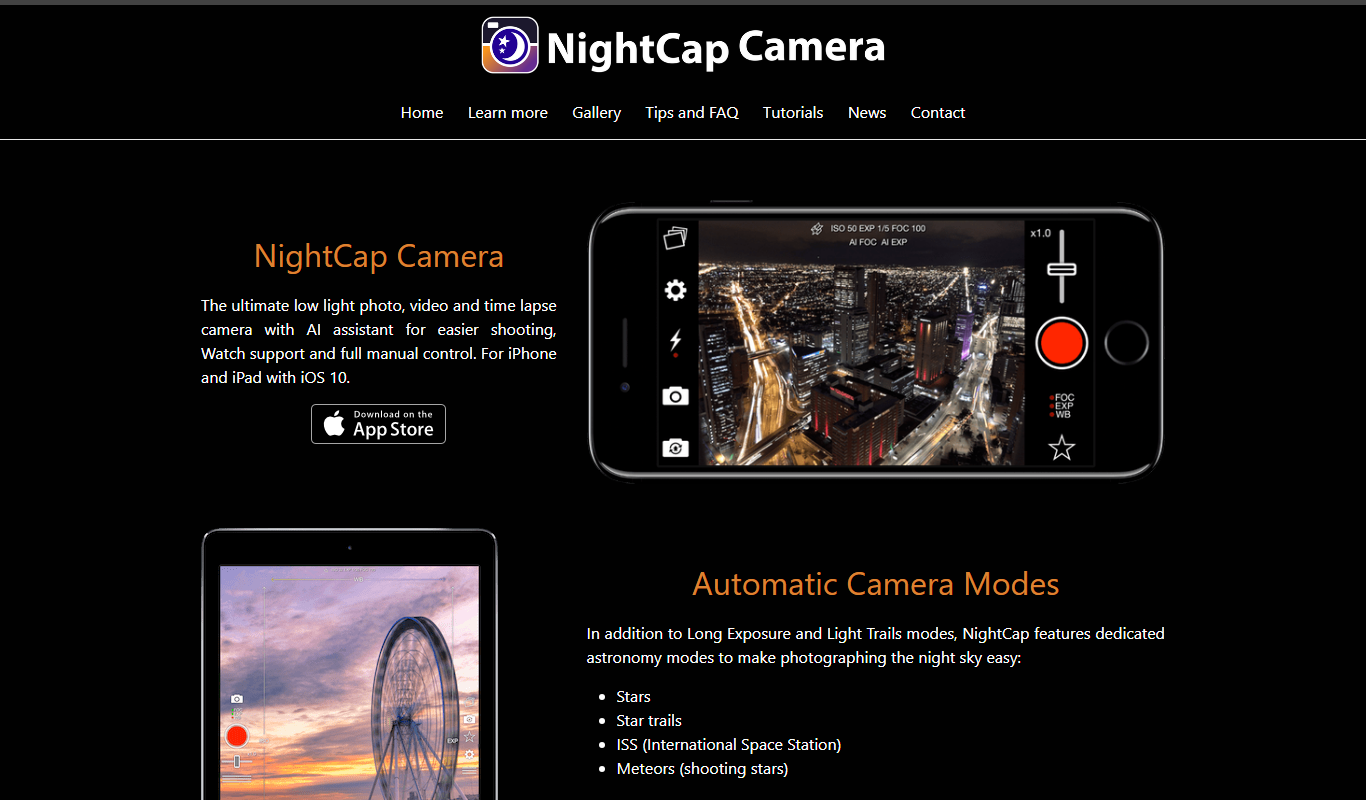
NightCap Camera is an iOS app that uses AI to enhance low light and night photography by combining multiple exposures, reducing noise, and enabling astrophotography with long exposure modes.

One-time purchase
Halide Mark III
Halide Mark III is an iPhone camera app with manual controls, RAW and ProRAW capture, and computational photography features for photo and video.

Free
Enhance.Pho.to
Enhance.Pho.to is a free web-based AI photo enhancement tool that automatically improves photo quality, removes backgrounds, retouches faces, and restores old images without requiring user registration.

Pay As You Go
BoxBrownie
BoxBrownie is a professional online service specializing in real estate photo editing, virtual staging, and floor plan redraw to improve property marketing images.

Free
PlantNet
PlantNet is a free AI-driven app that identifies plants from photos using a large community-curated database, available on web and mobile platforms.