

From my experience with Suno API, I found it excels at providing accessible, open source AI audio generation capabilities that developers can integrate easily via REST API. Its transparency and free usage make it ideal for experimentation and creative projects. However, it requires some technical skill to self-host or fully leverage, and the documentation is less extensive than commercial alternatives. Overall, if you want to programmatically generate music or audio content with an open source tool, Suno API delivers solid, customizable results.
Suno API - Open Source AI Audio Generation API for Developers
Suno API is an open source AI-powered audio generation API that enables developers to create music and audio content programmatically using text prompts and customizable parameters.
- Best for
- AI Music Creation
- Key capability
- Open Source Models
Your actions
Save Suno API, follow its updates and vote on it — everything stays in your account.
Sign in or create a free account

What is Suno API?
Suno API is an open source AI-powered audio generation platform that enables developers to create music and audio content programmatically. It provides RESTful API endpoints to generate audio from text prompts or other inputs using advanced machine learning models. The project emphasizes accessibility and transparency by offering open source code and models.
Key features of Suno API
Suno API offers features such as text-to-audio generation, customizable audio styles, easy API integration, and access to cutting-edge AI music models. It supports generating diverse audio outputs suitable for music production, sound design, and creative applications.
Open Source Models
Access to AI audio generation models with transparent code and community contributions.
RESTful API
Simple HTTP API for easy integration into various applications and workflows.
Text-to-Audio Generation
Convert textual prompts into diverse audio outputs including music and sound effects.
Customizable Outputs
Control audio style, length, and other parameters to tailor generated content.
Pros and cons of Suno API
Pros
- Open source with transparent AI models
- Free to use and self-host
- Simple REST API for easy integration
- Supports diverse audio generation use cases
Cons
- Requires technical knowledge to self-host or integrate
- Limited official documentation compared to commercial APIs
- Currently supports primarily English language prompts
Key use cases for Suno API
AI Music Creation
Generate original music tracks programmatically using AI models.
Audio Content Generation
Create audio content such as soundscapes or voiceovers from text inputs.
Developer Integration
Integrate AI audio generation capabilities into apps, games, or services via API.
Research and Experimentation
Use the open source models and API for academic or hobbyist AI audio research.
How Suno API works
- 1
Access the API
Sign up or clone the open source repository to get API access credentials or run locally.
- 2
Send Audio Generation Requests
Use REST API endpoints to submit text prompts or parameters for audio generation.
- 3
Receive Generated Audio
The API returns generated audio files or streams that can be used in your projects.
- 4
Customize and Iterate
Adjust input parameters or model settings to refine audio outputs as needed.
Who is using Suno API
Developers building audio or music applications
AI researchers experimenting with audio generation
Content creators seeking programmatic audio tools
Open source enthusiasts and hobbyists
Suno API pricing
Free
$0
Open source access with no cost; self-host or use community resources.
Plans and prices are as published by the vendor and can change. Check the official site before you buy. Open the pricing page (opens in a new tab)
Frequently asked questions about Suno API
Yes, Suno API is open source and free to use. You can self-host or use community-hosted instances.
The API is language-agnostic and accessible via HTTP requests; Python clients are available.
Yes, you can adjust parameters such as style and length to influence the audio output.
Check the open source license for details, but generally commercial use is permitted with attribution.
This tool is designed to help users accomplish its core tasks more efficiently. It is typically used by individuals or teams looking to improve productivity and workflow.
Some tools offer a free plan or trial with limited features. Availability can vary, so confirm on the official website.
Integration support depends on the tool and its available connectors or API. Check the official documentation or integrations page to confirm what is supported.
Integration support depends on the tool and its available connectors or API. Check the official documentation or integrations page to confirm what is supported.
Sign in to review this tool.
Sign In to ReviewNo reviews yet
Be the first to share how this tool worked for you.
Ask about pricing, limits, or how it compares — or answer someone else.
Sign In to AskNo questions yet
Have a question about using or paying for this tool? Be the first to ask.
Featured on TiorAI



More AI API Design tools
Other tools in the same category, for when this one is not quite the fit.

Free
Swagger
Swagger is a set of tools for designing, documenting, testing, and mocking RESTful APIs using the OpenAPI Specification, widely used by developers and teams to streamline API development.

Freemium
GreenEyes.AI – Image Recog. Tech as API
GreenEyes.AI is an image recognition API platform that provides high-accuracy object detection, customizable models, and scalable API access for various industries including retail, manufacturing, and security.

Custom Pricing
Flagright AI
Flagright AI is a RegTech platform that automates AML compliance, KYC verification, and fraud detection using AI and machine learning to help financial institutions reduce risk and meet regulatory requirements.
Free
TextSynth
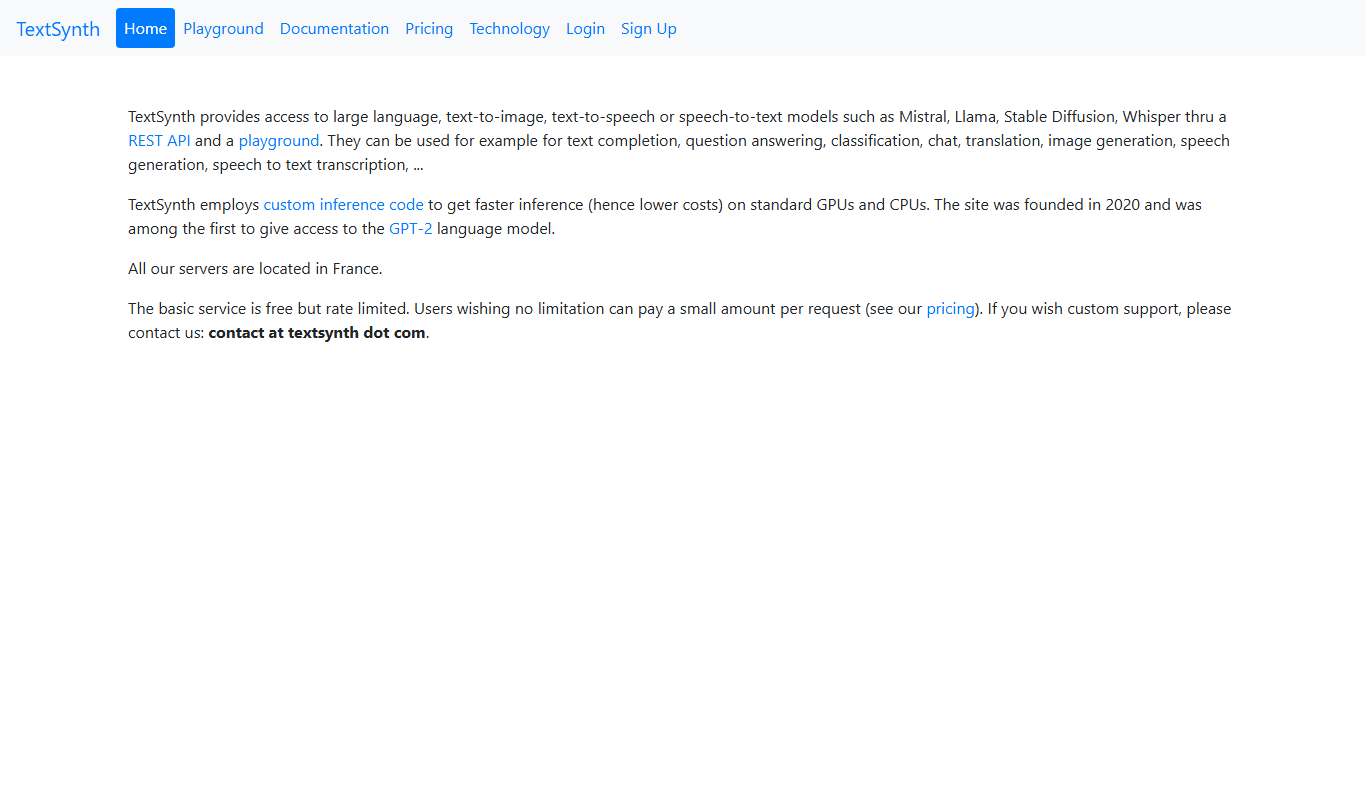
TextSynth is an AI platform for text generation, text-to-image, text-to-speech, speech-to-text, translation and classification.

Free
Stoplight
Stoplight is an API design and development platform that provides visual editing, interactive documentation, mocking, and governance tools to help teams build and manage APIs efficiently.

Free Trial
Boostramp
Boostramp is an AI-driven platform that automates personalized sales email outreach and lead generation, integrating with CRMs to streamline sales workflows.

Free Trial
CRUDERRA
CRUDERRA is a low-code platform that helps users build web and mobile applications quickly using drag-and-drop tools and database integration without needing extensive coding skills.

Free Trial
Aptori
Aptori is a low-code platform that helps businesses quickly build custom applications and automate workflows using a visual drag-and-drop interface and API integrations.