

Anima App for Designers: Convert Figma to Code with AI Automation
Anima is a design-aware AI agent that turns Figma files, URLs or prompts into production-ready HTML or React apps.
- Best for
- Design to Code Conversion
- Key capability
- Code Export
Save Anima, follow its updates and vote on it — everything stays in your account.
Sign in or create a free account
What is Anima?
Anima is a design-aware AI agent that generates production-ready apps from Figma files, URLs or prompts, with HTML or React code output. Product teams build with it directly, and coding platforms integrate it via API.
Key features of Anima
Anima offers features such as real code export, interactive prototypes, responsive design support, and collaboration tools that help teams convert static designs into functional web components efficiently.
Code Export
Generate clean, reusable React, HTML, or Vue code directly from design files.
Interactive Prototypes
Create clickable, animated prototypes with real code for realistic user testing.
Responsive Design Support
Build designs that adapt to different screen sizes and devices automatically.
Design Tool Integration
Seamlessly integrates with popular design tools like Figma, Sketch, and Adobe XD.
Collaboration Features
Facilitates communication between designers and developers with shared prototypes and code.
Pros and cons of Anima
Pros
- Speeds up design-to-development handoff
- Supports multiple popular design tools
- Generates clean, reusable React code
- Enables interactive, clickable prototypes
- Facilitates collaboration between teams
Cons
- Some advanced features require paid plans
- Learning curve for non-developers to understand exported code
- Limited support for complex animations
Key use cases for Anima
Design to Code Conversion
Automatically convert Figma designs into clean, developer-friendly React, HTML, or Vue code.
Rapid Prototyping
Create interactive prototypes with real code that can be tested and iterated quickly.
Collaboration Between Designers and Developers
Bridge the gap between design and development teams by providing code-ready assets directly from design files.
No-Code Website Building
Enable non-developers to build responsive websites from design files without writing code.
Export Production-Ready Code
Generate clean, reusable React components that can be integrated into production applications.
How Anima works
- 1
Install Plugin
Add the Anima plugin to your Figma, Sketch, or Adobe XD environment.
- 2
Design Your UI
Create your user interface designs as usual within your design tool.
- 3
Add Interactions
Use Anima to add links, hover states, and animations to your design elements.
- 4
Export Code
Export your design as clean React, HTML, or Vue code ready for development or prototyping.
- 5
Collaborate and Iterate
Share prototypes and code with your team for feedback and continuous improvement.
Who is using Anima
Anima pricing
Free
$0/month
5 chat messages per day in the AI Playground, 5 Figma design imports or website clones in the AI Playground, and 5 code generations in the Figma plugin.
Pro
$19/month
5000 code exports/month and unlimited Figma inspects.
Team
$49/month
Designed for teams with shared projects, priority support, and enhanced features.
Enterprise
From $500/mo paid annually
SSO, MFA, Enterprise grade SLAs and better security required for compliance.
Plans and prices are as published by the vendor and can change. Check the official site before you buy. Open the pricing page (opens in a new tab)
Compare similar tools
How Anima lines up against the tools people weigh it against.
 Character.AI
Character AI vs Anima: Features, Pricing & Performance
Frequently asked questions about Anima
Anima supports Figma, Sketch, and Adobe XD through dedicated plugins.
You can export React, HTML, and Vue code from your designs.
Yes, Anima generates clean, reusable code suitable for production with minimal adjustments.
Yes, Anima allows you to add interactions and animations to create realistic prototypes.
It depends on your specific needs and how you plan to use the tool. The official website and documentation are the best sources for the latest details.
It depends on your specific needs and how you plan to use the tool. The official website and documentation are the best sources for the latest details.
Yes, it can help with that use case depending on how you configure it and what features are available. You’ll get the best results with clear inputs and a defined goal.
Yes, it can help with that use case depending on how you configure it and what features are available. You’ll get the best results with clear inputs and a defined goal.
Conclusion
A build can start from a Figma design, a screenshot or mockup, a live website or a prompt, and the result is an editable HTML or React app. HTML output suits websites, landing pages and email templates, while React output is built with TypeScript or JavaScript and a preferred UI library. Apps are built and previewed in the browser, can add a database and authentication, and are then published, exported or handed off.
Coding platforms can automate code generation from Figma designs, website clones or prompts through the API and SDK, and AI coding agents connect to Anima as well. Its main users are UI/UX designers, frontend developers and product teams. The Free plan is capped at 5 code generations in the Figma plugin and 5 chat messages per day in the AI Playground, while the Pro plan includes 5000 code exports/month.
Sources
Sign in to review this tool.
Sign In to ReviewNo reviews yet
Be the first to share how this tool worked for you.
Ask about pricing, limits, or how it compares — or answer someone else.
Sign In to AskNo questions yet
Have a question about using or paying for this tool? Be the first to ask.
Featured on TiorAI



Alternative Tools
Explore similar AI tools that might fit your needs
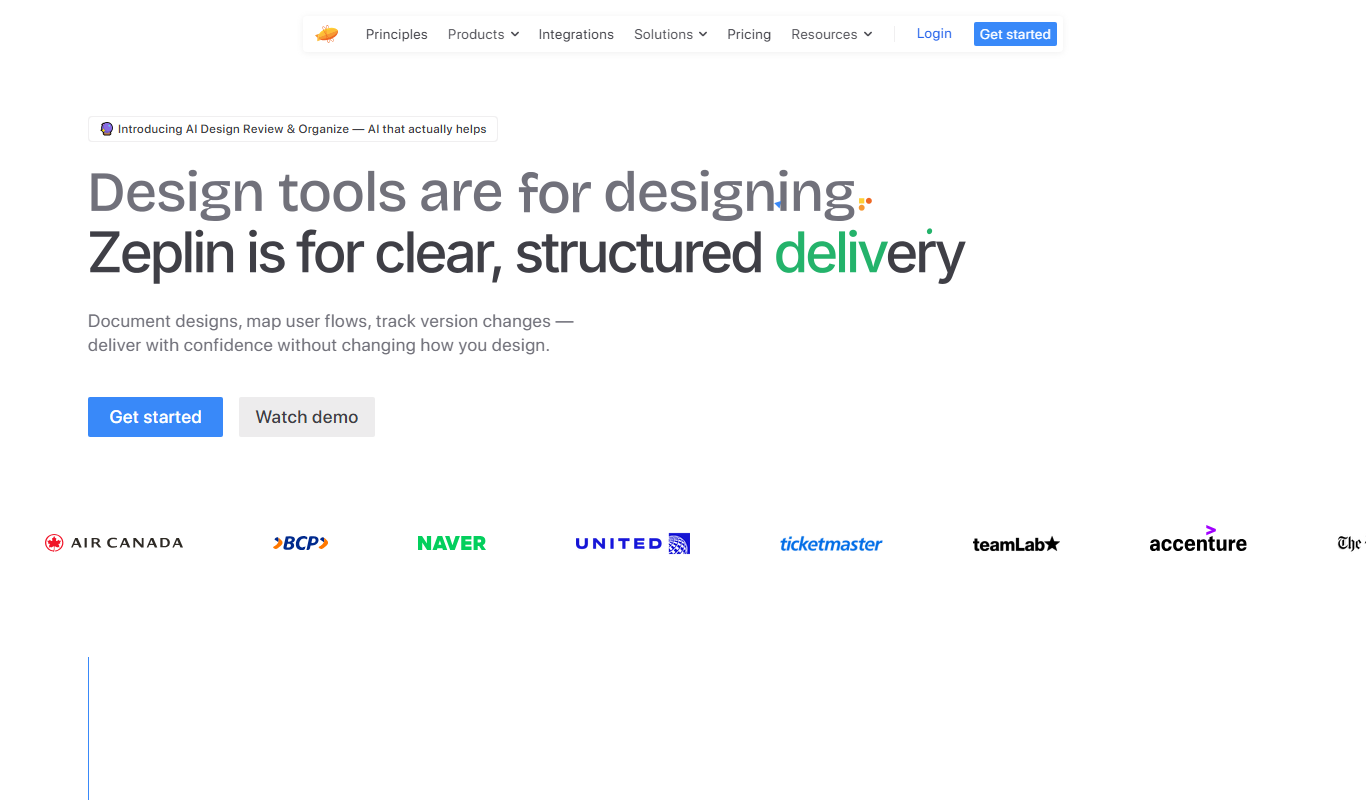
Zeplin
Zeplin is a collaborative platform that simplifies design handoff by generating specs, assets, and code snippets from design files, enabling seamless communication between designers and developers.
More AI Developer Tools tools
Other tools in the same category, for when this one is not quite the fit.

CrayEye
CrayEye is a free, open-source mobile app for crafting and sharing multimodal LLM vision prompts that use your camera plus sensor data such as location and weather.

TestLabs
TestLabs tests your app on 20 real devices for 14 days to meet the Google Play testing policy, with daily reports, device logs and screenshots.

Modly
Modly.ai trains, fine-tunes and hosts custom large language models on your business data, delivered as a managed service with API access.

modl.ai
modl.ai automates game testing and QA with AI agents that play your build and analysts that report bugs, glitches and performance issues, with no SDKs or code needed.

Mirascope
Mirascope is The LLM Anti-Framework: open-source Python and TypeScript SDKs with one API for OpenAI, Anthropic and Google, plus tools, tracing and versioning.

Myple
Myple is a developer platform to build, deploy and secure AI applications such as AI agents and RAG chatbots, with SDKs, a CLI and a free Hacker plan.

Momentic
Momentic is an AI testing platform where agents run and maintain plain-English end-to-end tests for web, iOS and Android apps, locally or in CI.

Intuition Machines
Intuition Machines builds privacy-preserving AI/ML platforms: the hCaptcha Security Suite against fraud and abuse, and the IM Perception Platform for training, deploying and improving ML models.