

YouTube Video Statistics
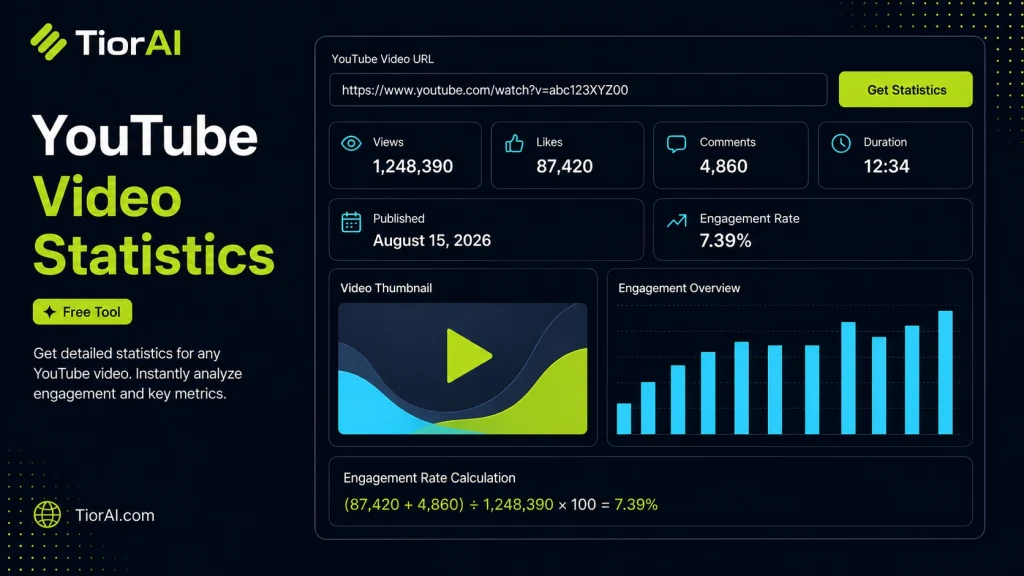
Get detailed statistics for any YouTube video including views, likes, comments, and more
Supported URL Formats
https://www.youtube.com/watch?v=VIDEO_IDhttps://youtu.be/VIDEO_IDhttps://www.youtube.com/embed/VIDEO_IDhttps://www.youtube.com/shorts/VIDEO_ID
For custom handles and usernames, the tool automatically resolves the correct Channel ID when required.
How to use it
- Enter URL or Keyword Enter your website URL or target keyword into the Youtube Video Statistics to begin the analysis process.
- Run the Analysis Click analyze to scan your input. The tool examines multiple SEO factors and compiles the results.
- Review Your Report Examine the detailed report with actionable insights, scores, and recommendations to improve your SEO.
Tip Check competitor pages with the Youtube Video Statistics to find gaps in their strategy that you can exploit.
Understanding YouTube Video Statistics
YouTube video statistics provide detailed data about a video’s performance on the platform. These statistics include metrics such as views, likes, dislikes, comments, watch time, audience demographics, and engagement rates. Analyzing these numbers helps content creators, marketers, and analysts understand how well a video is performing and identify trends or areas for improvement.
Why are YouTube video statistics important? They offer insights into viewer behavior and content effectiveness, enabling data-driven decisions to optimize future videos. For example, knowing the average watch time can help creators adjust video length or content style to retain viewers better.
Common use cases include:
- Tracking the growth and reach of a video over time.
- Comparing performance between different videos or channels.
- Identifying the demographics of the audience to tailor content.
- Monitoring engagement to improve interaction strategies.
These statistics are typically gathered through YouTube’s API or third-party tools that aggregate and present the data in an accessible format. Understanding how to interpret these metrics is crucial for anyone looking to grow their presence on YouTube or analyze competitors.
What Are YouTube Video Statistics?
YouTube video statistics are numerical data points that describe how a video is performing on the platform. These include views, likes, comments, watch time, and audience demographics. Understanding these metrics helps creators and marketers evaluate the effectiveness of their content and make informed decisions to improve future videos.
When to Use YouTube Video Statistics Tools
- To assess the performance of a newly uploaded video and adjust content strategy accordingly.
- When researching potential collaborators or competitors by analyzing their video metrics.
- To monitor trends in audience engagement and demographics for targeted marketing.
- When preparing reports on channel growth or video success for stakeholders.
- To identify which types of content resonate best with your audience.
Common Mistakes to Avoid
- Expecting real-time updates; some statistics may be delayed or aggregated.
- Misreading engagement metrics without considering the context, such as external promotions or viral spikes.
- Focusing only on view counts without analyzing watch time or retention, which provide deeper insight into viewer interest.
Using YouTube video statistics tools effectively requires understanding what each metric represents and how it relates to your content goals. These tools simplify data collection and help you make data-driven decisions to grow your channel or analyze competitors.
Frequently asked questions
Reviews and questions
Whether this tool gave people the answer they needed, and what they asked about it.
Sign in to review this tool.
Sign In to ReviewNo reviews yet
Be the first to say whether this tool gave you what you needed.
Ask how to read the result, or what the tool does with an edge case — or answer someone else.
Sign In to AskNo questions yet
Not sure how to read a result? Be the first to ask.