

How to use it
- Enter URL or Keyword Enter your website URL or target keyword into the Youtube Channel Search to begin the analysis process.
- Run the Analysis Click analyze to scan your input. The tool examines multiple SEO factors and compiles the results.
- Review Your Report Examine the detailed report with actionable insights, scores, and recommendations to improve your SEO.
Tip The Youtube Channel Search highlights quick-win opportunities — focus on high-impact, low-effort fixes first.
Understanding YouTube Channel Search
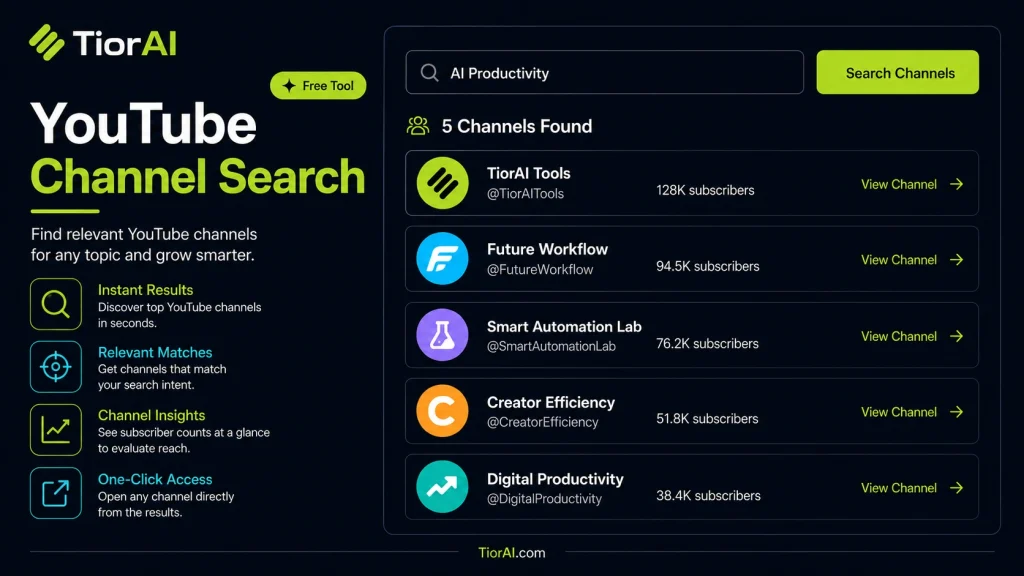
YouTube channel search tools are specialized utilities designed to help users find specific YouTube channels based on various criteria such as keywords, topics, or location. Unlike searching for individual videos, these tools focus on identifying entire channels, which can be useful for content discovery, competitor analysis, or influencer marketing.
Why is this needed? YouTube hosts millions of channels, making manual search inefficient. Standard YouTube search often prioritizes videos rather than channels, so dedicated channel search tools provide a more targeted approach. They allow users to filter results by subscriber count, upload frequency, language, or country, enabling more precise discovery.
Common use cases include:
- Marketers looking for influencers in a niche
- Researchers analyzing content creators by region or topic
- Viewers seeking channels focused on specific interests
These tools typically work by querying YouTube’s API or scraping search results, then organizing channels based on relevance and filters. This helps users save time and find channels that meet their exact needs.
What is YouTube Channel Search?
YouTube channel search tools help users find entire channels rather than individual videos. This is useful when you want to discover creators focused on specific topics, analyze competitors, or find influencers. Since YouTube’s native search prioritizes videos, these tools provide a more targeted way to locate channels by keywords, location, or other criteria.
When to Use a YouTube Channel Search Tool
- Looking for channels related to a particular subject or keyword
- Conducting market research or competitor analysis
- Finding influencers within a geographic region
- Filtering channels by subscriber count or activity level
Common Mistakes to Avoid
- Using vague keywords that yield irrelevant channels
- Expecting to find very new or niche channels that may not be indexed yet
- Overlooking available filters, which can improve search accuracy
By understanding how these tools work and when to use them, you can efficiently discover YouTube channels that meet your specific needs, saving time and improving your research or marketing efforts.
Frequently asked questions
Reviews and questions
Whether this tool gave people the answer they needed, and what they asked about it.
Sign in to review this tool.
Sign In to ReviewNo reviews yet
Be the first to say whether this tool gave you what you needed.
Ask how to read the result, or what the tool does with an edge case — or answer someone else.
Sign In to AskNo questions yet
Not sure how to read a result? Be the first to ask.