

YouTube Channel Banner Downloader
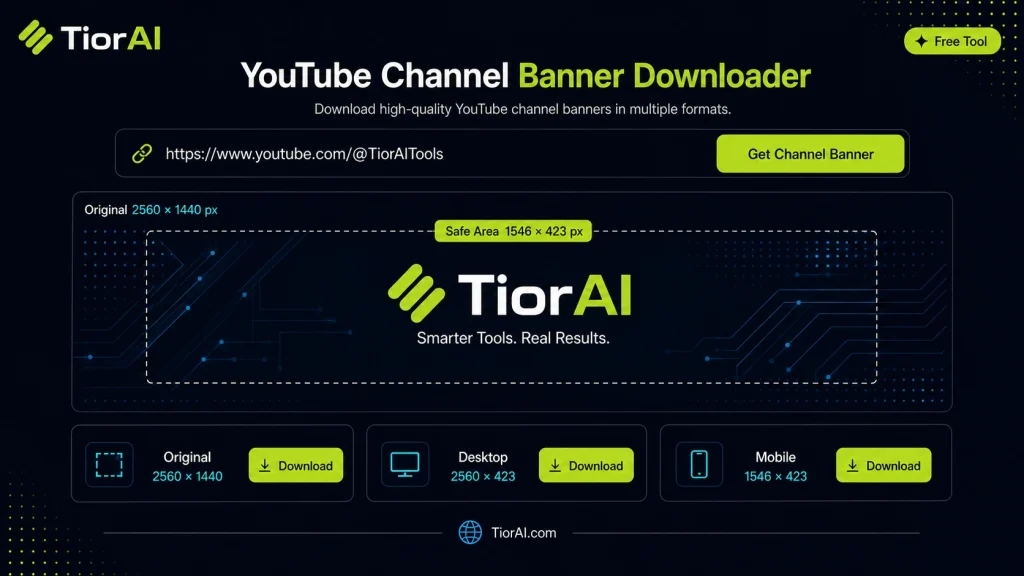
Download the banner image from any YouTube channel in high resolution.
Supported URL Formats
https://www.youtube.com/channel/UC...https://www.youtube.com/@handlehttps://www.youtube.com/c/customnamehttps://www.youtube.com/user/username
For custom handles and usernames, the tool automatically resolves the correct Channel ID when required.
How to use it
- Enter URL or Keyword Enter your website URL or target keyword into the Youtube Channel Banner Downloader to begin the analysis process.
- Run the Analysis Click analyze to scan your input. The tool examines multiple SEO factors and compiles the results.
- Review Your Report Examine the detailed report with actionable insights, scores, and recommendations to improve your SEO.
Tip Run the Youtube Channel Banner Downloader on your top-performing pages to understand what's working and replicate the pattern.
Understanding YouTube Channel Banners
A YouTube channel banner, also known as channel art, is the large header image displayed at the top of a YouTube channel page. It serves as a visual introduction to the channel’s brand, style, or content theme. These banners are typically designed to fit specific dimensions to ensure they display correctly across devices such as desktops, tablets, and smartphones.
Why download a YouTube channel banner? Sometimes, users want to save a banner for inspiration, redesign, or offline viewing. However, YouTube does not provide a direct download option for channel banners. This is where a YouTube channel banner downloader tool becomes useful.
How does a banner downloader work? The tool extracts the banner image URL from the channel’s page source and fetches the image file. It often retrieves the highest available resolution to preserve image quality. This process is useful for designers, content creators, or marketers who want to analyze or reuse banner designs.
Common situations for using a banner downloader include:
- Saving a banner for design reference or inspiration.
- Backing up your own channel art before making changes.
- Studying competitors’ branding strategies.
- Creating tutorials or reviews about YouTube channel design.
What is a YouTube Channel Banner Downloader?
A YouTube channel banner downloader is a utility that allows you to extract and save the banner image displayed on a YouTube channel page. Since YouTube does not offer a direct download option for these banners, this tool helps you obtain the banner in its original or highest available resolution.
When Should You Use This Tool?
- To save your own channel banner before making updates or changes.
- To collect design ideas by downloading banners from other channels.
- For educational purposes, such as analyzing branding strategies.
- When creating tutorials or content about YouTube channel customization.
- To back up your channel art offline.
Common Mistakes to Avoid
- Attempting to download the banner by right-clicking the image, which often results in low-quality or incomplete images.
- Confusing other channel images like profile pictures or thumbnails with the banner.
- Not checking the resolution of the downloaded banner, which can lead to poor image quality if reused.
Technical Context
The banner downloader works by parsing the YouTube channel page’s source code to locate the banner image URL. It then fetches the image file, often providing options to download it in different resolutions. This process ensures you get the full banner without cropping or compression artifacts that occur when saving images directly from the browser.
Frequently asked questions
Reviews and questions
Whether this tool gave people the answer they needed, and what they asked about it.
Sign in to review this tool.
Sign In to ReviewNo reviews yet
Be the first to say whether this tool gave you what you needed.
Ask how to read the result, or what the tool does with an edge case — or answer someone else.
Sign In to AskNo questions yet
Not sure how to read a result? Be the first to ask.