

What Is My IP Address
Find your public IP address instantly with our free tool. View your IPv4 and IPv6 addresses, ISP information, and approximate location – useful for networking, VPN testing, and troubleshooting connectivity.
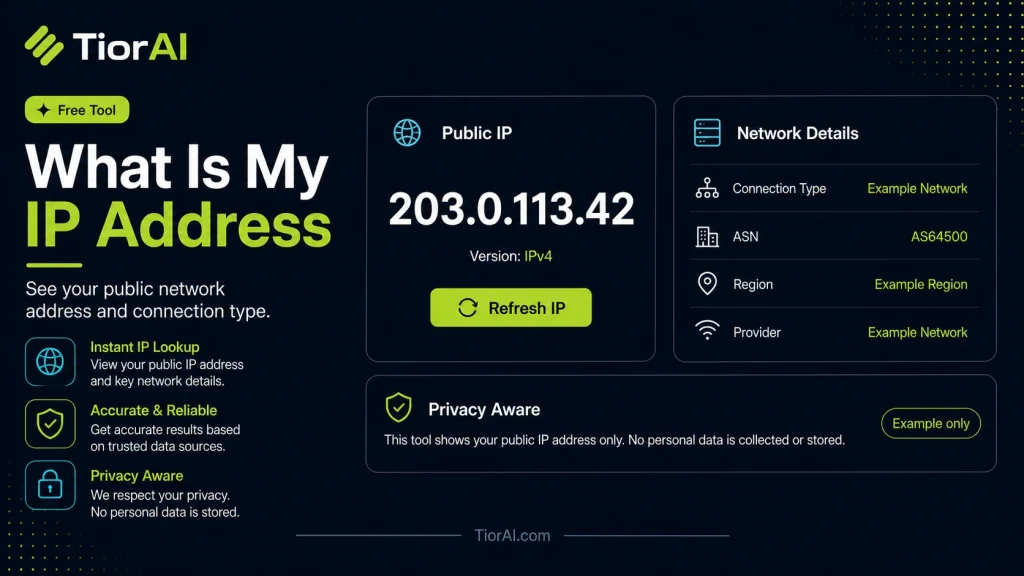
Reveal your current public IPv4 or IPv6 address using a browser-side lookup.
How to use it
- Enter Domain or IP Enter the domain name, IP address, or URL into the What is My Ip Address to start the lookup or analysis.
- Run the Check Click the check button to query the relevant databases. Results are retrieved and displayed in seconds.
- Analyze the Results Review the detailed results including status, records, and diagnostics to troubleshoot or verify your query.
Tip The What is My Ip Address checks multiple databases simultaneously, saving you the time of querying each one individually.
Understanding IP Addresses and Their Role in Networking
An IP address (Internet Protocol address) is a unique identifier assigned to each device connected to a computer network that uses the Internet Protocol for communication. It serves as the device’s address on the network, allowing data to be sent and received between devices. IP addresses are fundamental to how the internet and local networks function.
There are two main versions of IP addresses in use today: IPv4 and IPv6. IPv4 addresses are 32-bit numeric addresses written as four decimal numbers separated by dots (e.g., 192.168.1.1). Due to the limited number of IPv4 addresses, IPv6 was introduced, which uses 128-bit addresses written as eight groups of hexadecimal numbers separated by colons (e.g., 2001:0db8:85a3:0000:0000:8a2e:0370:7334).
IP addresses can be categorized as public or private. Public IP addresses are assigned by Internet Service Providers (ISPs) and are globally unique, allowing devices to communicate over the internet. Private IP addresses are used within local networks (like home or office networks) and are not routable on the public internet. Common private IPv4 ranges include 192.168.x.x, 10.x.x.x, and 172.16.x.x to 172.31.x.x.
Developers and network administrators use IP addresses to configure network devices, set up servers, implement security rules, and troubleshoot connectivity issues. For example, when hosting a web server, knowing the server’s public IP address is essential for DNS configuration and firewall settings. In client-server applications, IP addresses help identify and authenticate clients or servers.
The Internet Protocol itself is defined by standards such as RFC 791 for IPv4 and RFC 8200 for IPv6. These documents specify how IP packets are formatted and routed across networks.
In summary, IP addresses are the backbone of network communication, enabling devices to locate and communicate with each other across local and global networks.
What Is an IP Address?
An IP address is a unique string of numbers assigned to every device connected to a network that uses the Internet Protocol. It functions like a postal address, allowing devices to send and receive data accurately across networks. There are two main types of IP addresses: IPv4 and IPv6. IPv4 addresses are the most common and look like four numbers separated by dots (e.g., 192.168.0.1). IPv6 addresses are longer and use hexadecimal notation to accommodate the growing number of devices online.
IP addresses are essential for routing internet traffic. When you visit a website, your device’s IP address is used to send the requested data back to you. Without IP addresses, devices would not know where to send or receive information.
When to Use an IP Address Lookup Tool
- Identifying your public IP address: Useful when configuring remote access, setting up firewalls, or troubleshooting connectivity issues.
- Verifying VPN or proxy connections: To confirm that your internet traffic is routed through the expected IP address.
- Network troubleshooting: To check which IP address your device is currently using, especially in complex network setups.
- Security and access control: When implementing IP-based restrictions or whitelisting for services.
Common Mistakes When Using IP Address Tools
- Confusing public and private IP addresses: Many users mistake their private local IP (like 192.168.x.x) for their public IP, which is what external services see.
- Assuming the IP shown is always the device’s actual IP: In many cases, especially behind routers or NAT devices, the IP address visible to the internet is different from the device’s local IP.
Technical Context for Developers
Developers often need to work with IP addresses when building networked applications, configuring servers, or managing cloud infrastructure. Understanding the difference between IPv4 and IPv6, as well as public and private IPs, is critical. For example, when deploying a web service, the public IP address is used in DNS records and firewall rules to ensure accessibility. In contrast, private IPs are used within internal networks to route traffic securely without exposing devices to the internet.
Standards like RFC 791 for IPv4 and RFC 8200 for IPv6 define how IP addresses are structured and how packets are routed. Developers should also be aware of Network Address Translation (NAT), which allows multiple devices on a private network to share a single public IP address, a common setup in home and office networks.
Common use cases
- Checking your public IP address after connecting to a VPN
- Identifying your home network's public IP address
Frequently asked questions
ipconfig (Windows) or ifconfig/ip addr (Linux/macOS) to find your local IP address.Reviews and questions
Whether this tool gave people the answer they needed, and what they asked about it.
Sign in to review this tool.
Sign In to ReviewNo reviews yet
Be the first to say whether this tool gave you what you needed.
Ask how to read the result, or what the tool does with an edge case — or answer someone else.
Sign In to AskNo questions yet
Not sure how to read a result? Be the first to ask.
AI tools related to this topic
Tools from the TiorAI directory that work on the same kind of job.

Action Network
Action Network is a progressive organizing platform with free access for grassroots activists and paid plans from $15/month.
Layla Network AI
Layla is a private offline AI assistant for Android and iOS that runs local models on your phone for chat, characters and image generation.