

Domain DNS Health Check
Checks whether a domain has the most common DNS records expected for a healthy setup.
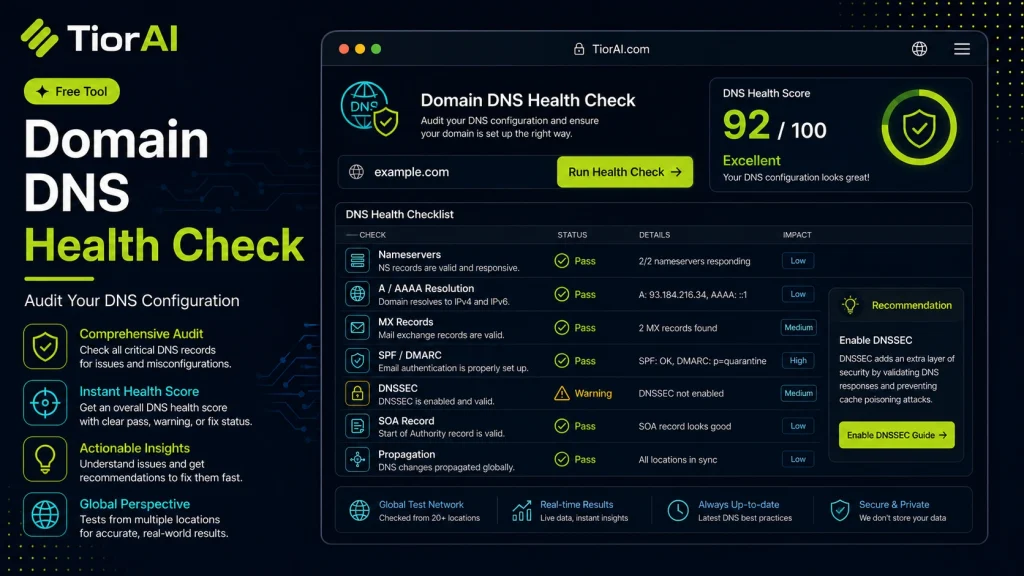
How to use it
- Enter Domain or IP Enter the domain name, IP address, or URL into the Domain Dns Health Check to start the lookup or analysis.
- Run the Check Click the check button to query the relevant databases. Results are retrieved and displayed in seconds.
- Analyze the Results Review the detailed results including status, records, and diagnostics to troubleshoot or verify your query.
Tip Run the Domain Dns Health Check from different times of day to catch intermittent issues that only appear during peak traffic.
Understanding DNS and Its Importance
The Domain Name System (DNS) is a fundamental component of the internet that translates human-readable domain names (like example.com) into IP addresses that computers use to communicate. A DNS health check evaluates the configuration and performance of your domain’s DNS records to ensure they are correctly set up and functioning as expected.
Why is DNS health important? If DNS records are misconfigured, it can lead to website downtime, email delivery failures, or security vulnerabilities. For example, incorrect DNS settings might cause your website to be unreachable or slow to respond.
Common DNS records checked include:
AandAAAArecords, which map domain names to IP addressesMXrecords, which direct email trafficNSrecords, which specify authoritative name serversTXTrecords, often used for verification and security (like SPF, DKIM)
DNS health checks verify these records for correctness, propagation status, and potential issues like DNSSEC misconfigurations or expired records. This process helps maintain website availability, email reliability, and overall domain security.
What is DNS and Why Does Its Health Matter?
The Domain Name System (DNS) acts like the internet’s phonebook, translating domain names into IP addresses. Without properly functioning DNS, users cannot reach your website or send emails reliably. A DNS health check evaluates your domain’s DNS records to ensure they are accurate and working as intended.
When Should You Use a DNS Health Check?
- After updating DNS records to confirm changes have propagated correctly.
- If your website or email services experience downtime or delivery problems.
- Before launching a new website or service to verify DNS setup.
- As part of regular domain maintenance to prevent issues.
Common Mistakes to Avoid
- Neglecting TTL settings, which control how long DNS information is cached and can cause delays in updates.
- Failing to keep NS records consistent across all authoritative servers, which can lead to resolution errors.
Regular DNS health checks help maintain your domain’s reliability and security by identifying misconfigurations early. This proactive approach minimizes downtime and ensures your online presence remains accessible and trustworthy.
Frequently asked questions
Reviews and questions
Whether this tool gave people the answer they needed, and what they asked about it.
Sign in to review this tool.
Sign In to ReviewNo reviews yet
Be the first to say whether this tool gave you what you needed.
Ask how to read the result, or what the tool does with an edge case — or answer someone else.
Sign In to AskNo questions yet
Not sure how to read a result? Be the first to ask.
AI tools related to this topic
Tools from the TiorAI directory that work on the same kind of job.

Action Network
Action Network is a progressive organizing platform with free access for grassroots activists and paid plans from $15/month.

Layla Network AI
Layla is a private offline AI assistant for Android and iOS that runs local models on your phone for chat, characters and image generation.