

Zona AI Song and Music Generator App for Creative Music Production
Zona is an AI music generator app that helps users create original songs by generating melodies, lyrics, and beats with customizable options.
- Best for
- Songwriting Assistance
- Key capability
- AI Melody Generation
Save Zona – AI Song & Music Generator App, follow its updates and vote on it — everything stays in your account.
Sign in or create a free account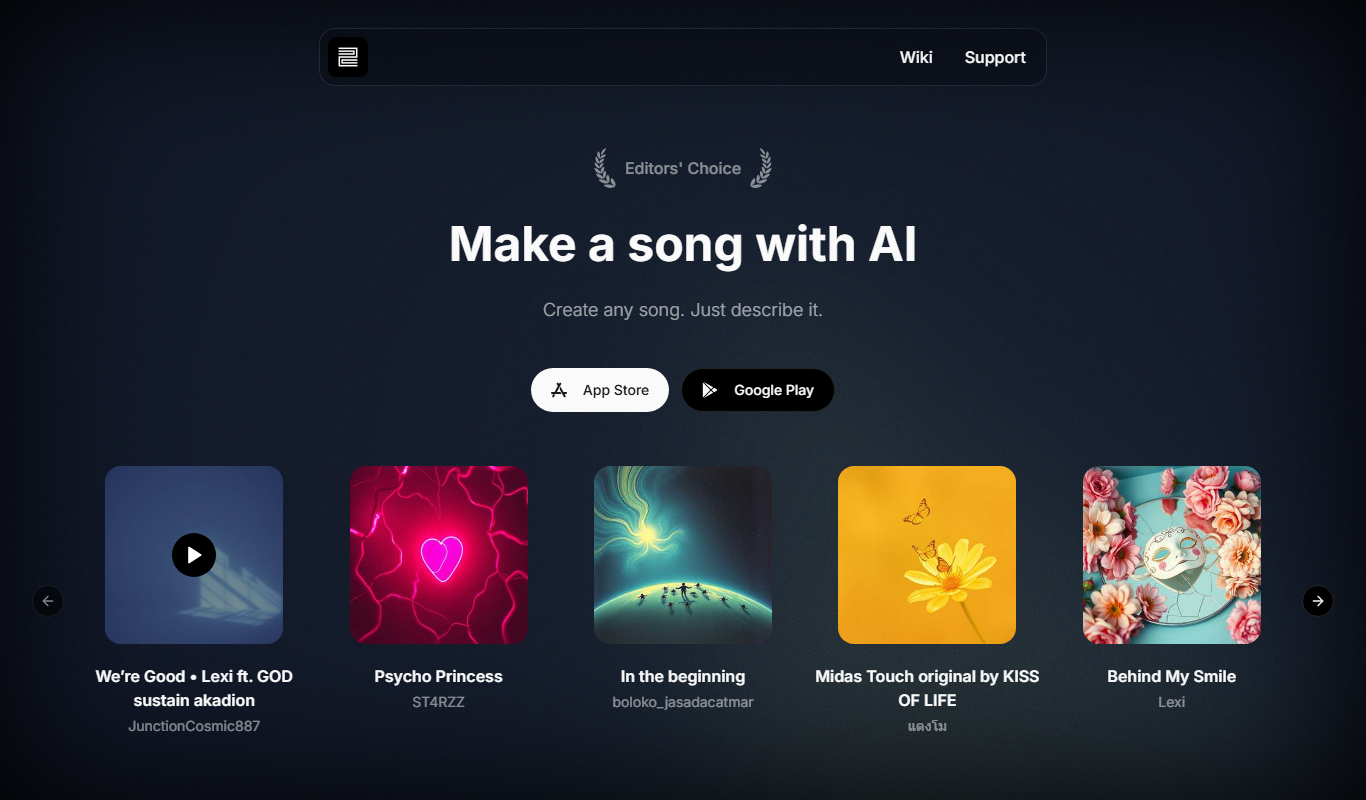
What is Zona – AI Song & Music Generator App?
Zona is an AI-powered song and music generator app designed to help users create original music compositions effortlessly. It leverages artificial intelligence to produce melodies, beats, and lyrics, enabling musicians, content creators, and hobbyists to generate music ideas quickly without deep technical knowledge.
Key features of Zona – AI Song & Music Generator App
Zona offers intuitive AI-driven music generation features including melody creation, lyric generation, beat making, and style customization. The app provides users with a simple interface to experiment with different genres and moods, making music production accessible to all skill levels.
AI Melody Generation
Automatically compose unique melodies tailored to selected genres.
Lyric Writing Assistance
Generate song lyrics that complement the melody and theme.
Stems and Lossless WAV
On a subscription, split a song into vocals and instrumental and export lossless WAV to finish it in a DAW.
User-Friendly Interface
Simple and intuitive design that requires no prior music production experience.
Your Own Voice
Create a voice from a 20 to 40 second clip of your singing and re-sing your songs in it.
Any Genre, 40+ Languages
Songs in any genre or mix of genres, sung in more than 40 languages.
Pros and cons of Zona – AI Song & Music Generator App
Pros
- Easy to use for beginners
- Generates both melodies and lyrics
- Affordable premium plan
- Supports multiple music genres
Cons
- Creating and exporting songs requires a subscription after the first free song
- Customization features could be deeper
Key use cases for Zona – AI Song & Music Generator App
Songwriting Assistance
Generate original melodies and lyrics to inspire songwriters and musicians.
Music Production
Create full instrumental tracks and beats for use in various music projects.
Content Creation
Produce background music and soundtracks for videos, podcasts, and other media.
Creative Experimentation
Explore new musical ideas and styles using AI-generated compositions.
How Zona – AI Song & Music Generator App works
- 1
Select Music Style
Choose the genre or mood you want your music to reflect.
- 2
Generate Melody and Lyrics
Use AI to create original melodies and song lyrics based on your preferences.
- 3
Customize and Edit
Listen, then extend the song, replace a section or try another style.
- 4
Export and Share
Save your music creations and share them across platforms or use in projects.
Who is using Zona – AI Song & Music Generator App
Zona – AI Song & Music Generator App pricing
Free
Free
Listening to community songs; creating songs is not included. The first song is free: sign in and claim 10 credits, enough for one song in two versions, with no card.
Weekly
$5.99/week
AI chat assistant, voice cloning, extend, remaster and replace sections, stem separation, synced lyrics, MP3 and lossless WAV export and commercial use rights; cancel anytime.
Monthly
$19.99/month
Same features as the weekly plan: AI chat assistant, voice cloning, section editing, stems, MP3 and lossless WAV export and commercial use rights.
Yearly
$49.99 billed yearly ($4.17/month)
Same features as the weekly and monthly plans, billed once a year.
Plans and prices are as published by the vendor and can change. Check the official site before you buy. Open the pricing page (opens in a new tab)
Frequently asked questions about Zona – AI Song & Music Generator App
Yes, Zona is designed for users of all skill levels with an easy-to-use interface.
Zona supports various genres including pop, hip-hop, electronic, and more.
Every song made on a paid plan comes with commercial-use rights and can be released and monetized; the free plan does not include commercial-use rights.
It depends on your specific needs and how you plan to use the tool. The official website and documentation are the best sources for the latest details.
Some tools offer a free plan or trial with limited features. Availability can vary, so confirm on the official website.
Yes, it can help with that use case depending on how you configure it and what features are available. You’ll get the best results with clear inputs and a defined goal.
Conclusion
One sentence about the song is enough to start, or the lyrics can be pasted in under Advanced together with a genre, mood, instruments and kind of voice. The AI then writes the lyrics if asked, composes the melody, sings it and produces the track in more than 40 languages. With vocals switched off it works as an instrumental and beat maker, and a 20 to 40 second clip of the user’s singing lets songs be re-sung in that voice.
Once generated, a song can be extended, remastered or have a section replaced, and subscribers can separate vocals from the instrumental and export lossless WAV. It is built for songwriters and musicians, content creators and video producers, and music hobbyists. Beyond a first free song, creating requires a Weekly, Monthly or Yearly subscription, which also carries the commercial-use rights, while listening to community songs stays free.
Sources
Sign in to review this tool.
Sign In to ReviewNo reviews yet
Be the first to share how this tool worked for you.
Ask about pricing, limits, or how it compares — or answer someone else.
Sign In to AskNo questions yet
Have a question about using or paying for this tool? Be the first to ask.
Featured on TiorAI



More AI Design & Creative Tools tools
Other tools in the same category, for when this one is not quite the fit.

QuickQR Art
QuickQR Art is a QR Code AI Art Generator for creating, customizing and tracking artistic QR codes, with dynamic QR codes, short links and an API.

TattooDesignPro
TattooDesignPro is an all-in-one AI tattoo generator and thermal stencil maker that creates custom tattoo concepts, precision line art and 300 DPI stencil flash for artists and enthusiasts.

Openart
OpenArt is an AI platform for creating art, images, videos and music online with 100+ models from Google, OpenAI, Seedance and more.

Pencil Sketch Generator: Make Creative Sketch Drawing
Pencil Sketch Generator (PenKetch) is an AI tool that creates pencil sketch drawings from text descriptions and converts photos into sketches.

GiFTEM
GiFTEM is recruiting intelligence software that understands jobs, runs semantic candidate search across 800M+ profiles, evaluates candidates and handles outreach.

AI Song Generator
AI Song Generator is a web tool that creates original songs and lyrics from your genre, mood and topic, with a limited free plan and paid subscriptions.

TwoShot
TwoShot is an AI creative suite for music, audio, video and images: generate music and sounds from text, split stems, make voiceovers and produce in an online studio.

Remodel AI
Remodel AI is a web-based AI tool that redesigns any room or home exterior from an uploaded photo in seconds.