

Weekdone OKR Software for Team Productivity and Weekly Reporting
Weekdone is a software platform designed to help teams and organizations set, track, and manage Objectives and Key Results (OKRs) alongside weekly reporting to boost productivity and alignment.
- Best for
- OKR Management
- Key capability
- OKR Management
Save Weekdone, follow its updates and vote on it — everything stays in your account.
Sign in or create a free account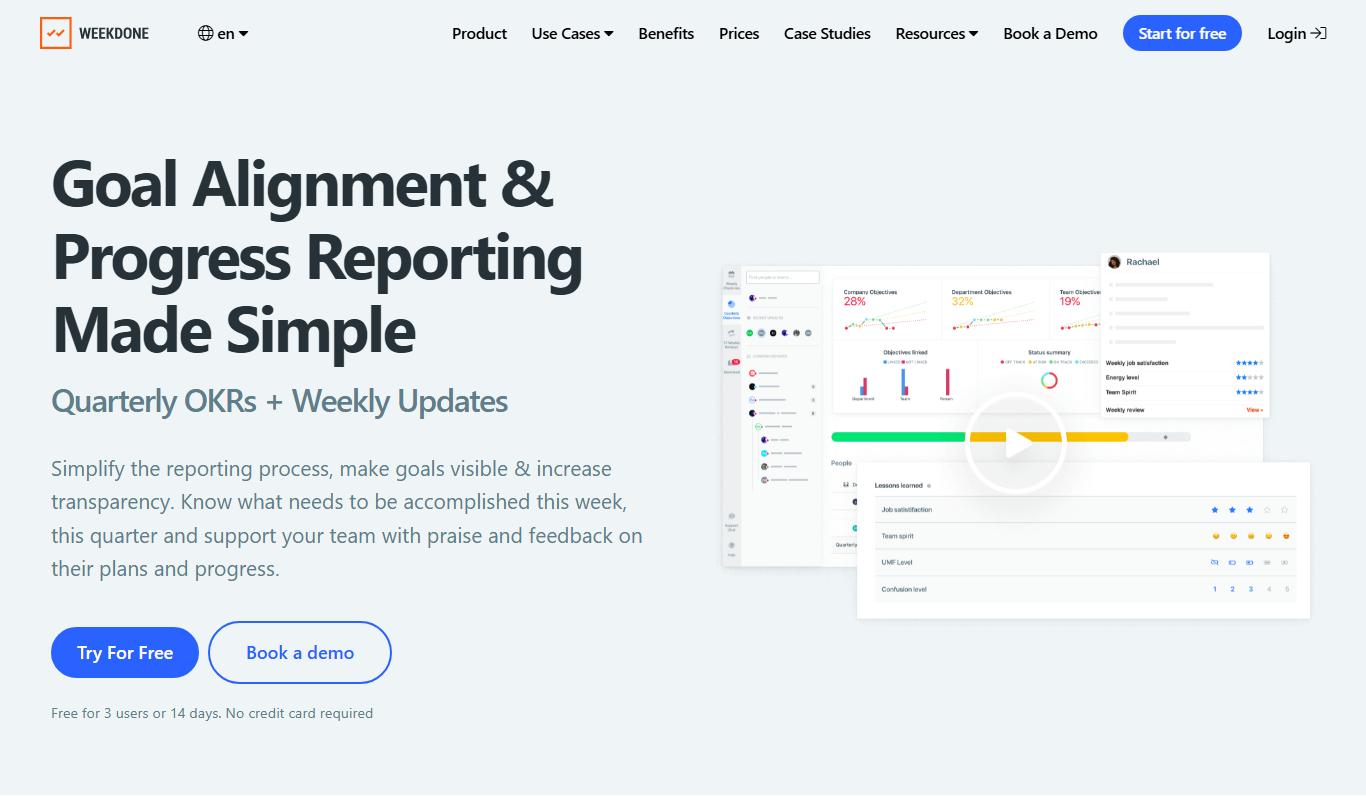
What is Weekdone?
Weekdone is a team productivity and performance management software focused on OKRs (Objectives and Key Results) and weekly reporting. It helps organizations align their teams around measurable goals, track progress transparently, and improve communication through structured weekly check-ins. The platform is designed to foster accountability, engagement, and continuous improvement across all levels of a company.
Key features of Weekdone
Weekdone offers features such as OKR setting and tracking, weekly status reporting, progress dashboards, team alignment visualizations, and performance review support. It integrates with popular tools and provides insights to help managers and teams stay focused and productive.
OKR Management
Set, align, and track Objectives and Key Results with real-time progress updates.
Weekly Reporting
Structured weekly check-ins to capture progress, plans, and blockers from team members.
Progress Dashboards
Visual dashboards that provide insights into individual, team, and company-wide performance.
Integration Support
Connect with tools like Slack, Microsoft Teams, and Jira to streamline workflows.
Performance Review Tools
Leverage collected data to facilitate meaningful performance evaluations and feedback.
Pros and cons of Weekdone
Pros
- Intuitive OKR and weekly reporting interface
- Helps improve team alignment and transparency
- Integrates with popular collaboration tools
- Flexible plans for small teams to enterprises
Cons
- Limited customization in the free plan
- Some advanced features require higher-tier plans
Key use cases for Weekdone
OKR Management
Set, track, and align Objectives and Key Results across teams and the entire organization to improve focus and transparency.
Weekly Reporting
Enable teams to submit weekly status reports that highlight progress, plans, and blockers, fostering accountability and communication.
Performance Reviews
Use data from OKRs and weekly check-ins to facilitate performance evaluations and continuous feedback.
Team Alignment
Visualize team and company goals to ensure everyone is aligned and working towards shared objectives.
Employee Engagement
Encourage regular check-ins and transparent communication to boost employee motivation and involvement.
How Weekdone works
- 1
Create an Account
Sign up on Weekdone’s website and set up your organization profile.
- 2
Define OKRs
Set company-wide and team-specific Objectives and Key Results to establish clear goals.
- 3
Weekly Check-ins
Team members submit weekly reports outlining accomplishments, plans, and challenges.
- 4
Track Progress
Use dashboards and reports to monitor OKR progress and team performance.
- 5
Review and Adjust
Managers and teams review results regularly to adjust goals and improve outcomes.
Who is using Weekdone
Weekdone pricing
Free
$0/month
Basic OKR and weekly reporting features for small teams up to 3 users.
Premium
$7/user/month
Premium is priced in packages by team size.
Enterprise
Custom pricing
Tailored solutions with dedicated support and custom integrations.
Plans and prices are as published by the vendor and can change. Check the official site before you buy. Open the pricing page (opens in a new tab)
Frequently asked questions about Weekdone
Weekdone is used for managing OKRs, weekly reporting, and improving team productivity and alignment.
Yes, Weekdone integrates with Slack, Microsoft Teams, Jira, and other popular productivity tools.
Yes, Weekdone offers a free plan for small teams with basic features.
Yes, Weekdone provides enterprise plans with custom features and dedicated support.
Yes, it can help with that use case depending on how you configure it and what features are available. You’ll get the best results with clear inputs and a defined goal.
Integration support depends on the tool and its available connectors or API. Check the official documentation or integrations page to confirm what is supported.
Some tools offer a free plan or trial with limited features. Availability can vary, so confirm on the official website.
Yes, it can help with that use case depending on how you configure it and what features are available. You’ll get the best results with clear inputs and a defined goal.
Conclusion
Goal setting comes first, with company-wide and team-specific Objectives and Key Results defined before team members submit weekly reports on accomplishments, plans and challenges. Dashboards and reports then track OKR progress and team performance, and managers review the results regularly to adjust goals. Data from OKRs and weekly check-ins also feeds performance evaluations and continuous feedback. Integrations cover Slack, Microsoft Teams and Jira.
The software is aimed at team leaders and managers, HR and performance management professionals, and remote and distributed teams. A free plan covers basic OKR and weekly reporting features for small teams of up to 3 users. Premium is priced in packages by team size, and Enterprise plans add dedicated support and custom integrations.
Sources
Sign in to review this tool.
Sign In to ReviewNo reviews yet
Be the first to share how this tool worked for you.
Ask about pricing, limits, or how it compares — or answer someone else.
Sign In to AskNo questions yet
Have a question about using or paying for this tool? Be the first to ask.
Featured on TiorAI



Alternative Tools
Explore similar AI tools that might fit your needs

BetterWorks
BetterWorks is a cloud-based software platform designed to help organizations manage Objectives and Key Results (OKRs) and continuous employee performance through goal setting, regular check-ins, and real-time progress tracking.
More AI Workflow tools
Other tools in the same category, for when this one is not quite the fit.

Intuit ProConnect
Intuit ProConnect is a cloud-based tax software designed for professional accountants and tax firms to prepare, review, and electronically file federal and state tax returns efficiently.

LogicManager
LogicManager is a cloud-based governance, risk, and compliance software platform designed to help organizations identify, assess, and mitigate risks while ensuring regulatory compliance through audit, policy, and incident management tools.
Clinked
Clinked is a secure client portal platform that enables businesses to collaborate with clients and teams through file sharing, task management, messaging, and workflow automation in a branded environment.

Unacademy
Unacademy is an Indian online education platform providing live classes, recorded lectures, and test series for competitive exams and skill development.

ScriptRunner
ScriptRunner is an automation platform that centralizes management, security, and execution of PowerShell scripts to streamline IT workflows and enable self-service automation.

RELEX Solutions
RELEX Solutions is an AI-powered supply chain management platform that helps retailers and wholesalers optimize demand forecasting, inventory, and workforce planning to improve efficiency and reduce costs.
Things 3
Things 3 is a premium task management app designed exclusively for Apple devices, offering intuitive task creation, project organization, and seamless iCloud syncing to boost productivity.

Ziflow
Ziflow is an online proofing software that helps creative teams review, annotate, and approve digital assets efficiently through automated workflows and real-time collaboration.