

From my experience with Trip Planner AI, I found it excels at quickly generating detailed and personalized travel itineraries that save time and reduce planning stress. The AI’s ability to optimize routes and suggest activities based on preferences makes it a practical tool for both solo travelers and groups. However, the lack of a dedicated mobile app and limited language options may restrict accessibility for some users. Overall, if you want a straightforward, AI-driven way to organize your trips with budget and time efficiency in mind, Trip Planner AI delivers solid results.
Trip Planner AI - Smart Travel Itinerary Generator for Personalized Trips
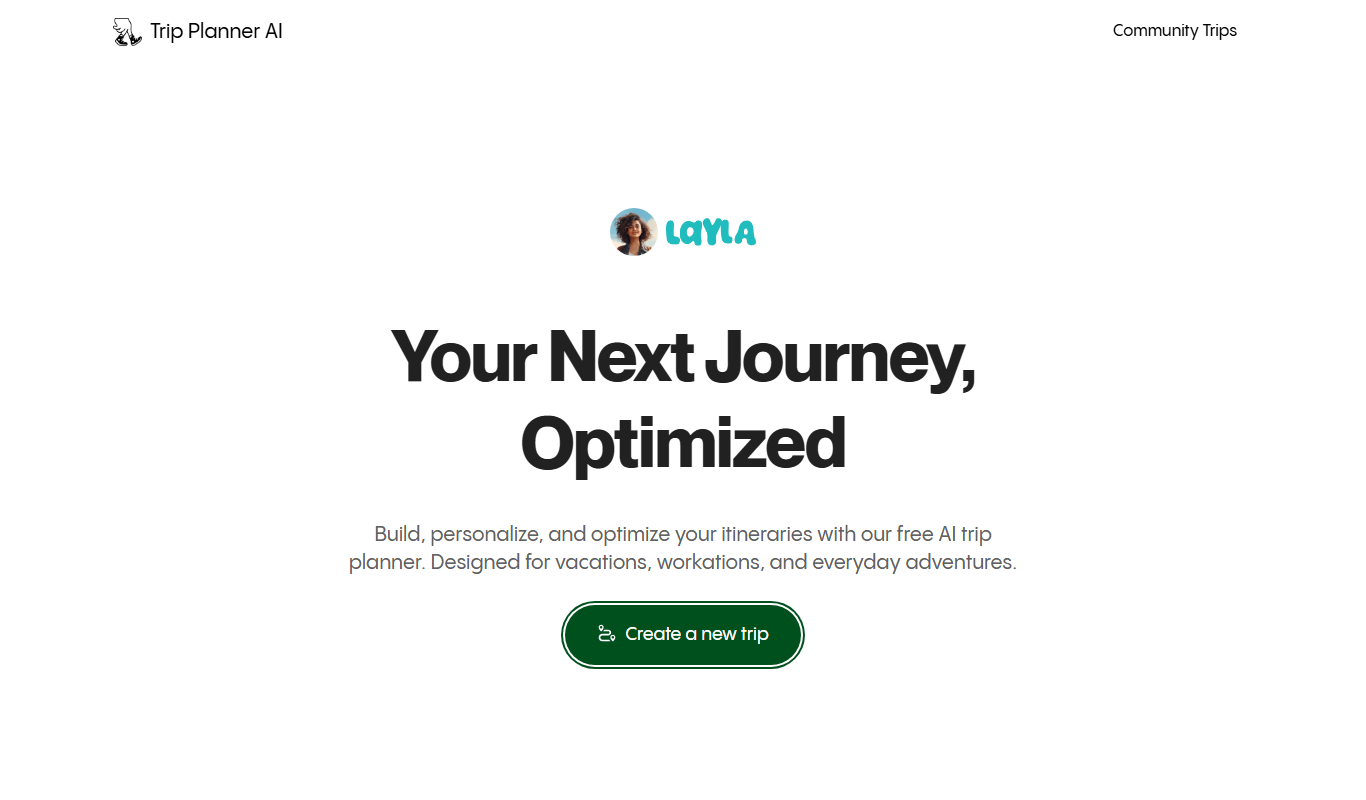
Trip Planner AI is a web-based tool that uses artificial intelligence to create personalized travel itineraries optimized for time, budget, and user preferences.
- Best for
- Personalized Trip Itinerary Creation
- Key capability
- AI-Powered Itinerary Builder

Do you recommend this tool?
What is Trip Planner AI?
Trip Planner AI is an AI-powered web application designed to simplify travel planning by generating personalized itineraries. Users input their travel preferences, including destinations, dates, interests, and budget, and the tool produces optimized day-by-day plans that maximize experiences while minimizing travel time.
Key features of Trip Planner AI
The tool offers features such as AI-driven itinerary generation, route optimization, activity recommendations, and budget management. It streamlines the complex process of travel planning into a few intuitive steps, making it accessible for both casual travelers and travel enthusiasts.
AI-Powered Itinerary Builder
Automatically generates personalized travel plans tailored to user preferences.
Route and Time Optimization
Optimizes daily schedules to reduce travel time and increase sightseeing efficiency.
Activity and Attraction Recommendations
Suggests popular and off-the-beaten-path activities based on interests.
Budget Consideration
Allows users to plan trips within their budget constraints.
User-Friendly Interface
Clean and intuitive web interface for easy input and itinerary management.
Pros and cons of Trip Planner AI
Pros
- Easy to use with intuitive interface
- Generates detailed, personalized itineraries quickly
- Considers budget and travel time optimization
Cons
- No dedicated mobile app yet
- Limited language support (English only)
- Free plan has usage restrictions
Key use cases for Trip Planner AI
Personalized Trip Itinerary Creation
Generate customized travel plans based on user preferences, including destinations, activities, and timing.
Travel Time and Route Optimization
Optimize travel routes and timing to maximize sightseeing and minimize transit time.
Budget and Activity Planning
Plan trips according to budget constraints and preferred activity types.
Group Travel Coordination
Create itineraries suitable for groups by considering multiple preferences and interests.
How Trip Planner AI works
- 1
Input Travel Preferences
Users provide details like destination, travel dates, interests, and budget.
- 2
AI Itinerary Generation
The AI analyzes inputs and creates a detailed, optimized travel plan.
- 3
Review and Customize
Users can review the suggested itinerary and make adjustments as needed.
- 4
Download or Share
Finalized itineraries can be downloaded or shared with travel companions.
Who is using Trip Planner AI
Individual travelers planning trips
Travel enthusiasts seeking itinerary optimization
Groups coordinating shared travel plans
Budget-conscious travelers
Travel agencies looking for planning tools
Trip Planner AI pricing
Free
$0/month
Basic itinerary generation with limited features and usage.
Premium
$9.99/month
Unlimited itineraries, advanced customization, and priority support.
Plans and prices are as published by the vendor and can change. Check the official site before you buy. Open the pricing page (opens in a new tab)
Frequently asked questions about Trip Planner AI
Yes, users can review and modify the itinerary to better suit their preferences.
Yes, it can accommodate multiple preferences to create group-friendly itineraries.
Currently, Trip Planner AI is available as a web application only.
The AI uses algorithms to minimize transit time between attractions while maximizing sightseeing opportunities.
It depends on your specific needs and how you plan to use the tool. The official website and documentation are the best sources for the latest details.
Some tools offer a free plan or trial with limited features. Availability can vary, so confirm on the official website.
Yes, it can help with that use case depending on how you configure it and what features are available. You’ll get the best results with clear inputs and a defined goal.
Sign in to review this tool.
Sign In to ReviewNo reviews yet
Be the first to share how this tool worked for you.
Ask about pricing, limits, or how it compares — or answer someone else.
Sign In to AskNo questions yet
Have a question about using or paying for this tool? Be the first to ask.
Featured on TiorAI



Alternative Tools
Explore similar AI tools that might fit your needs

Free
Roadtrippers
Roadtrippers is a travel planning app that helps users create detailed road trip itineraries by mapping routes, discovering attractions, and optimizing travel plans.
More AI App Builder tools
Other tools in the same category, for when this one is not quite the fit.

Pay As You Go
RenderStreet
RenderStreet is a cloud rendering service that accelerates 3D animation and image rendering by providing scalable GPU and CPU resources accessible via a web platform, primarily supporting Blender projects.

Free
Heroku
Heroku is a cloud platform as a service (PaaS) that enables developers to deploy, manage, and scale applications easily without managing infrastructure.

Free
8thWall
8thWall is a WebAR development platform that allows users to create augmented reality experiences accessible directly through mobile web browsers without app downloads.

Free
UI Bakery
UI Bakery is a no-code platform that lets you visually build web applications and internal tools by dragging and dropping UI components, connecting data sources, and deploying apps without coding.

Freemium
Wikitude
Wikitude is an augmented reality SDK that enables developers to create AR apps with image recognition, 3D object tracking, and location-based AR for iOS, Android, Unity, and Unreal Engine.

Enterprise
Streamlit
Streamlit is an open-source Python framework that enables data scientists and developers to quickly create and share interactive web applications for data visualization and machine learning without needing frontend development skills.

Free
Gradio
Gradio is an open-source tool that lets you quickly create interactive web interfaces for machine learning models using Python, enabling easy sharing and testing without front-end development.

Free
Buildbox
Buildbox is a no-code game development platform that enables users to create and publish 2D and 3D mobile games without programming by using drag-and-drop tools and pre-built assets.