

ThesisAI Academic Writing Assistant for Research Papers and Theses
ThesisAI is an AI-driven academic writing assistant designed to help students and researchers generate, organize, and refine theses and research papers with AI-powered content suggestions and editing tools.
- Best for
- Thesis and Dissertation Writing
- Key capability
- AI-Powered Content Generation
Save ThesisAI, follow its updates and vote on it — everything stays in your account.
Sign in or create a free account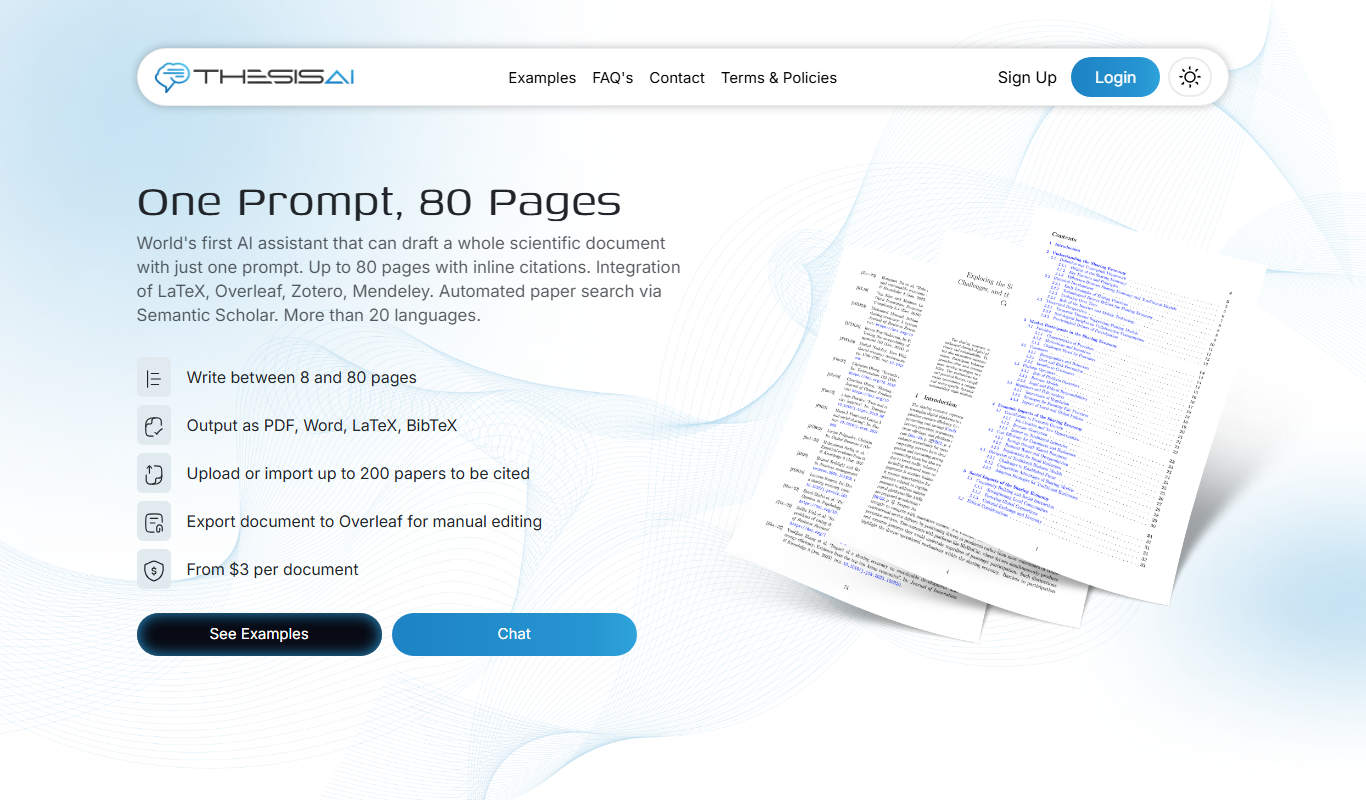

What is ThesisAI?
ThesisAI is an AI-powered academic writing assistant designed to support students, researchers, and academics in creating high-quality theses, dissertations, and research papers. It leverages advanced natural language processing to generate, organize, and refine academic content, helping users overcome writer’s block and improve the clarity and structure of their work.
Key features of ThesisAI
ThesisAI offers features such as AI-generated content suggestions, academic tone enhancement, structured outlining tools, and editing assistance tailored specifically for scholarly writing. It streamlines the writing process by providing contextual help and improving the overall quality of academic documents.
AI-Powered Content Generation
Generates academic text based on user input to help overcome writer's block.
Academic Tone and Style Enhancement
Refines writing to meet scholarly standards for tone and clarity.
Structured Outlining Tools
Helps organize ideas and sections logically for coherent academic documents.
Editing and Proofreading Assistance
Identifies and suggests corrections for grammar, style, and coherence.
Pros and cons of ThesisAI
Pros
- Tailored specifically for academic writing needs
- Helps overcome writer's block with AI-generated suggestions
- Improves academic tone and structure effectively
Cons
- May require manual review to ensure accuracy and originality
Key use cases for ThesisAI
Thesis and Dissertation Writing
Helps graduate students and researchers generate, organize, and refine thesis content efficiently.
Research Paper Drafting
Assists academics in drafting research papers by providing AI-generated text suggestions and structure.
Academic Content Improvement
Improves clarity, coherence, and academic tone of existing drafts through AI-powered editing.
Literature Review Assistance
Supports summarizing and synthesizing literature to build strong background sections.
Idea Generation and Outlining
Helps users brainstorm and outline key points for academic writing projects.
How ThesisAI works
- 1
Create an Account
Sign up on the ThesisAI website to access the platform.
- 2
Input Your Topic or Draft
Provide your thesis topic or upload an existing draft to start.
- 3
Generate and Edit Content
Use AI suggestions to generate new text, improve clarity, and organize sections.
- 4
Download or Export
Save your refined thesis or research paper for submission or further editing.
Who is using ThesisAI
ThesisAI pricing
Basic
$12.00/month, billed monthly
Max. 50 pages per document, export to PDF, LaTeX and BibTeX, and an MCP connector for Claude, ChatGPT and Gemini.
Pro
$16.00/month, billed monthly
Max. 80 pages per document, export to PDF, LaTeX, BibTeX and Word, a full citation report and style and tone refinement.
Plans and prices are as published by the vendor and can change. Check the official site before you buy. Open the pricing page (opens in a new tab)
Frequently asked questions about ThesisAI
Yes, ThesisAI supports a wide range of academic fields by focusing on general academic writing principles.
ThesisAI assists with editing but should be complemented with manual proofreading for best results.
Yes, ThesisAI follows industry-standard security practices to protect user data.
Yes, it can help with that use case depending on how you configure it and what features are available. You’ll get the best results with clear inputs and a defined goal.
Some tools offer a free plan or trial with limited features. Availability can vary, so confirm on the official website.
Yes, it can help with that use case depending on how you configure it and what features are available. You’ll get the best results with clear inputs and a defined goal.
Conclusion
Uploaded papers are the raw material here: ThesisAI takes up to 500 of them and turns them into a fully referenced first draft in which every claim links to a source that can be checked. Paper search runs through Semantic Scholar, libraries can be imported from Zotero or Mendeley, and a document can run between 8 and 80 pages. The writer is expected to review, edit and finish that draft, which can be exported to Overleaf for manual editing.
It is designed for graduate students, academic researchers and thesis and dissertation writers working on literature reviews and research papers. More than 20 languages are available for a draft. There is no free plan: Basic and Pro are monthly subscriptions with a saving for annual billing, and Pro raises the page limit per document and adds Word export, a full citation report and style refinement. Drafts and uploaded sources stay private to the account and are never used to train models.
Sources
Sign in to review this tool.
Sign In to ReviewNo reviews yet
Be the first to share how this tool worked for you.
Ask about pricing, limits, or how it compares — or answer someone else.
Sign In to AskNo questions yet
Have a question about using or paying for this tool? Be the first to ask.
Featured on TiorAI



More Academic Writing tools
Other tools in the same category, for when this one is not quite the fit.

AI论文初稿写作-学境思源
AcademicIdeas is a Chinese AI platform for thesis writing, from proposal and outline to draft.

UniScribe
UniScribe is an AI writing assistant designed to help users generate, edit, and check academic and professional documents with integrated plagiarism detection.

EssayService.ai
EssayService.ai is an AI-powered tool that helps users generate and customize essays for academic and professional purposes, offering features like topic brainstorming and editing assistance.

Trinka AI – Grammar Checker Tool
Trinka AI is an AI-powered grammar checker specialized for academic and professional writing, offering advanced grammar, style, and plagiarism checks with detailed explanations.

Writefull
Writefull is an AI writing assistant focused on improving academic and professional English texts by providing grammar, vocabulary, and style suggestions based on real-world language usage.
AcademicGPT
AcademicGPT is an AI writing assistant designed to help students and researchers write, edit, and format academic papers efficiently.

Paperguide
Paperguide is an AI writing assistant that helps improve academic and professional papers by providing grammar corrections, plagiarism checks, and content clarity enhancements through a web-based platform.

Essayly.ai
Essayly.ai is an AI-based essay writing assistant that generates structured essays from user prompts, ideal for academic and creative writing support.