

From my experience with UniScribe, I found it excels at combining AI-powered writing assistance with reliable plagiarism detection, making it a valuable tool for academic and professional users. The platform’s intuitive web interface simplifies drafting and editing, which is especially helpful for those new to AI writing tools. However, the lack of mobile app support and limited language options may restrict some users. Overall, if you need an integrated solution for writing, editing, and originality checks in English, UniScribe delivers solid, practical results.
UniScribe AI Writing Assistant for Academic and Professional Content
UniScribe is an AI writing assistant designed to help users generate, edit, and check academic and professional documents with integrated plagiarism detection.
- Best for
- Academic Writing
- Key capability
- AI Content Generation
Your actions
Save UniScribe, follow its updates and vote on it — everything stays in your account.
Sign in or create a free account
What is UniScribe?
UniScribe is an AI-powered writing assistant designed to support academic and professional writers. It combines advanced natural language processing with plagiarism detection to help users create original, well-structured, and polished documents. The tool is accessible via a web platform and targets users who need reliable writing support, from students to business professionals.
Key features of UniScribe
UniScribe offers AI-driven content generation, plagiarism checking, grammar and style editing, and idea brainstorming features. Its intuitive interface allows users to draft, revise, and verify their documents seamlessly in one place.
AI Content Generation
Generate drafts, summaries, and expansions to accelerate writing workflows.
Plagiarism Checker
Detects copied content and provides detailed originality reports.
Grammar and Style Editing
Offers suggestions to improve grammar, punctuation, and writing style.
Idea and Outline Assistance
Helps users brainstorm topics and create structured outlines.
User-Friendly Web Interface
Clean, intuitive editor accessible from any modern web browser.
Pros and cons of UniScribe
Pros
- Comprehensive AI writing and plagiarism tools in one platform
- User-friendly interface suitable for beginners
- Affordable subscription with a free tier
- Supports both academic and professional writing
Cons
- Limited language support (English only)
- No dedicated mobile app yet
- Some advanced features require subscription
Key use cases for UniScribe
Academic Writing
Helps students and researchers generate, edit, and refine academic papers, essays, and reports.
Professional Content Creation
Assists professionals in drafting emails, proposals, and business documents efficiently.
Plagiarism Detection
Checks written content for originality to ensure authenticity and avoid plagiarism.
Editing and Proofreading
Provides grammar, style, and clarity improvements to enhance the quality of writing.
Idea Generation
Supports brainstorming by suggesting topics, outlines, and content structures.
How UniScribe works
- 1
Create an Account
Sign up on the UniScribe website to access the writing assistant features.
- 2
Choose a Plan
Select between the free tier or subscription plans based on your usage needs.
- 3
Start Writing
Use the AI tools to generate, edit, or check your content directly in the editor.
- 4
Check for Plagiarism
Run plagiarism scans to ensure your writing is original and properly cited.
- 5
Download or Export
Save your finalized documents in preferred formats for submission or sharing.
Who is using UniScribe
Students and researchers
Academic professionals
Business professionals
Content creators
Educators
UniScribe pricing
Free
$0/month
Limited access to AI writing tools and basic plagiarism checks.
Pro
$19/month
Full access to all features including unlimited plagiarism scans and advanced AI assistance.
Plans and prices are as published by the vendor and can change. Check the official site before you buy. Open the pricing page (opens in a new tab)
Frequently asked questions about UniScribe
Yes, UniScribe supports professional and business writing needs in addition to academic content.
Currently, UniScribe is optimized for web browsers on desktop and laptop devices.
UniScribe uses a comprehensive database and AI algorithms to provide reliable plagiarism detection.
Documents are stored securely with privacy protections, but users should review the privacy policy for details.
This tool is designed to help users accomplish its core tasks more efficiently. It is typically used by individuals or teams looking to improve productivity and workflow.
It depends on your specific needs and how you plan to use the tool. The official website and documentation are the best sources for the latest details.
Some tools offer a free plan or trial with limited features. Availability can vary, so confirm on the official website.
Yes, it can help with that use case depending on how you configure it and what features are available. You’ll get the best results with clear inputs and a defined goal.
Sign in to review this tool.
Sign In to ReviewNo reviews yet
Be the first to share how this tool worked for you.
Ask about pricing, limits, or how it compares — or answer someone else.
Sign In to AskNo questions yet
Have a question about using or paying for this tool? Be the first to ask.
Featured on TiorAI



More Academic Writing tools
Other tools in the same category, for when this one is not quite the fit.

Freemium
EasyEssay
EasyEssay is an AI writing assistant that helps users generate essays and academic papers efficiently by providing structured drafts, grammar improvements, and topic suggestions.

Custom Pricing
MyPerfectWords
MyPerfectWords is an online platform offering custom academic writing, editing, and proofreading services with qualified writers and plagiarism-free guarantees.

Freemium
AI论文初稿写作-学境思源
AcademicIdeas is a Chinese AI platform for thesis writing, from proposal and outline to draft.
Freemium
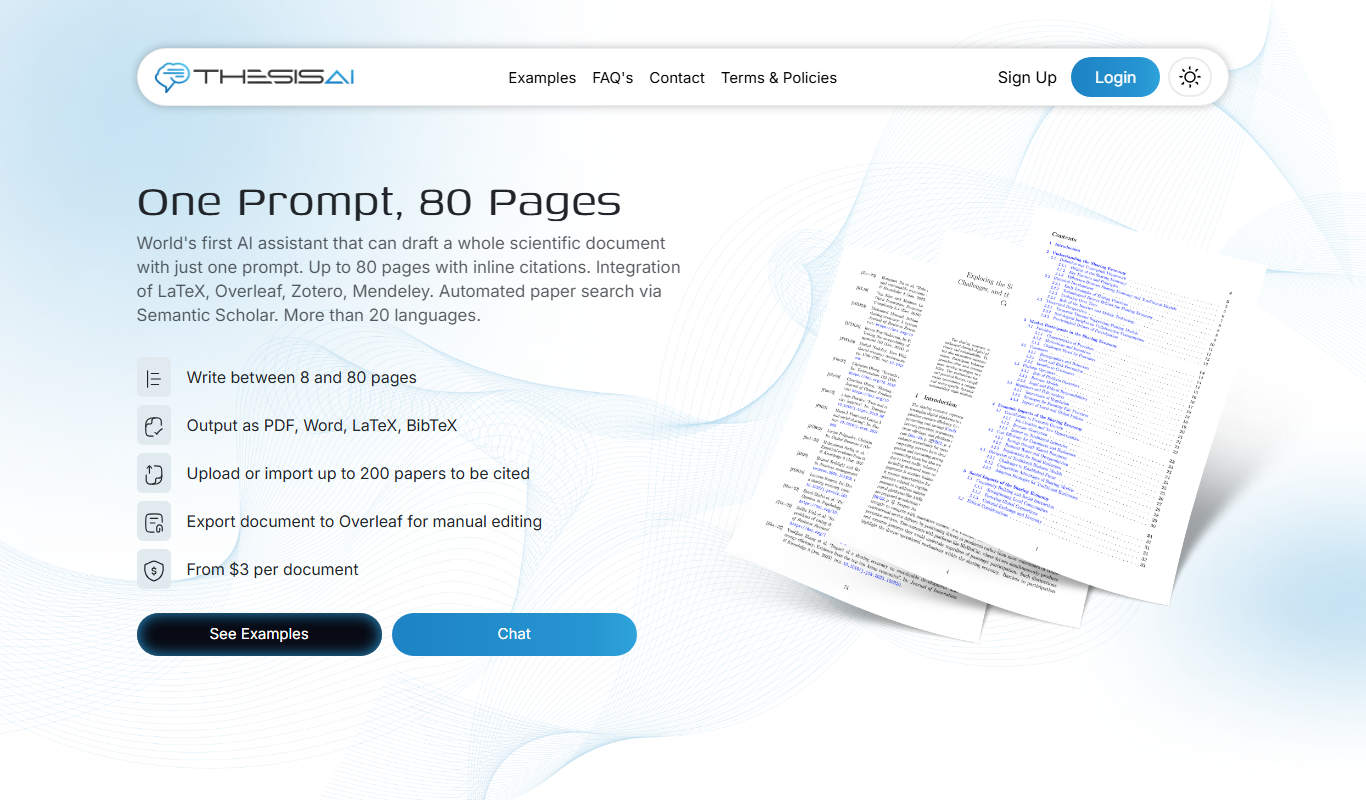
ThesisAI
ThesisAI is an AI-driven academic writing assistant designed to help students and researchers generate, organize, and refine theses and research papers with AI-powered content suggestions and editing tools.

Freemium
EssayService.ai
EssayService.ai is an AI-powered tool that helps users generate and customize essays for academic and professional purposes, offering features like topic brainstorming and editing assistance.

Freemium
Trinka AI – Grammar Checker Tool
Trinka AI is an AI-powered grammar checker specialized for academic and professional writing, offering advanced grammar, style, and plagiarism checks with detailed explanations.

Freemium
Writefull
Writefull is an AI writing assistant focused on improving academic and professional English texts by providing grammar, vocabulary, and style suggestions based on real-world language usage.
Free
AcademicGPT
AcademicGPT is an AI writing assistant designed to help students and researchers write, edit, and format academic papers efficiently.