

The Old Reader RSS Feed Reader for Efficient News and Content Aggregation
The Old Reader is a web-based RSS feed reader that aggregates news and blog content from multiple sources, offering a simple interface with social sharing and organizational features.
- Best for
- News Aggregation
- Key capability
- RSS Feed Aggregation
Save The Old Reader, follow its updates and vote on it — everything stays in your account.
Sign in or create a free account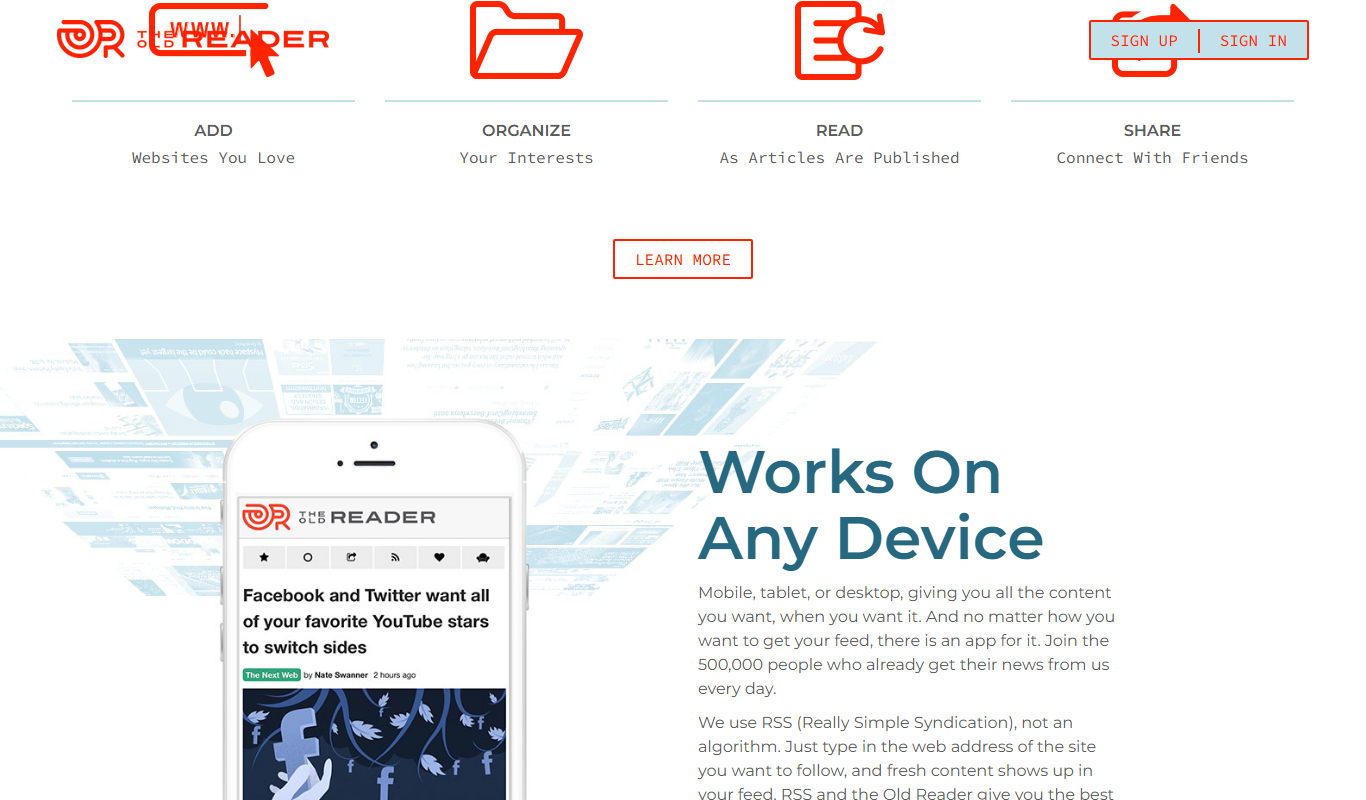
What is The Old Reader?
The Old Reader is a web-based RSS feed reader designed to help users aggregate, organize, and read news and blog content from various sources in a single, easy-to-use interface. It mimics the classic Google Reader experience, focusing on simplicity and social sharing features.
Key features of The Old Reader
The Old Reader offers features such as importing RSS feeds, organizing them into folders, sharing articles with friends, and discovering popular content. It supports OPML import/export and provides a clean, minimalistic reading environment.
RSS Feed Aggregation
Centralizes multiple RSS feeds into one streamlined interface for easy reading.
Social Sharing
Allows users to share articles with friends and followers within the platform.
Folder Organization
Enables categorization of feeds into folders for better content management.
OPML Support
Supports import and export of OPML files to easily migrate feeds.
Minimalistic Interface
Provides a clean and distraction-free reading experience.
Pros and cons of The Old Reader
Pros
- Simple and intuitive interface
- Supports OPML import/export
- Social sharing capabilities
- Free tier available
- Mimics classic Google Reader experience
Cons
- No official mobile app
- Limited advanced filtering options
- Requires internet connection to access feeds
Key use cases for The Old Reader
News Aggregation
Collect and read news articles from multiple sources in one centralized feed.
Content Curation
Organize and filter RSS feeds to curate relevant content for personal or professional use.
Social Sharing
Share interesting articles and updates with friends or colleagues directly from the platform.
Team Collaboration
Collaborate with team members by sharing feeds and articles for business or project purposes.
Efficient Reading
Save time by quickly scanning headlines and reading full articles without visiting multiple websites.
How The Old Reader works
- 1
Create an Account
Sign up on The Old Reader website to start managing your RSS feeds.
- 2
Add RSS Feeds
Subscribe to your favorite news sites, blogs, and other content sources by adding their RSS feed URLs.
- 3
Organize Feeds
Group your feeds into folders or categories for easier navigation and management.
- 4
Read and Share
Browse through your aggregated content, mark articles as read, and share interesting posts with your network.
Who is using The Old Reader
The Old Reader pricing
Free
$0/month
Basic access with limited subscriptions and sharing features.
Premium
$3/month
Expanded subscription limits, enhanced sharing, and priority support.
Plans and prices are as published by the vendor and can change. Check the official site before you buy. Open the pricing page (opens in a new tab)
Frequently asked questions about The Old Reader
Yes, The Old Reader supports OPML import, allowing you to transfer your feeds easily.
Currently, The Old Reader is accessible via web browsers; there is no official mobile app.
Yes, you can share articles within The Old Reader’s social features.
No, it requires an internet connection to fetch and read feeds.
This tool is designed to help users accomplish its core tasks more efficiently. It is typically used by individuals or teams looking to improve productivity and workflow.
Some tools offer a free plan or trial with limited features. Availability can vary, so confirm on the official website.
Yes, it can help with that use case depending on how you configure it and what features are available. You’ll get the best results with clear inputs and a defined goal.
It depends on your specific needs and how you plan to use the tool. The official website and documentation are the best sources for the latest details.
Conclusion
Feeds are added by subscribing to RSS feed URLs from news sites and blogs, or imported from other readers through OPML to transfer an existing list. They can be grouped into folders, and reading happens in a clean, distraction-free interface where articles are marked as read. Sharing is built in: articles can be shared with friends and followers inside the platform, and team members can share feeds and articles for project purposes. Readers can quickly scan headlines and read full articles without visiting multiple websites.
It is aimed at news enthusiasts, content curators and blog readers who want content from various sources in a single interface modeled on the classic Google Reader experience. Marketing professionals and small business teams can use it for content curation and team collaboration.
Access is through web browsers only, as there is no official mobile app. Reading also requires an internet connection with no offline reading, and advanced filtering options are limited. A free plan covers basic access with limited subscriptions and sharing, while Premium at $3/month adds expanded subscription limits, enhanced sharing and priority support.
Sources
Sign in to review this tool.
Sign In to ReviewNo reviews yet
Be the first to share how this tool worked for you.
Ask about pricing, limits, or how it compares — or answer someone else.
Sign In to AskNo questions yet
Have a question about using or paying for this tool? Be the first to ask.
Featured on TiorAI



Alternative Tools
Explore similar AI tools that might fit your needs
NewsBlur
NewsBlur is a personal RSS reader and news aggregator that collects and filters news from multiple sources, allowing users to customize their news feed and read across web and mobile platforms.
More Business Management tools
Other tools in the same category, for when this one is not quite the fit.
Clinked
Clinked is a secure client portal platform that enables businesses to collaborate with clients and teams through file sharing, task management, messaging, and workflow automation in a branded environment.
VinSolutions CRM
VinSolutions CRM is a specialized customer relationship management platform designed for automotive dealerships to manage leads, automate sales processes, and run targeted marketing campaigns.

DealerSocket
DealerSocket is an automotive dealership software platform that combines CRM, inventory management, marketing automation, and sales analytics to help dealerships manage operations and improve customer engagement.
Uscreen
Uscreen is a platform that enables creators and businesses to launch their own OTT streaming services with branded apps, flexible monetization options, and marketing tools.

Unacademy
Unacademy is an Indian online education platform providing live classes, recorded lectures, and test series for competitive exams and skill development.
Faithlife
Faithlife is a digital platform combining Bible study resources, church management tools, and faith community networking to support individuals and churches in their spiritual and organizational needs.

ScriptRunner
ScriptRunner is an automation platform that centralizes management, security, and execution of PowerShell scripts to streamline IT workflows and enable self-service automation.

Fundable
Fundable is an online crowdfunding platform that enables startups and small businesses to raise capital through equity and rewards-based campaigns by connecting them with investors and managing fundraising efforts.