

From my experience with SoapUI, it stands out as a powerful and versatile API testing tool that covers a broad spectrum of testing needs, from functional to load and security testing. Its ability to mock services is particularly useful for teams working in parallel development environments. While the desktop interface may feel a bit dated and the advanced features require a paid license, the free version is robust enough for many testing scenarios. SoapUI is especially well-suited for developers, QA engineers, and DevOps professionals who need comprehensive API validation and automation capabilities.
SoapUI API Testing Tool for Automated Web Service Testing and Mocking
SoapUI is an API testing tool that enables developers and testers to create, execute, and automate functional, load, and security tests for REST and SOAP web services.
- Best for
- API Functional Testing
- Key capability
- Support for REST and SOAP APIs
Your actions
Save SoapUI, follow its updates and vote on it — everything stays in your account.
Sign in or create a free account
What is SoapUI?
SoapUI is a comprehensive API testing tool designed to facilitate the functional, load, security, and compliance testing of web services. It supports both REST and SOAP protocols and offers capabilities for mocking, automation, and continuous integration. SoapUI enables developers and testers to create complex test scenarios with ease, ensuring APIs meet quality standards before deployment.
Key features of SoapUI
SoapUI provides a rich set of features including drag-and-drop test creation, data-driven testing, service mocking, load testing, and security scans. It integrates with CI/CD pipelines and supports scripting for advanced test customization.
Support for REST and SOAP APIs
Comprehensive testing capabilities for both RESTful and SOAP web services.
Service Mocking and Virtualization
Create mock services to simulate API behavior during development and testing.
Load and Performance Testing
Simulate multiple users and traffic to assess API performance under load.
Security Testing
Built-in tools to perform vulnerability scans and security assessments.
Scripting and Automation
Use Groovy scripting to customize tests and automate workflows.
Pros and cons of SoapUI
Pros
- Comprehensive support for REST and SOAP APIs
- Robust mocking and virtualization capabilities
- Integration with CI/CD pipelines
- Extensive scripting support for customization
- Free open-source version available
Cons
- Desktop application may have a learning curve for beginners
- Advanced features require paid Pro version
- UI can feel dated compared to modern tools
Key use cases for SoapUI
API Functional Testing
Design and execute automated functional tests for REST, SOAP, and other web services to ensure API reliability and correctness.
API Load Testing
Simulate high traffic and load on APIs to analyze performance and scalability under stress conditions.
Mocking and Virtualization
Create mock services to simulate APIs during development and testing phases, enabling parallel development and reducing dependencies.
Security Testing
Perform security scans and vulnerability assessments on APIs to identify potential security risks.
API Monitoring
Continuously monitor API endpoints for uptime, performance, and functional correctness.
How SoapUI works
- 1
Download and Install
Download SoapUI from the official website and install it on your desktop.
- 2
Create a New Project
Import your API definition (WSDL for SOAP or OpenAPI for REST) to create a new test project.
- 3
Design Test Cases
Use the intuitive interface to build functional, load, or security test cases with assertions and validations.
- 4
Run Tests and Analyze Results
Execute tests and review detailed reports and logs to identify issues.
- 5
Integrate with CI/CD
Incorporate SoapUI tests into your continuous integration pipelines for automated testing.
Who is using SoapUI
API developers
QA engineers
DevOps teams
Software testers
Integration specialists
SoapUI pricing
Free
$0/month
Basic API testing features with limited support and functionality.
SoapUI Pro
Starting at $659/year
Advanced testing features including enhanced reporting, data-driven testing, and priority support.
Plans and prices are as published by the vendor and can change. Check the official site before you buy. Open the pricing page (opens in a new tab)
Frequently asked questions about SoapUI
SoapUI supports both REST and SOAP APIs, allowing testing of a wide range of web services.
Yes, SoapUI tests can be integrated with popular CI/CD tools like Jenkins for automated testing.
SoapUI offers a free open-source version with basic features and a paid Pro version with advanced capabilities.
Yes, SoapUI includes load testing features to simulate multiple users and analyze API performance.
This tool is designed to help users accomplish its core tasks more efficiently. It is typically used by individuals or teams looking to improve productivity and workflow.
Some tools offer a free plan or trial with limited features. Availability can vary, so confirm on the official website.
Integration support depends on the tool and its available connectors or API. Check the official documentation or integrations page to confirm what is supported.
Sign in to review this tool.
Sign In to ReviewNo reviews yet
Be the first to share how this tool worked for you.
Ask about pricing, limits, or how it compares — or answer someone else.
Sign In to AskNo questions yet
Have a question about using or paying for this tool? Be the first to ask.
Featured on TiorAI



Alternative Tools
Explore similar AI tools that might fit your needs
Free
Postman
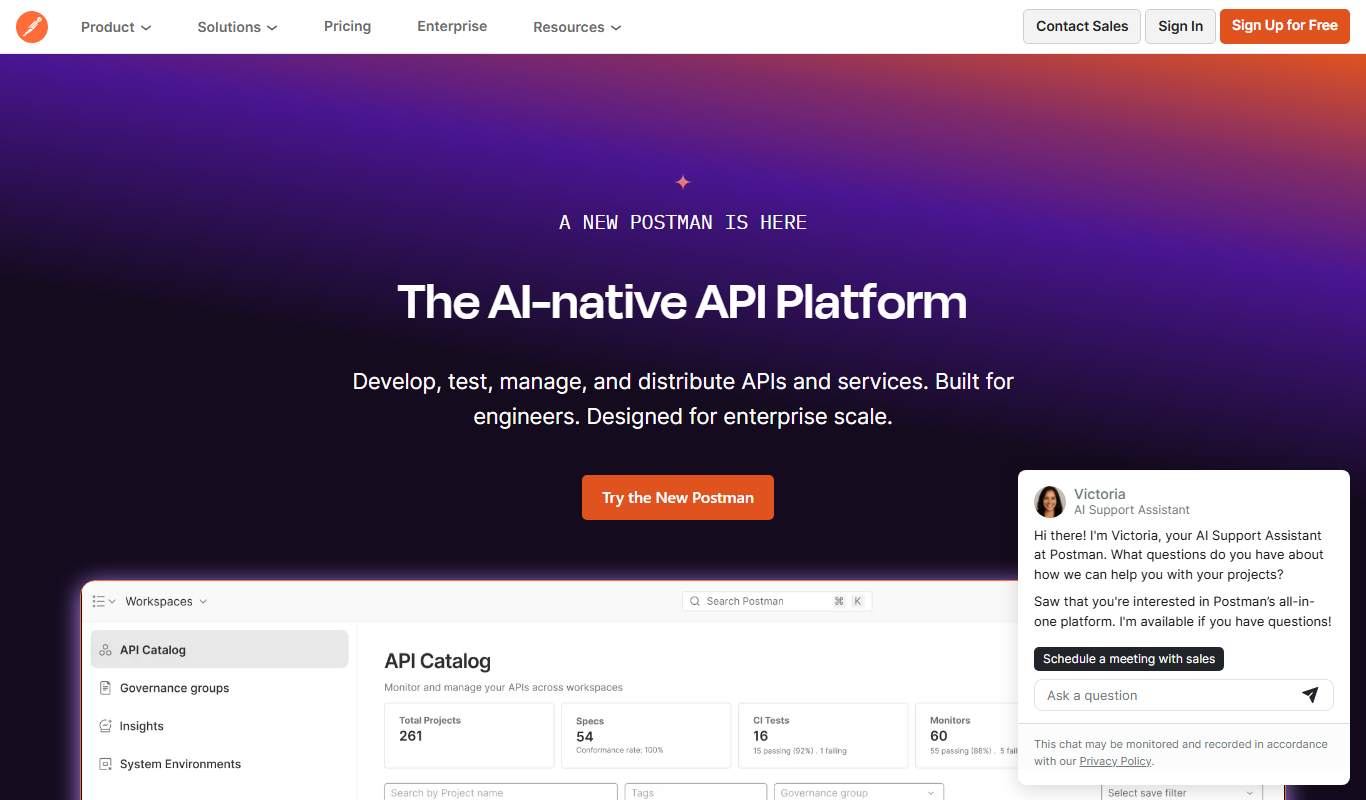
Postman is a comprehensive API platform that helps developers design, test, automate, document, and monitor APIs efficiently with collaboration tools.

Free
Insomnia
Insomnia is a desktop API client that helps developers design, debug, and test REST, GraphQL, and gRPC APIs with features like environment management and team collaboration.

Free
Katalon Studio
Katalon Studio is an all-in-one automated testing tool that supports web, mobile, and API testing with both codeless and scripting options, ideal for QA teams and developers.
More AI API tools
Other tools in the same category, for when this one is not quite the fit.

Free
n8n
n8n is a workflow automation platform that combines AI capabilities with business process automation, giving technical teams the flexibility of code with the speed of no-code, with self-hosted and cloud deployment.

Free
API Layer
API Layer is a platform that provides developers and businesses with easy access to a wide range of APIs for data validation, real-time information, and automation through a unified interface.

Enterprise
Kong
Kong is an open-source API gateway and microservices platform that enables organizations to manage, secure, and monitor APIs and microservices with cloud-native support and extensibility.

Free
MongoDB Atlas
MongoDB Atlas is a fully managed cloud database service that simplifies deploying, managing, and scaling MongoDB databases across multiple cloud providers with built-in security and global distribution.

Free
Apollo Auto
Apollo Auto is an open-source autonomous driving software platform providing a full software stack for self-driving vehicles, including perception, planning, control, and simulation tools.

Pay As You Go
Plivo
Plivo is a cloud communications platform for building voice AI agents with a no-code builder or APIs, alongside voice and SMS APIs and phone numbers for adding calls and messaging to applications.

Pay As You Go
Twilio
Twilio is a cloud communications platform providing APIs for SMS, voice, video, and authentication services to integrate programmable communication into applications.

Free
Appwrite
Appwrite is an open-source backend-as-a-service platform that provides developers with APIs and SDKs to manage authentication, databases, storage, and serverless functions, enabling faster app development without managing backend infrastructure.