

From my experience with Replicate AI, I found it excels at simplifying the deployment and usage of machine learning models without the usual infrastructure headaches. The platform’s API-first approach and extensive model library make it a practical choice for developers and researchers who want to quickly prototype or integrate AI capabilities. However, uploading custom models requires Docker knowledge, which might be a barrier for some users. Also, costs can add up with heavy usage since pricing is pay-as-you-go. Overall, if you need a hassle-free way to run and share ML models online, Replicate AI delivers a robust and flexible solution.
Replicate AI Platform for Running Machine Learning Models Online
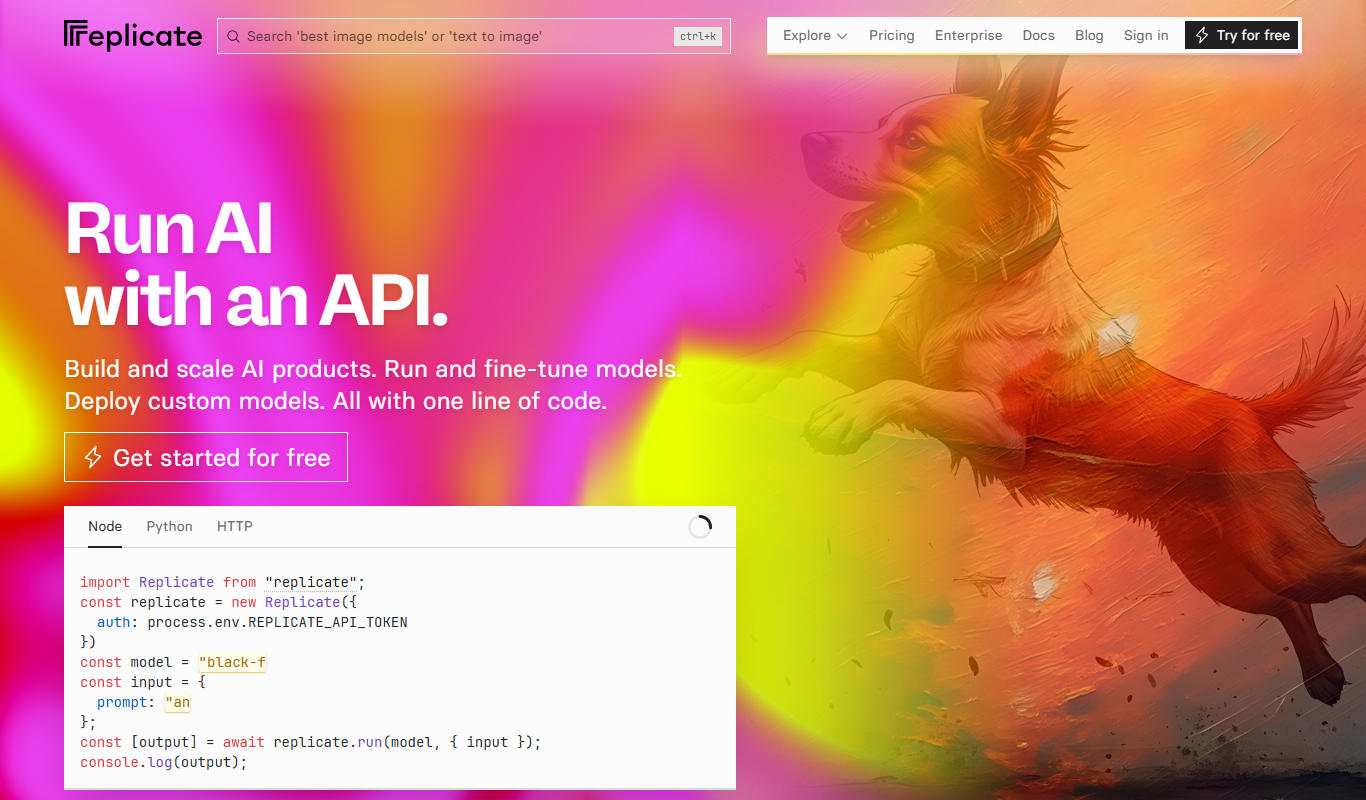
Replicate AI is a cloud platform that hosts and runs machine learning models via API or web interface, enabling easy deployment and integration without managing infrastructure.
- Best for
- Deploying Machine Learning Models
- Key capability
- Model Hosting and Execution
Your actions
Do you recommend this tool?
What is Replicate AI?
Replicate AI is a cloud platform that enables developers and researchers to run machine learning models instantly via API or web interface. It abstracts away infrastructure complexities by hosting models in containers, allowing users to deploy, share, and consume AI models without managing servers or dependencies.
Key features of Replicate AI
Replicate offers a catalog of pre-trained models, easy API access, containerized model hosting, versioning, and collaboration features to streamline machine learning deployment and usage.
Model Hosting and Execution
Host any Dockerized machine learning model and run it on-demand in the cloud.
Extensive Model Library
Access a wide range of community-contributed models spanning vision, NLP, and more.
Simple API Integration
Use straightforward REST APIs to integrate AI models into applications without infrastructure setup.
Version Control and Collaboration
Maintain multiple model versions and collaborate with teams or the open community.
Pros and cons of Replicate AI
Pros
- No infrastructure management needed for running ML models
- Large catalog of ready-to-use AI models
- Simple API for easy integration
- Supports custom model uploads with containerization
- Flexible pay-as-you-go pricing
Cons
- Requires Docker knowledge to upload custom models
- Pricing can become costly for heavy usage
- Limited to models that can be containerized
Key use cases for Replicate AI
Deploying Machine Learning Models
Easily deploy and run machine learning models in the cloud without managing infrastructure.
API Access to AI Models
Access a wide variety of pre-trained AI models via simple API calls for integration into applications.
Experimentation and Prototyping
Quickly test and prototype with state-of-the-art models without setup overhead.
Sharing and Collaboration
Share models publicly or privately with collaborators and the community.
How Replicate AI works
- 1
Browse or Upload Models
Users can explore existing models or upload their own containerized models to the platform.
- 2
Run Models via API or Web
Invoke models through REST API calls or the web interface to get predictions or outputs.
- 3
Manage Versions and Collaborate
Track model versions and share access with team members or publicly.
- 4
Pay for Usage
Users are billed based on compute usage, with a free tier available for experimentation.
Who is using Replicate AI
Machine learning engineers
AI researchers
Software developers integrating AI
Startups building AI-powered apps
Data scientists prototyping models
Replicate AI pricing
Free
$0/month
Limited usage with free compute credits for testing and development.
Pay-as-you-go
Variable
Pay based on actual compute time and resources consumed for model execution.
Plans and prices are as published by the vendor and can change. Check the official site before you buy. Open the pricing page (opens in a new tab)
Frequently asked questions about Replicate AI
Yes, Replicate supports uploading Dockerized models which can then be hosted and run on the platform.
Yes, Replicate offers free compute credits for new users to experiment with models.
Since Replicate provides REST APIs, it supports any language capable of making HTTP requests.
Users are billed based on the compute resources their model runs consume, with detailed usage tracking.
It depends on your specific needs and how you plan to use the tool. The official website and documentation are the best sources for the latest details.
Yes, it can help with that use case depending on how you configure it and what features are available. You’ll get the best results with clear inputs and a defined goal.
Pricing depends on the plan and included features. For the most accurate and up-to-date details, check the official pricing page.
Some tools offer a free plan or trial with limited features. Availability can vary, so confirm on the official website.
Sign in to review this tool.
Sign In to ReviewNo reviews yet
Be the first to share how this tool worked for you.
Ask about pricing, limits, or how it compares — or answer someone else.
Sign In to AskNo questions yet
Have a question about using or paying for this tool? Be the first to ask.
Featured on TiorAI



More AI API Design tools
Other tools in the same category, for when this one is not quite the fit.

Free
Structurizr
Structurizr is a cloud-based tool that helps software teams create, visualize, and share software architecture diagrams using the C4 model, supporting collaboration and integration via API.

Free
Swagger
Swagger is a set of tools for designing, documenting, testing, and mocking RESTful APIs using the OpenAPI Specification, widely used by developers and teams to streamline API development.

Free
Stoplight
Stoplight is an API design and development platform that provides visual editing, interactive documentation, mocking, and governance tools to help teams build and manage APIs efficiently.
Freemium
Apigee
Apigee is a Google Cloud API management platform that enables organizations to design, secure, deploy, and monitor APIs with features like API gateway, security policies, analytics, and developer portals.

Free Trial
Boostramp
Boostramp is an AI-driven platform that automates personalized sales email outreach and lead generation, integrating with CRMs to streamline sales workflows.

Free Trial
CRUDERRA
CRUDERRA is a low-code platform that helps users build web and mobile applications quickly using drag-and-drop tools and database integration without needing extensive coding skills.

Free Trial
Aptori
Aptori is a low-code platform that helps businesses quickly build custom applications and automate workflows using a visual drag-and-drop interface and API integrations.

Free Trial
Theneo
Theneo is an AI-driven knowledge base platform that automates customer support by providing a smart, searchable knowledge base and AI chatbot integration to deliver instant, accurate answers.