

Pushbullet Review: Cross-Device Notification and File Sharing Tool
Pushbullet is a tool that mirrors notifications, shares files, and enables messaging across devices like phones and computers to improve workflow.
- Best for
- Cross-Device Notification Mirroring
- Key capability
- Notification Mirroring
Save Pushbullet, follow its updates and vote on it — everything stays in your account.
Sign in or create a free account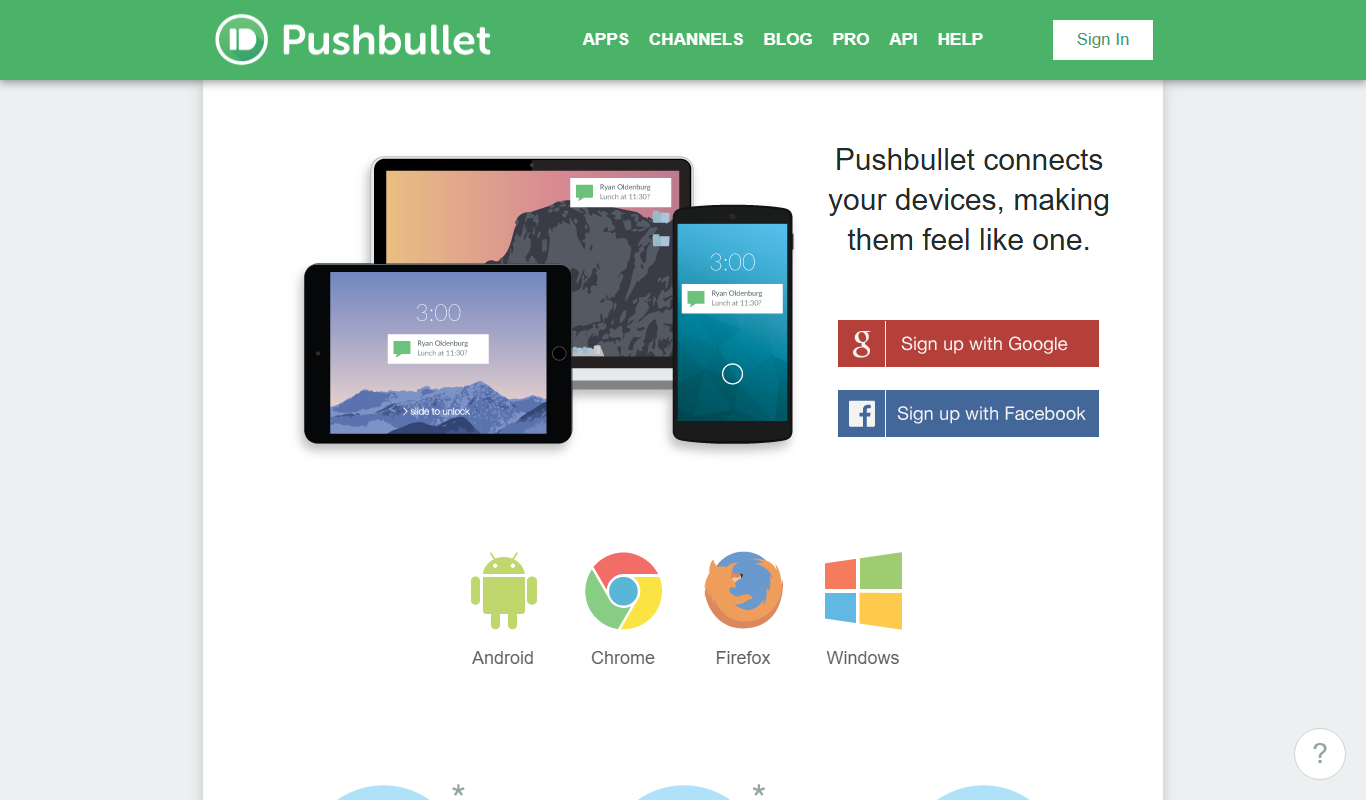
What is Pushbullet?
Pushbullet is a productivity application designed to bridge the gap between multiple devices by enabling seamless notification mirroring, file sharing, and messaging across smartphones, tablets, and computers. It helps users stay connected and efficient by centralizing alerts and communications in one place.
Key features of Pushbullet
Pushbullet’s main features include notification mirroring, cross-device file and link sharing, universal copy and paste, SMS and group chat from desktop, and remote device control functions.
Notification Mirroring
Receive and interact with your phone’s notifications directly on your computer.
File and Link Sharing
Quickly push files, links, and notes between devices without cables.
Universal Copy and Paste
Copy text on one device and paste it on another instantly.
SMS and Group Chat from Desktop
Send and receive SMS messages and group chats from your computer.
Remote Device Features
Locate your phone, reply to messages remotely, and manage devices efficiently.
Pros and cons of Pushbullet
Pros
- Easy cross-device notification mirroring
- Fast and simple file/link sharing
- Supports SMS messaging from desktop
- Universal copy-paste enhances productivity
Cons
- Limited features on free plan
- No iOS app
- Requires internet connection for syncing
Key use cases for Pushbullet
Cross-Device Notification Mirroring
Pushbullet allows users to mirror notifications from their phone to their computer, ensuring they never miss important alerts while working on a desktop.
File and Link Sharing Between Devices
Users can quickly send files, links, and notes between their phone, tablet, and computer without cables or email.
Universal Copy and Paste
Pushbullet supports universal copy and paste, enabling users to copy text on one device and paste it on another seamlessly.
Group Messaging and Chat
The tool supports SMS and group chat functionality from the desktop, allowing users to send and receive messages without picking up their phone.
Remote Device Control
Pushbullet offers features like 'Find my phone' and the ability to reply to messages remotely, enhancing device management.
How Pushbullet works
- 1
Install Pushbullet on Devices
Download and install Pushbullet on your smartphone, computer, and browser extensions.
- 2
Sign In with Your Account
Log in using your Google or Facebook account to sync devices.
- 3
Enable Notification Access
Grant notification access on your phone to allow mirroring to other devices.
- 4
Start Sharing and Messaging
Send files, links, and messages between devices and receive phone notifications on your desktop.
Who is using Pushbullet
Pushbullet pricing
Free
$0/month
Basic features with limited message and file size caps.
Pro
$4.99/month or $39.99/year
Pro plan, available at $4.99/month or $39.99/year.
Plans and prices are as published by the vendor and can change. Check the official site before you buy. Open the pricing page (opens in a new tab)
Frequently asked questions about Pushbullet
Pushbullet uses encryption for data transfer, but users should avoid sharing sensitive information over public networks.
No, Pushbullet requires an active internet connection to sync data between devices.
Pushbullet supports Android, Windows, macOS, and major web browsers like Chrome and Firefox.
It depends on your specific needs and how you plan to use the tool. The official website and documentation are the best sources for the latest details.
Some tools offer a free plan or trial with limited features. Availability can vary, so confirm on the official website.
Yes, it can help with that use case depending on how you configure it and what features are available. You’ll get the best results with clear inputs and a defined goal.
Conclusion
Once Pushbullet is installed on a smartphone, a computer and browser extensions, signing in with a Google or Facebook account syncs the devices. Granting notification access on the phone mirrors its notifications to the computer, where they can be received and acted on directly. Files, links and notes move between devices without cables, text copied on one device can be pasted on another, and SMS messages and group chats can be handled from the computer.
It supports Android, Windows, macOS and browsers like Chrome and Firefox, but there is no iOS app. The app is designed for remote workers, productivity enthusiasts and students managing multiple devices. A free plan has limited message and file size caps, and Pro costs $4.99/month or $39.99/year.
Sources
Sign in to review this tool.
Sign In to ReviewNo reviews yet
Be the first to share how this tool worked for you.
Ask about pricing, limits, or how it compares — or answer someone else.
Sign In to AskNo questions yet
Have a question about using or paying for this tool? Be the first to ask.
Featured on TiorAI



More Business Management tools
Other tools in the same category, for when this one is not quite the fit.

Linkly AI
Linkly AI is a local document search engine for AI agents that indexes the files on your computer and lets any AI tool search and read them through MCP, a CLI or Skills.

BirdseyePost
BirdseyePost by Birdseye makes personalized direct mail simple: create targeted postcards, reach the right audience and track results with QR code scans.

Beacon
Beacon helps marketers create professional lead magnets in minutes without hiring a designer, plus opt-in forms and libraries of gated content.

Lens Protocol
Lens Protocol is a blockchain stack built for SocialFi, made up of Lens Chain, the Social Protocol and Storage Nodes, where one Lens account works across many apps.

Botkeeper
Botkeeper is an AI accounting solution purpose-built for accounting firms that automates the most manual and time-consuming bookkeeping work.

Monday.com AI
monday.com AI is a work operating system that uses AI to automate workflows, enhance project management, and improve team collaboration across platforms.

Asana AI
Asana AI is an AI-powered extension of the Asana platform that automates task creation, workflow management, and provides predictive analytics to improve project efficiency.

ClickUp AI
ClickUp AI is an AI assistant integrated into the ClickUp platform that automates project management tasks, generates content, and optimizes workflows to enhance team productivity.