

From my experience with Plerdy, it stands out as a versatile tool that combines website analytics with SEO auditing and conversion optimization features in one platform. Its heatmaps and session recordings provide clear, actionable insights into user behavior, which is invaluable for marketers and UX designers aiming to improve website performance. The free plan is a great way to start, though higher traffic sites will likely need a paid subscription for full capabilities. While it lacks a dedicated mobile app, the web interface and Chrome extension are intuitive and effective. Overall, Plerdy is well-suited for small to medium businesses looking to enhance user experience and boost conversions.
Plerdy Website Analytics and Conversion Optimization Tool for Marketers
Plerdy is a website analytics and conversion optimization tool that provides heatmaps, session recordings, SEO audits, and conversion funnels to help marketers improve user experience and increase conversions.
- Best for
- User Behavior Analysis
- Key capability
- Click, Scroll, and Move Heatmaps
Your actions
Save Plerdy, follow its updates and vote on it — everything stays in your account.
Sign in or create a free account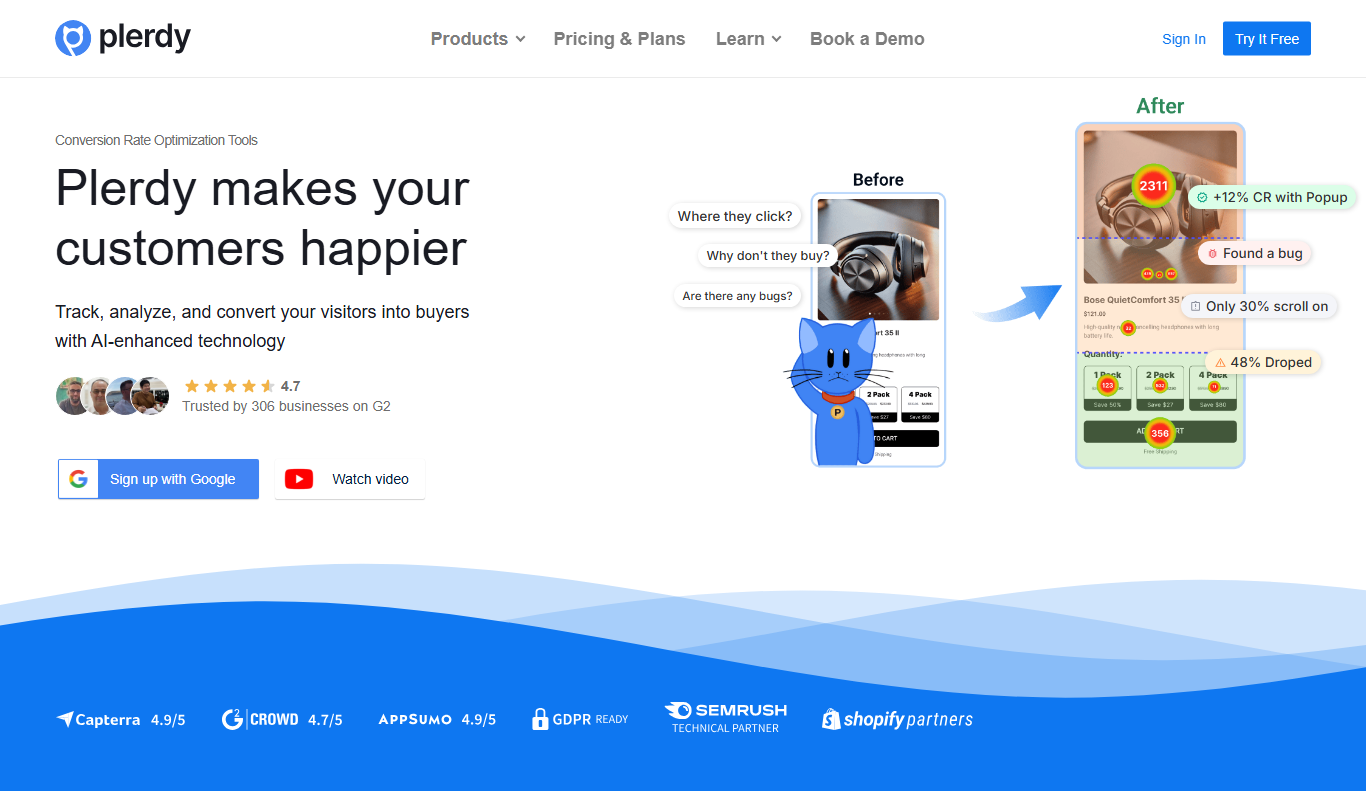
What is Plerdy?
Plerdy is a comprehensive website analytics and conversion optimization platform designed to help marketers and website owners understand user behavior, improve user experience, and increase conversion rates. It offers tools such as heatmaps, session recordings, SEO audits, and conversion funnels to provide actionable insights for website optimization.
Key features of Plerdy
Plerdy’s main features include click, scroll, and move heatmaps, session replay recordings, SEO checker and audit tools, conversion funnels, pop-up forms, and event tracking. These features enable users to analyze visitor interactions, identify website issues, and implement data-driven improvements.
Click, Scroll, and Move Heatmaps
Visualize where users click, how far they scroll, and mouse movement patterns to understand engagement.
Session Replay Recordings
Watch real visitor sessions to see exactly how users navigate and interact with your site.
SEO Checker and Audit
Automated SEO audits identify technical issues and provide recommendations to improve search rankings.
Conversion Funnels
Track visitor paths through your site to identify drop-off points and optimize conversion flows.
Pop-up Forms and Event Tracking
Create customizable pop-ups and track specific user actions to capture leads and measure engagement.
Pros and cons of Plerdy
Pros
- Comprehensive heatmaps and session recordings for deep user insights
- Integrated SEO audit tools to improve website visibility
- User-friendly interface with easy setup
- Flexible pricing with a free tier for small sites
- Supports multiple languages including English and Russian
Cons
- Limited free plan pageviews may not suit high-traffic sites
- Some advanced features require higher-tier plans
- No mobile app available, only web and Chrome extension
Key use cases for Plerdy
User Behavior Analysis
Track and analyze how visitors interact with your website using heatmaps and session recordings to identify usability issues.
Conversion Rate Optimization
Optimize website elements and funnels by understanding visitor clicks and scroll behavior to increase conversions.
SEO Audit and Monitoring
Perform SEO audits to detect technical issues and monitor keyword rankings to improve search engine visibility.
Landing Page Optimization
Analyze landing page performance and user engagement to enhance design and content for better lead generation.
A/B Testing Support
Use insights from heatmaps and analytics to design and validate A/B tests for website improvements.
How Plerdy works
- 1
Install Tracking Code
Add Plerdy’s JavaScript tracking code to your website or install the Chrome extension to start collecting data.
- 2
Collect User Data
Plerdy captures visitor interactions such as clicks, scrolls, mouse movements, and page visits in real-time.
- 3
Analyze Heatmaps and Reports
Review visual heatmaps, session recordings, and SEO audit reports to identify user behavior patterns and website issues.
- 4
Implement Optimizations
Use insights to adjust website design, content, and SEO elements to improve user experience and conversion rates.
- 5
Monitor Results
Track changes over time with ongoing analytics and optimize further based on updated data.
Who is using Plerdy
Digital marketers
E-commerce businesses
SEO specialists
UX/UI designers
Small to medium-sized enterprises
Plerdy pricing
Free
$0/month
Basic access with limited heatmaps, SEO checks, and up to 2,000 pageviews per month.
Pro
$29/month
Full access to all features, increased pageviews, unlimited heatmaps, and priority support.
Business
Custom pricing
Tailored solutions for enterprises with advanced features, dedicated support, and higher limits.
Plans and prices are as published by the vendor and can change. Check the official site before you buy. Open the pricing page (opens in a new tab)
Frequently asked questions about Plerdy
Yes, Plerdy integrates with popular platforms such as Google Analytics, Google Tag Manager, and CRM systems.
Plerdy offers a free plan with limited features, and you can upgrade to paid plans without a trial period.
Yes, Plerdy allows tracking multiple websites under one account, with limits depending on your subscription plan.
Plerdy complies with GDPR and other data protection regulations, providing options to anonymize visitor data.
It depends on your specific needs and how you plan to use the tool. The official website and documentation are the best sources for the latest details.
It depends on your specific needs and how you plan to use the tool. The official website and documentation are the best sources for the latest details.
Yes, it can help with that use case depending on how you configure it and what features are available. You’ll get the best results with clear inputs and a defined goal.
Some tools offer a free plan or trial with limited features. Availability can vary, so confirm on the official website.
Sign in to review this tool.
Sign In to ReviewNo reviews yet
Be the first to share how this tool worked for you.
Ask about pricing, limits, or how it compares — or answer someone else.
Sign In to AskNo questions yet
Have a question about using or paying for this tool? Be the first to ask.
Featured on TiorAI



Alternative Tools
Explore similar AI tools that might fit your needs

Free Trial
Crazy Egg
Crazy Egg is a web analytics tool that provides heatmaps, session recordings, and A/B testing features to help businesses understand user behavior and optimize their websites for better engagement and conversions.

Free
Mouseflow
Mouseflow is a web analytics platform that records user interactions such as mouse movements, clicks, and scrolls, providing heatmaps and session replays to help optimize website user experience and conversions.
More AI SEO Tools tools
Other tools in the same category, for when this one is not quite the fit.

Free Trial
Just Rewrite
Just Rewrite is an AI-based content rewriting tool that helps users generate unique and natural paraphrased text to improve SEO and avoid plagiarism.

One-time purchase
SubmitPro
SubmitPro submits your startup to 200+ AI and startup directories with one-click submission and a 10-minute setup.

Free
SEO GPT
SEO GPT is an AI tool that automates the creation of SEO-optimized content, including articles, meta titles, and descriptions, helping marketers improve search rankings efficiently.
Subscription
ArticleForge
ArticleForge is an AI-driven platform that automatically creates unique, SEO-optimized articles based on user keywords, helping marketers and businesses automate content creation.

Free
Article Idea Generator
Article Idea Generator is a free web tool that helps users generate multiple article or blog post ideas based on a keyword input, ideal for content creators and marketers seeking inspiration.

Free Trial
RewriteBar
RewriteBar is a macOS AI writing assistant that fixes grammar, rewrites and translates selected text in any app with AI-powered actions.

Free Trial
NeuralText
NeuralText is an AI-driven platform that assists marketers and SEO specialists in generating SEO-friendly content, performing keyword research, and creating content briefs to streamline content marketing workflows.
Freemium
Syntetica.ai
Syntetica is a generative AI platform that generates complex documents, from contracts to social media content, through processes shared with a team.