

Article Idea Generator Tool for Content Creators and Marketers
Article Idea Generator is a free web tool that helps users generate multiple article or blog post ideas based on a keyword input, ideal for content creators and marketers seeking inspiration.
- Best for
- Blog Topic Generation
- Key capability
- Instant Idea Generation
Save Article Idea Generator, follow its updates and vote on it — everything stays in your account.
Sign in or create a free account
What is Article Idea Generator?
Article Idea Generator is a free online tool designed to help content creators, marketers, and bloggers quickly generate creative and relevant article or blog post ideas based on a keyword or topic input. It simplifies the brainstorming process by providing a list of potential titles and angles to inspire content creation.
Key features of Article Idea Generator
The tool offers a straightforward interface where users input a keyword or phrase, and it instantly generates multiple article ideas. It requires no signup or payment, making it accessible for anyone needing quick inspiration for content topics.
Instant Idea Generation
Provides immediate article ideas based on user input.
Simple User Interface
Easy to use with no registration or payment required.
Free Access
Completely free tool accessible to anyone with internet access.
Multiple Ideas at Once
Generates a variety of article ideas to choose from.
Pros and cons of Article Idea Generator
Pros
- Free and easy to use
- No signup required
- Generates multiple ideas quickly
- Accessible via any web browser
Cons
- Limited to English language
- No advanced filtering or customization options
- No integration with other content tools
Key use cases for Article Idea Generator
Blog Topic Generation
Generate fresh and relevant blog post ideas to keep your content calendar full.
Content Marketing Planning
Discover new angles and topics to improve your content marketing strategy.
SEO Content Ideation
Find keyword-focused article ideas that can help improve search engine rankings.
Social Media Content Ideas
Create engaging topics for social media posts to increase audience interaction.
How Article Idea Generator works
- 1
Enter Keyword
Type a relevant keyword or topic into the input field.
- 2
Generate Ideas
Click the generate button to receive a list of article ideas.
- 3
Review and Select
Browse the suggested ideas and choose the ones that fit your content goals.
- 4
Use Ideas
Develop content based on the selected article ideas.
Who is using Article Idea Generator
Article Idea Generator pricing
Free
$0
Unlimited access to article idea generation with no cost.
Plans and prices are as published by the vendor and can change. Check the official site before you buy. Open the pricing page (opens in a new tab)
Frequently asked questions about Article Idea Generator
No, the tool is free to use without any registration.
Yes, the ideas generated can be used freely for your content projects.
There is no stated limit; you can generate as many ideas as you need.
It depends on your specific needs and how you plan to use the tool. The official website and documentation are the best sources for the latest details.
Some tools offer a free plan or trial with limited features. Availability can vary, so confirm on the official website.
Yes, it can help with that use case depending on how you configure it and what features are available. You’ll get the best results with clear inputs and a defined goal.
Conclusion
One keyword or topic is the only input: typed into the field, it returns a list of article ideas with potential titles and angles. The user then reviews the suggested ideas, selects the ones that fit the content goals and develops content from the selected article ideas.
Bloggers can use the output to keep a content calendar full, while content marketers look for new angles for their strategy. Keyword-focused ideas also tie it to SEO content ideation, and social media managers can draw topics for posts from the same list. Access is completely free from any web browser, with no registration or payment required.
Sources
Sign in to review this tool.
Sign In to ReviewNo reviews yet
Be the first to share how this tool worked for you.
Ask about pricing, limits, or how it compares — or answer someone else.
Sign In to AskNo questions yet
Have a question about using or paying for this tool? Be the first to ask.
Featured on TiorAI



More AI Business Ideas Generator tools
Other tools in the same category, for when this one is not quite the fit.

IdeasAI
IdeasAI generates startup ideas that users rate with a like/dislike system, with a monthly ranking.

Painkiller SaaS ideas Generator
MySaaSIdeas generates SaaS ideas from real problems posted on social media.
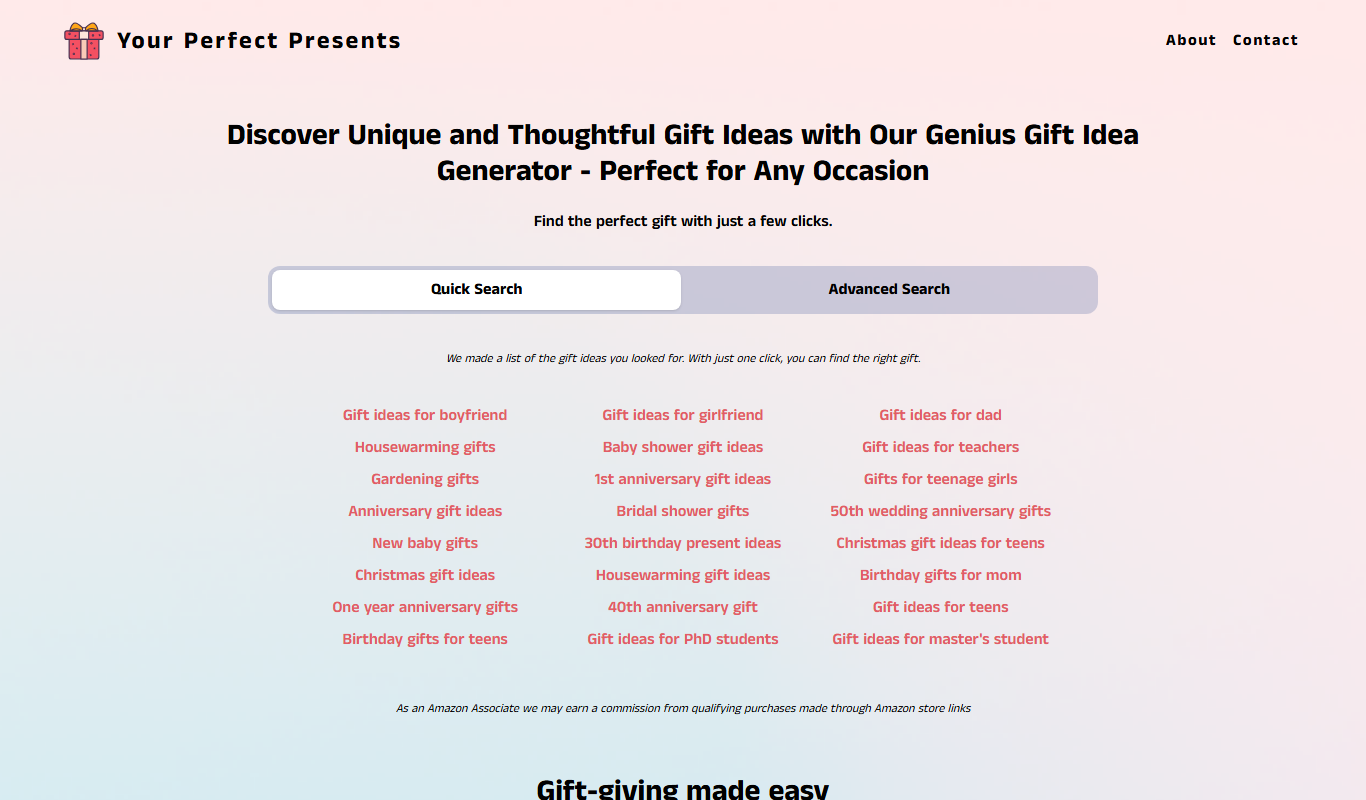
Your perfect presents
Your Perfect Presents is a free online gift finder tool that helps users discover personalized and unique gift ideas based on recipient details and occasion.

Namelix
Namelix is an AI-powered tool that generates unique business and brand names based on your keywords, checks domain availability, and offers logo design services.

Seabiscuit Business GPTs – Start Your Business Legacy
Seabiscuit Business GPTs is an AI platform that helps entrepreneurs plan, research, and grow their businesses using specialized GPT assistants focused on business legacy building.

startuptools.ai
StartupTools.ai is an AI-driven platform that helps entrepreneurs generate, validate, and pitch startup ideas by analyzing market data and user preferences.

AI Prompt Library by God of Prompt
AI Prompt Library by God of Prompt is a free web-based collection of curated prompts designed to help users generate better AI content across various use cases.

Notaide
Notaide is an AI-powered writing assistant that helps users create and edit content by providing real-time grammar and style suggestions through a web-based platform.