

From my experience with Opus Clip AI, I found it excels at automating the tedious process of creating short, engaging video clips from longer content. The AI-driven approach saves hours of manual editing, making it ideal for content creators and marketers who need to repurpose videos quickly for social media. The interface is straightforward, which lowers the barrier for users without video editing skills. However, the free plan’s watermark and limited customization options mean serious users will likely want to upgrade. Overall, if you need fast, AI-powered clip generation to boost your video content strategy, Opus Clip AI delivers efficient and practical results.
Opus Clip AI Video Editing Tool for Automated Clip Creation and Highlights
Opus Clip AI is an AI-driven video editing tool that automatically generates short highlight clips from longer videos, simplifying content repurposing for social media.
- Best for
- Automated Video Clip Creation
- Key capability
- AI-Powered Clip Detection
Your actions
Save Opus Clip AI, follow its updates and vote on it — everything stays in your account.
Sign in or create a free account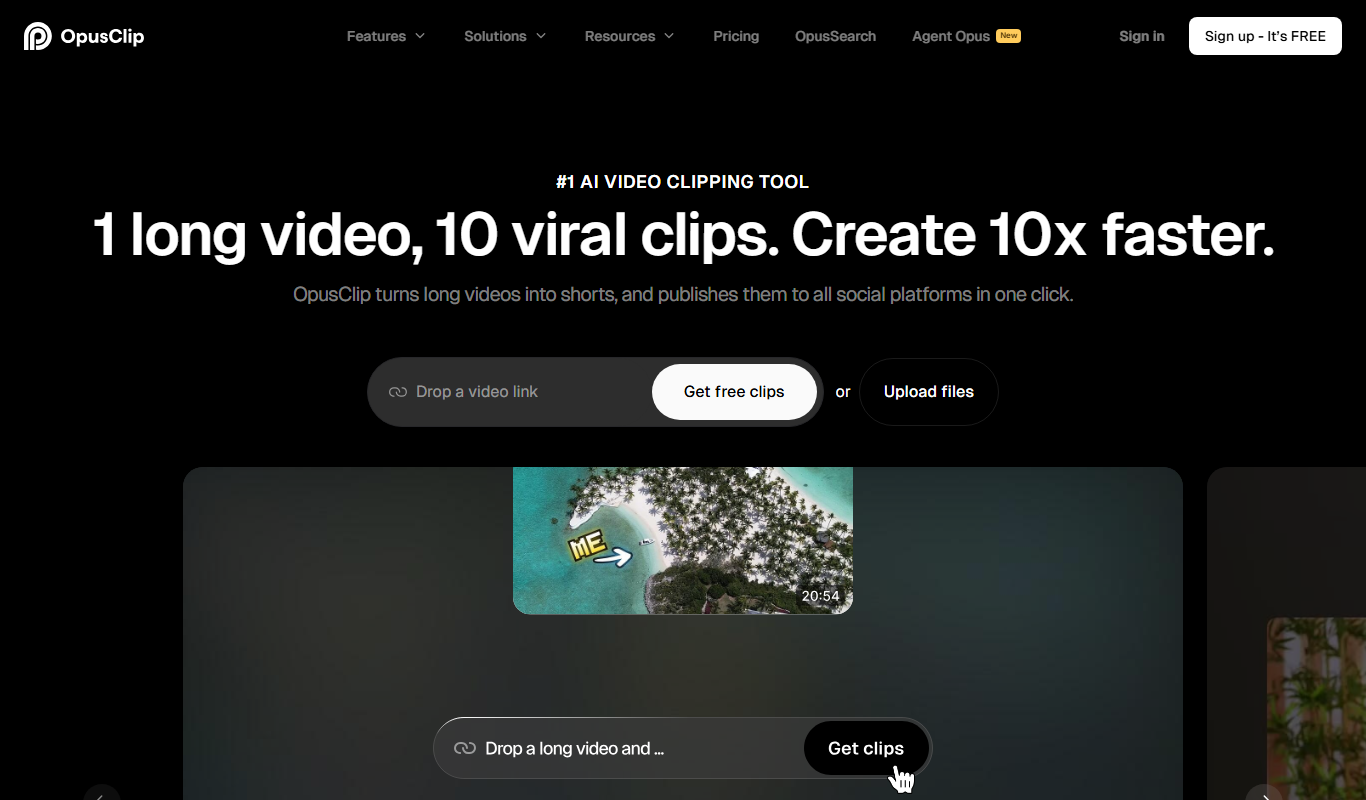
What is Opus Clip AI?
Opus Clip AI is an AI-powered video editing tool designed to automatically generate short, engaging clips from longer videos. It uses artificial intelligence to detect key moments, highlights, and interesting segments, enabling content creators to quickly repurpose their videos for social media and other platforms without manual editing.
Key features of Opus Clip AI
Key features include AI-driven clip detection, automatic trimming, caption generation, and easy export options tailored for social media sharing. The tool streamlines the video editing workflow by reducing the time and effort needed to create highlight clips.
AI-Powered Clip Detection
Automatically identifies the most engaging parts of a video for clip creation.
Automatic Captioning
Generates captions for clips to improve accessibility and viewer engagement.
Social Media Optimization
Exports clips in formats and aspect ratios optimized for platforms like TikTok, Instagram, and YouTube Shorts.
User-Friendly Interface
Intuitive web-based platform that requires no advanced video editing skills.
Pros and cons of Opus Clip AI
Pros
- Saves significant time on video editing
- Easy to use with no technical skills required
- Automatically generates captions for accessibility
- Optimized clips for social media platforms
Cons
- Free plan includes watermarked exports
- Limited customization compared to manual editing
- Currently supports only English language
Key use cases for Opus Clip AI
Automated Video Clip Creation
Automatically generate short clips from long videos using AI to highlight key moments.
Content Repurposing for Social Media
Transform long-form video content into engaging short clips optimized for social platforms.
Highlight Reel Generation
Create highlight reels from webinars, streams, or presentations quickly and efficiently.
Video Editing for Creators
Simplify the editing process for video creators by automating clip selection and trimming.
How Opus Clip AI works
- 1
Upload Video
Users upload their long-form video content to the Opus Clip AI platform.
- 2
AI Analysis
The AI analyzes the video to identify key moments, highlights, and engaging segments.
- 3
Clip Generation
The tool automatically generates short clips with captions and trims them for optimal length.
- 4
Review and Export
Users review the generated clips, make any desired adjustments, and export them for social media or other uses.
Who is using Opus Clip AI
Content creators and influencers
Social media marketers
Online educators and webinar hosts
Video editors seeking automation
Small businesses producing video content
Opus Clip AI pricing
Free
$0/month
Basic access with limited clip exports and watermark on videos.
Pro
$19/month
Unlimited clip exports, no watermarks, and access to advanced features.
Plans and prices are as published by the vendor and can change. Check the official site before you buy. Open the pricing page (opens in a new tab)
Frequently asked questions about Opus Clip AI
You can upload any long-form video content such as webinars, streams, tutorials, or presentations.
Yes, videos exported on the free plan include a watermark.
Yes, after the AI generates clips, you can review and make manual adjustments before exporting.
There may be limits depending on your subscription plan; the Pro plan supports longer videos.
It depends on your specific needs and how you plan to use the tool. The official website and documentation are the best sources for the latest details.
Some tools offer a free plan or trial with limited features. Availability can vary, so confirm on the official website.
Yes, it can help with that use case depending on how you configure it and what features are available. You’ll get the best results with clear inputs and a defined goal.
Yes, it can help with that use case depending on how you configure it and what features are available. You’ll get the best results with clear inputs and a defined goal.
Sign in to review this tool.
Sign In to ReviewNo reviews yet
Be the first to share how this tool worked for you.
Ask about pricing, limits, or how it compares — or answer someone else.
Sign In to AskNo questions yet
Have a question about using or paying for this tool? Be the first to ask.
Featured on TiorAI



More AI Ad Generator tools
Other tools in the same category, for when this one is not quite the fit.

Freemium
HypeAuditor
HypeAuditor is an influencer marketing analytics platform that helps brands find authentic influencers, analyze audience demographics, detect fake followers, and track campaign performance across social media platforms.

Subscription
Sell The Trend
Sell The Trend is a dropshipping product research and automation platform that helps e-commerce entrepreneurs find trending products, analyze market trends, and automate store management, primarily integrating with Shopify.

Free Trial
DataSky AI Box
DataSky AI Box is an AI-powered platform by OpenDataSky that provides businesses with advanced data analytics, interactive visualizations, and automated reporting to simplify data-driven decision-making.

Free
Fakeface
Fakeface is a free online AI tool that instantly generates realistic human faces using GAN technology, providing diverse, high-resolution synthetic portraits for various uses without requiring sign-up.

Freemium
AutoReels.Ai
AutoReels.Ai is an AI-driven video editing platform that automatically creates short social media reels from longer videos, helping users save time and optimize content for platforms like Instagram and TikTok.

Freemium
newormedia.com
Newormedia is an AI-powered platform that generates marketing and SEO content in English and Chinese, offering templates and SEO optimization tools to streamline content creation.

Freemium
Spikes Studio
Spikes Studio is an AI-driven video editing tool that automates the creation of social media optimized videos by clipping, captioning, and formatting content efficiently.

Free Trial
PlanPost AI – Best AI Content Generator
PlanPost AI is an AI-driven platform that generates and helps schedule social media and marketing content, designed to streamline content creation for marketers and small businesses.