

From my experience with Moji Edit, I found it excels at providing an intuitive and accessible platform for creating personalized avatars and emojis without requiring any graphic design skills. The web-based interface is straightforward, making it easy for social media users and content creators to express themselves creatively. However, the lack of a dedicated mobile app may limit on-the-go editing, and some advanced features are locked behind a subscription. Overall, if you want a simple yet versatile tool for custom emoji and avatar creation, Moji Edit delivers solid results.
Moji Edit AI Avatar Generator for Custom Emoji and Sticker Creation
Moji Edit is an AI avatar generator that lets users create custom emojis, stickers, and avatars through an easy web interface with extensive customization options.
- Best for
- Custom Emoji Creation
- Key capability
- AI-Powered Customization
Your actions
Save Moji Edit, follow its updates and vote on it — everything stays in your account.
Sign in or create a free account
What is Moji Edit?
Moji Edit is an AI-powered avatar generator that allows users to create personalized emojis, stickers, and avatars. It provides a user-friendly web platform where individuals can customize facial features, expressions, and accessories to design unique digital characters for social media, messaging, and creative projects.
Key features of Moji Edit
Moji Edit offers intuitive avatar customization tools, a wide range of design elements, and the ability to export creations for use across various digital platforms. It supports creative expression through easy-to-use AI-assisted editing features.
AI-Powered Customization
Leverages AI to simplify avatar and emoji creation with smart design suggestions.
Wide Range of Design Options
Includes numerous facial features, hairstyles, accessories, and expressions.
Export in Multiple Formats
Download avatars and stickers in formats compatible with popular platforms.
User-Friendly Interface
Intuitive design tools accessible to users without graphic design experience.
Pros and cons of Moji Edit
Pros
- Easy to use with no design experience required
- Wide variety of customization options
- Free plan available for casual users
Cons
- No dedicated mobile app yet
- Some advanced features require paid subscription
Key use cases for Moji Edit
Custom Emoji Creation
Users can create personalized emojis for use in messaging apps and social media.
Avatar Design for Social Media
Design unique avatars to represent yourself on social media profiles and forums.
Sticker Generation
Generate custom stickers to enhance chats and digital communication.
Creative Expression
Express personality and creativity through tailored avatar designs.
How Moji Edit works
- 1
Access the Platform
Visit the Moji Edit website and start the avatar creation process.
- 2
Customize Your Avatar
Use the editing tools to adjust facial features, expressions, and accessories.
- 3
Generate Emojis and Stickers
Create personalized emojis and stickers based on your avatar design.
- 4
Download and Share
Export your creations for use in messaging apps and social media.
Who is using Moji Edit
Social media users
Content creators
Digital marketers
Messaging app enthusiasts
Graphic design beginners
Moji Edit pricing
Free
$0/month
Basic avatar creation with limited design elements and export options.
Pro
$9.99/month
Access to premium features, expanded design assets, and higher resolution exports.
Plans and prices are as published by the vendor and can change. Check the official site before you buy. Open the pricing page (opens in a new tab)
Frequently asked questions about Moji Edit
Yes, avatars and stickers created can be exported and used across most social media and messaging apps.
Currently, Moji Edit is available as a web platform only.
No, the tool is designed to be user-friendly and accessible to beginners.
It depends on your specific needs and how you plan to use the tool. The official website and documentation are the best sources for the latest details.
Some tools offer a free plan or trial with limited features. Availability can vary, so confirm on the official website.
Yes, it can help with that use case depending on how you configure it and what features are available. You’ll get the best results with clear inputs and a defined goal.
Sign in to review this tool.
Sign In to ReviewNo reviews yet
Be the first to share how this tool worked for you.
Ask about pricing, limits, or how it compares — or answer someone else.
Sign In to AskNo questions yet
Have a question about using or paying for this tool? Be the first to ask.
Featured on TiorAI



Alternative Tools
Explore similar AI tools that might fit your needs

More AI Avatar Generator tools
Other tools in the same category, for when this one is not quite the fit.

Custom Pricing
Looking Glass Factory
Looking Glass Factory offers advanced glasses-free 3D holographic displays that enable users to view and interact with volumetric 3D content without headsets, suitable for design, education, and entertainment.

Freemium
DeepAR SDK
DeepAR SDK is a cross-platform augmented reality development kit that enables real-time face tracking, AI avatar creation, and 3D AR effects for mobile apps, games, and live streaming.

Custom Pricing
Banuba SDK
Banuba SDK is an AI-powered augmented reality software development kit that enables developers to integrate real-time face tracking, 3D masks, beauty filters, and avatar effects into mobile and desktop applications.
Freemium
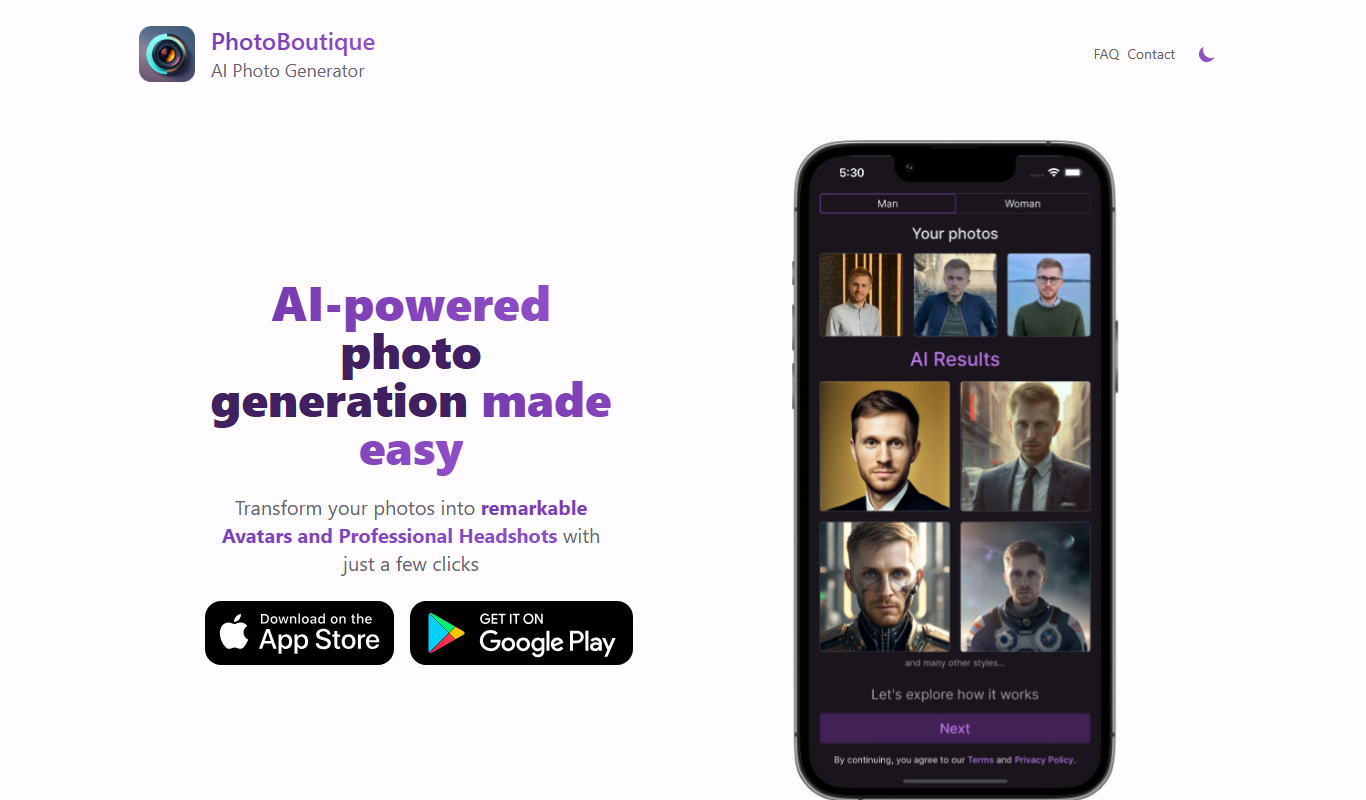
PhotoBoutique – AI Avatar maker
PhotoBoutique is a web-based AI avatar maker that generates personalized avatars using artificial intelligence, suitable for social media profiles, gaming, and creative uses.

Custom Pricing
FaceTec
FaceTec is an AI-driven biometric authentication platform specializing in 3D facial recognition and liveness detection to securely verify user identities and prevent fraud.

Freemium
Portrait AI
Portrait AI is a web-based AI avatar generator that creates realistic and artistic digital portraits from user photos using advanced AI technology.

Contact for pricing
ArcFace
ArcFace is an AI-powered facial recognition software developed by ArcSoft that provides high-accuracy face detection and verification with anti-spoofing features, suitable for identity verification and security applications.

Free
Open Peeps
Open Peeps is a free, open source library of modular hand-drawn character illustrations that designers and developers can customize and use in digital projects.