

From my experience with MeinProfilbild.de, I found it excels at providing a straightforward and efficient way to create professional profile pictures, especially for German users needing compliant passport photos or LinkedIn images. The automatic background removal and cropping templates simplify the editing process, making it accessible even for beginners. However, the platform is limited to German language and lacks a dedicated mobile app, which might restrict accessibility for some users. Overall, if you want a quick, web-based solution for profile picture editing with options for official document photos, MeinProfilbild.de delivers reliable and user-friendly results.
MeinProfilbild.de - Professional Profile Picture Editor Online in Germany
MeinProfilbild.de is a German online tool for creating and editing professional profile pictures with automatic background removal and retouching features.
- Best for
- Professional Profile Pictures
- Key capability
- Automatic Background Removal
Your actions
Save MeinProfilbild.de, follow its updates and vote on it — everything stays in your account.
Sign in or create a free account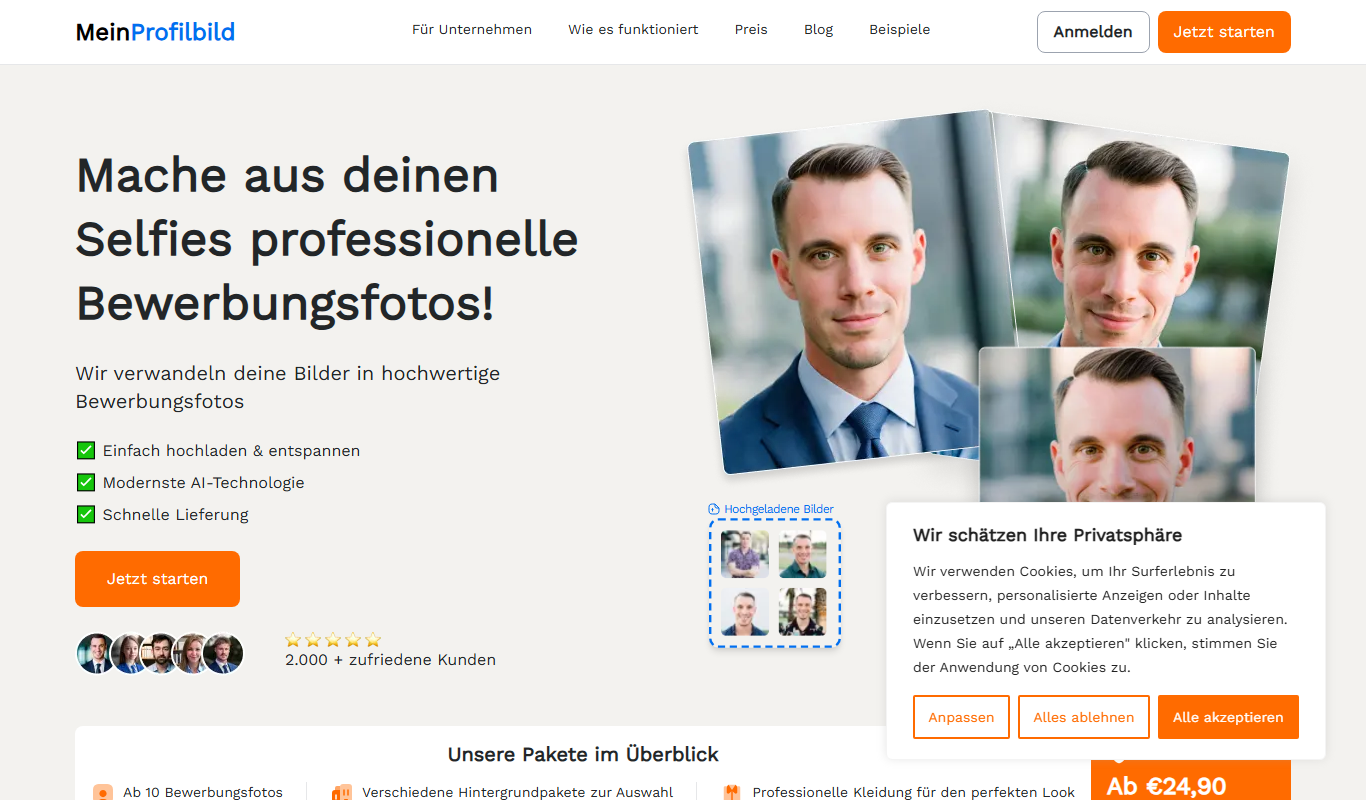
What is MeinProfilbild.de?
MeinProfilbild.de is an online photo editing platform focused on creating and enhancing profile pictures. It offers users an easy-to-use interface to upload photos and apply professional edits such as background removal, cropping, and retouching. The tool is designed primarily for German-speaking users seeking high-quality profile images for professional and personal use.
Key features of MeinProfilbild.de
The platform provides automatic background removal, customizable cropping templates, retouching tools, and direct download options. It supports various photo formats and ensures compliance with official photo requirements for documents. Users can access free basic editing or subscribe for premium features like HD downloads and advanced retouching.
Automatic Background Removal
AI-powered background removal for clean, professional-looking profile pictures.
Multiple Cropping Templates
Predefined cropping sizes for different use cases like LinkedIn, passport photos, and social media.
Retouching Tools
Basic retouching features to enhance photo quality and appearance.
High-Resolution Downloads
Option to download photos in HD quality with a premium subscription.
User-Friendly Interface
Intuitive web interface designed for quick and easy photo editing without prior experience.
Pros and cons of MeinProfilbild.de
Pros
- Easy-to-use interface suitable for beginners
- Automatic background removal saves time
- Offers compliant passport photo templates
- Affordable premium plan for HD downloads
- No software installation required
Cons
- Limited language support (German only)
- No dedicated mobile app
- Advanced editing features are behind a paywall
Key use cases for MeinProfilbild.de
Professional Profile Pictures
Create and enhance professional profile pictures suitable for LinkedIn, job applications, and social media.
Social Media Avatars
Design eye-catching avatars for social media platforms like Facebook, Instagram, and Twitter.
ID and Passport Photos
Generate compliant ID and passport photos with proper dimensions and background adjustments.
Online Dating Profiles
Improve personal photos to make a positive impression on dating platforms.
Corporate Branding
Standardize employee profile pictures for company websites and internal directories.
How MeinProfilbild.de works
- 1
Upload Your Photo
Start by uploading a photo from your device to the MeinProfilbild.de platform.
- 2
Automatic Background Removal
The tool automatically detects and removes the background, allowing you to replace or keep it transparent.
- 3
Edit and Crop
Use cropping templates tailored for profile pictures, passport photos, or social media avatars.
- 4
Apply Retouching
Enhance your photo with retouching options to improve lighting, remove blemishes, and adjust colors.
- 5
Download or Share
Download your edited photo in various resolutions or share it directly on social media.
Who is using MeinProfilbild.de
Job seekers needing professional profile photos
Social media users wanting polished avatars
Individuals applying for official documents
Small business owners standardizing employee photos
Online dating users seeking better profile pictures
MeinProfilbild.de pricing
Free
€0
Basic editing features with standard resolution downloads and watermark.
Premium
€9.99/month
Access to HD downloads, advanced retouching, and watermark-free images.
Plans and prices are as published by the vendor and can change. Check the official site before you buy. Open the pricing page (opens in a new tab)
Frequently asked questions about MeinProfilbild.de
Yes, the platform offers cropping templates and background adjustments compliant with German passport photo requirements.
Currently, MeinProfilbild.de is only available as a web-based platform optimized for desktop and mobile browsers.
You can upload common image formats such as JPEG and PNG.
No, free plan downloads include a watermark. Removing it requires a premium subscription.
It depends on your specific needs and how you plan to use the tool. The official website and documentation are the best sources for the latest details.
Yes, it can help with that use case depending on how you configure it and what features are available. You’ll get the best results with clear inputs and a defined goal.
Some tools offer a free plan or trial with limited features. Availability can vary, so confirm on the official website.
Sign in to review this tool.
Sign In to ReviewNo reviews yet
Be the first to share how this tool worked for you.
Ask about pricing, limits, or how it compares — or answer someone else.
Sign In to AskNo questions yet
Have a question about using or paying for this tool? Be the first to ask.
Featured on TiorAI



More AI Image & Visual Tools tools
Other tools in the same category, for when this one is not quite the fit.

Freemium
Anthropics Technology Ltd
Anthropics Technology Ltd offers AI-driven image editing software specializing in portrait retouching and photo enhancement, available for Windows and Mac with options for batch processing.

Free
svgtrace.com
SVGTrace.com is an online tool that converts raster images such as PNG or JPG into scalable SVG vector graphics using image tracing algorithms, accessible directly from your browser without installation.

Freemium
PuLID for FLUX
PuLID for FLUX is available free on 8PixLabs and generates images that keep facial features from a single photo.

Pay As You Go
Heurist Imagine
Heurist Imagine is an AI image and video generator that runs models such as FLUX, Stable Diffusion and Veo 3 on decentralized infrastructure, paid pay-as-you-go with crypto.

Freemium
FaceMagic
FaceMagic is an AI face swap app that swaps a face from one selfie into videos, photos and GIFs, with credits and a Pro subscription.

Free
translateimg
TranslateImg is an AI-based web tool that extracts text from images using OCR and translates it into various languages, enabling quick multilingual image content translation.

Freemium
Stable Diffusion Web
Stable Diffusion Web (Stable Diffusion Online) is an online workspace for generating images from text with Stable Diffusion, plus video generation, photo effects, templates and AI editing tools.

Subscription
Virbo AI Talking Photo
Virbo AI Talking Photo is an app that uses AI to animate static photos by syncing facial movements with voice recordings or text-to-speech audio, enabling users to create talking pictures and videos easily on web and mobile platforms.