

MailTester Email Spam Score Checker and Deliverability Testing Tool
MailTester is an online tool that analyzes your email's spam score, authentication, and deliverability; occasional manual use is free and paid packages start at $10/month.
- Best for
- Email Spam Score Testing
- Key capability
- Spam Score Calculation
Save MailTester, follow its updates and vote on it — everything stays in your account.
Sign in or create a free account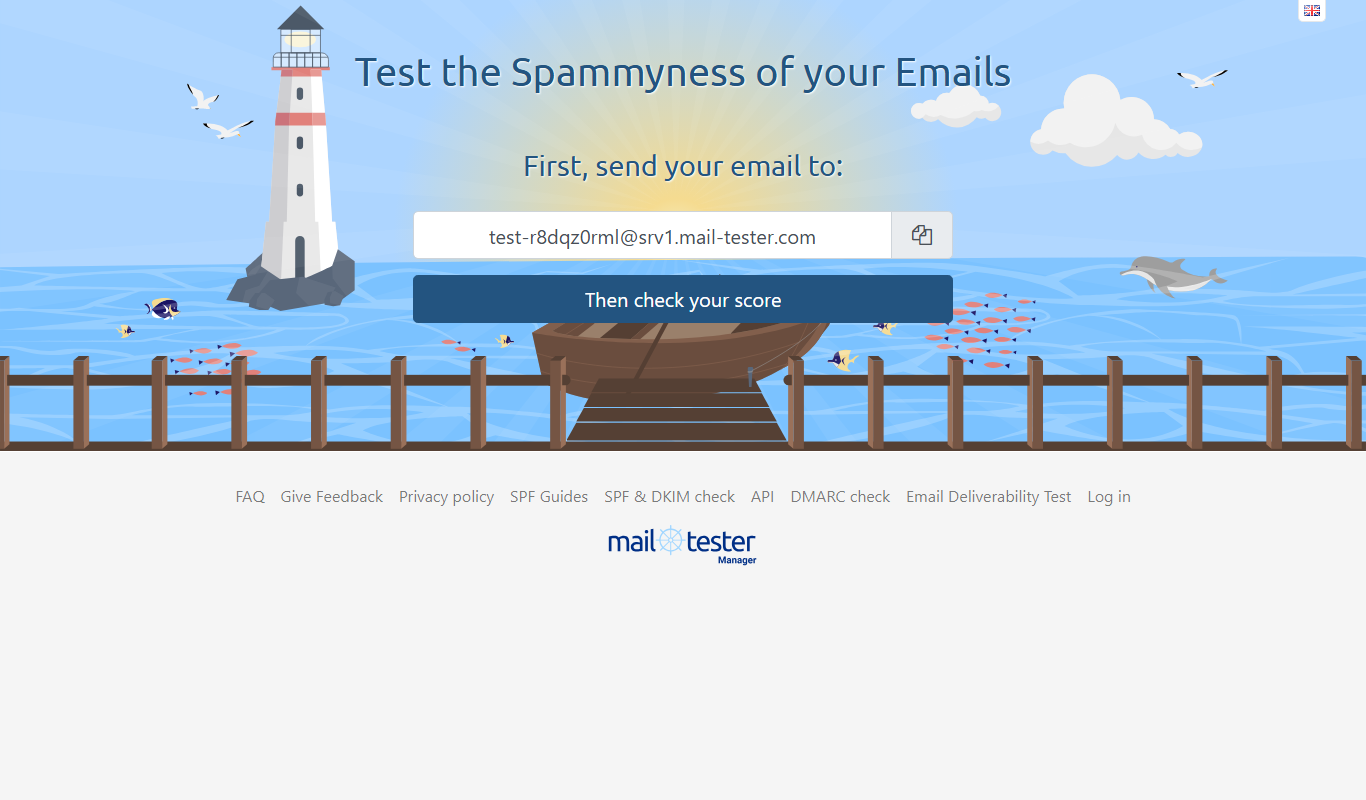
What is MailTester?
MailTester is an online tool designed to evaluate the quality and deliverability of emails. It helps users identify potential spam issues by analyzing email headers, content, and server configurations. By providing a spam score and detailed diagnostics, MailTester assists marketers, developers, and businesses in optimizing their email campaigns. Occasional manual use is free, and paid packages start at $10/month.
Key features of MailTester
MailTester offers a simple interface to test emails by sending them to a unique address it provides. It then analyzes the email for spam triggers, authentication issues, blacklists, and technical errors. The tool generates a comprehensive report with a spam score and actionable recommendations to improve email deliverability.
Spam Score Calculation
Evaluates your email against common spam filters and assigns a spam score.
Header and Authentication Checks
Verifies SPF, DKIM, and DMARC records to ensure proper email authentication.
Blacklist Monitoring
Checks if your sending IP or domain is listed on major email blacklists.
Content Analysis
Detects problematic links, images, and formatting that may trigger spam filters.
SMTP Server Testing
Validates your SMTP server setup to prevent delivery failures.
JSON API
A JSON API is available with an account.
Pros and cons of MailTester
Pros
- Simple and fast email testing process
- Detailed spam and deliverability reports
- Checks authentication and blacklist status
Cons
- Limited to testing emails sent to provided address
Key use cases for MailTester
Email Spam Score Testing
Analyze your email content and headers to identify spam triggers and improve inbox placement.
Email Deliverability Analysis
Check how well your emails will be received by different mail servers and avoid being blocked or filtered.
SMTP Server Validation
Verify your SMTP server configuration and ensure it is properly set up for sending emails.
Email Content Optimization
Receive detailed feedback on your email’s structure, links, images, and authentication to enhance deliverability.
Pre-send Email Testing
Test emails before sending campaigns to reduce bounce rates and improve sender reputation.
How MailTester works
- 1
Get a Unique Test Email Address
Visit MailTester and obtain a temporary email address to send your test email.
- 2
Send Your Email
Send the email you want to test to the provided MailTester address.
- 3
Analyze the Results
Refresh the MailTester page to view the spam score and detailed analysis report.
- 4
Implement Recommendations
Use the feedback to fix issues in your email content, headers, or server settings.
Who is using MailTester
MailTester pricing
Free
$0
Free for occasional manual use.
Paid packages
From $10/month
Paid packages range from 50 tests for $10/month up to 7,500 tests for $250/month.
Plans and prices are as published by the vendor and can change. Check the official site before you buy. Open the pricing page (opens in a new tab)
Frequently asked questions about MailTester
MailTester is free for occasional manual use; paid packages start at 50 tests for $10/month.
You can test emails by sending them to the unique address MailTester provides for analysis.
MailTester temporarily stores emails for analysis but does not keep them long-term.
The spam score indicates the likelihood your email will be flagged as spam by filters.
It depends on your specific needs and how you plan to use the tool. The official website and documentation are the best sources for the latest details.
Some tools offer a free plan or trial with limited features. Availability can vary, so confirm on the official website.
This tool is designed to help users accomplish its core tasks more efficiently. It is typically used by individuals or teams looking to improve productivity and workflow.
Yes, it can help with that use case depending on how you configure it and what features are available. You’ll get the best results with clear inputs and a defined goal.
Conclusion
Testing works through a unique address: a user sends the email to it and then refreshes the MailTester page to see the analysis. The report combines a spam score with SPF, DKIM and DMARC checks and a lookup against major email blacklists. That feedback is used to fix issues in email content, headers or server settings.
Occasional manual use is free, and paid packages range from 50 tests for $10/month up to 7,500 tests for $250/month. A JSON API is available with an account.
Sources
Sign in to review this tool.
Sign In to ReviewNo reviews yet
Be the first to share how this tool worked for you.
Ask about pricing, limits, or how it compares — or answer someone else.
Sign In to AskNo questions yet
Have a question about using or paying for this tool? Be the first to ask.
Featured on TiorAI



More AI Analytics Assistant tools
Other tools in the same category, for when this one is not quite the fit.

ClickCease
ClickCease is an ad fraud prevention tool that detects and blocks invalid clicks on PPC campaigns across major ad platforms, helping advertisers save budget and improve ROI.

BetQL
BetQL is a sports betting analytics platform providing real-time odds, expert picks, and line movement tracking to help bettors make informed decisions.

Lytx
Lytx provides AI-driven video telematics and fleet management solutions that improve driver safety by detecting risky behaviors, enabling real-time alerts, and supporting driver coaching to reduce accidents and operational costs.
Metabase
Metabase is an open source business intelligence tool that helps users create interactive dashboards and reports by connecting to various databases, enabling data exploration without requiring SQL skills.

Sievo
Sievo is a spend analytics platform that helps organizations analyze procurement data, optimize supplier management, and reduce costs through AI-driven insights and integrations with ERP systems.

Waydev
Waydev is an engineering analytics platform that analyzes git data to provide software development teams with insights on productivity, code quality, and agile process efficiency.

Qventus
Qventus is an AI-driven healthcare operations platform that optimizes hospital workflows by analyzing real-time data to improve patient flow, resource allocation, and staff coordination.

Koyfin
Koyfin is a web-based financial analytics platform that provides investors and financial professionals with real-time market data, customizable charts, portfolio tracking, and economic analysis tools.