

LlamaChat AI Chatbot Platform for Custom Conversational AI Solutions
LlamaChat is a free and open-source macOS app that lets users chat with LLaMA, Alpaca and GPT4All models running locally on their Mac.
- Best for
- Custom AI Chatbots
- Key capability
- LLaMA Model Integration
Save LlamaChat, follow its updates and vote on it — everything stays in your account.
Sign in or create a free account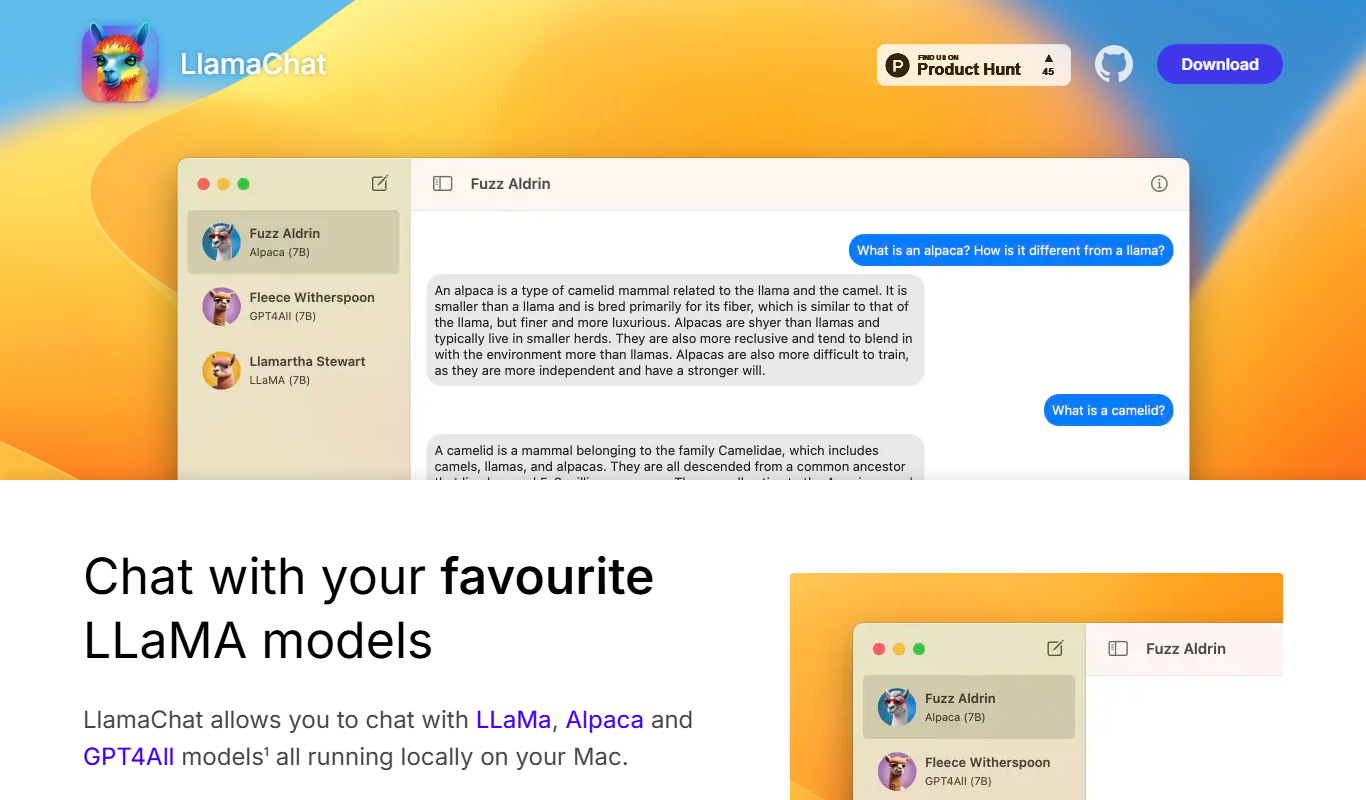
What is LlamaChat?
LlamaChat is a free, open-source macOS app for chatting with LLaMA, Alpaca and GPT4All models running locally on a Mac. It can import raw published PyTorch model checkpoints or pre-converted ggml model files.
Key features of LlamaChat
LlamaChat lets users chat with LLaMA, Alpaca and GPT4All models running locally on a Mac, import raw PyTorch checkpoints or ggml model files, and use a free, open-source app built on llama.cpp and llama.swift.
LLaMA Model Integration
Utilizes Meta's LLaMA large language models for advanced conversational AI capabilities.
Model Import
Imports raw published PyTorch model checkpoints directly, or pre-converted ggml model files.
Fully Open Source
Powered by open-source libraries including llama.cpp and llama.swift, and 100% free.
Built for Intel and Apple Silicon
Runs on a Mac with Intel processors or Apple Silicon and requires macOS 13.
Pros and cons of LlamaChat
Pros
- Chat with LLaMA, Alpaca and GPT4All models locally on a Mac
- Supports custom LLaMA model integration
- API available for flexible integration
- 100% free and fully open source
Cons
- Limited language support beyond English
- Advanced customization may require technical knowledge
- Model files are not included; users obtain and integrate them under each provider's terms.
Key use cases for LlamaChat
Custom AI Chatbots
Build and deploy personalized AI chatbots tailored to specific domains or tasks.
Conversational AI Development
Develop conversational agents that can interact naturally with users using LLaMA-based models.
Productivity Automation
Automate repetitive communication tasks and improve workflow efficiency with AI chatbots.
Research and Experimentation
Experiment with large language models in a user-friendly interface for research or prototyping.
How LlamaChat works
- 1
Download the App
Download LlamaChat for Mac or install it with brew; it requires macOS 13.
- 2
Add a Model
Import a raw PyTorch model checkpoint or a pre-converted ggml model file obtained from its provider.
- 3
Chat Locally
Chat with LLaMA, Alpaca or GPT4All models running locally on the Mac.
- 4
Deploy and Interact
Launch your chatbot on the web or integrate via API to start conversations.
Who is using LlamaChat
LlamaChat pricing
Free
Free
100% free and fully open source.
Pro
$15/month
Extended usage limits, priority support, and advanced customization options.
Plans and prices are as published by the vendor and can change. Check the official site before you buy. Open the pricing page (opens in a new tab)
Frequently asked questions about LlamaChat
LlamaChat is used to chat with LLaMA, Alpaca and GPT4All models running locally on a Mac.
Yes. LlamaChat imports raw published PyTorch model checkpoints or pre-converted ggml model files.
Yes, LlamaChat provides API access for developers to integrate chatbots into other platforms.
Currently, LlamaChat primarily supports English language interactions.
It depends on your specific needs and how you plan to use the tool. The official website and documentation are the best sources for the latest details.
Yes, it can help with that use case depending on how you configure it and what features are available. You’ll get the best results with clear inputs and a defined goal.
Some tools offer a free plan or trial with limited features. Availability can vary, so confirm on the official website.
Conclusion
LLaMA, Alpaca and GPT4All models run locally on the user’s Mac inside this desktop chat app. No model files ship with it, so users obtain them under each provider’s terms and then import raw PyTorch checkpoints or pre-converted ggml files. The app is built on open-source libraries including llama.cpp and llama.swift, and the project states that it is free and fully open source.
Version 1.2.0 requires macOS 13 and runs on both Intel processors and Apple Silicon. It may suit developers experimenting with LLaMA models and researchers in conversational AI.
Sources
Sign in to review this tool.
Sign In to ReviewNo reviews yet
Be the first to share how this tool worked for you.
Ask about pricing, limits, or how it compares — or answer someone else.
Sign In to AskNo questions yet
Have a question about using or paying for this tool? Be the first to ask.
Featured on TiorAI



Alternative Tools
Explore similar AI tools that might fit your needs

Replika
Replika is an AI chatbot designed to provide personalized emotional support and companionship through text and voice conversations, helping users manage loneliness and stress.
More AI Chatbot tools
Other tools in the same category, for when this one is not quite the fit.

Modly
Modly.ai trains, fine-tunes and hosts custom large language models on your business data, delivered as a managed service with API access.

Voyageraid
VoyagerAid is end-to-end disruption management software that helps airlines handle rebooking, passenger communication and disruptions with predictive analytics.
Open Tutor App
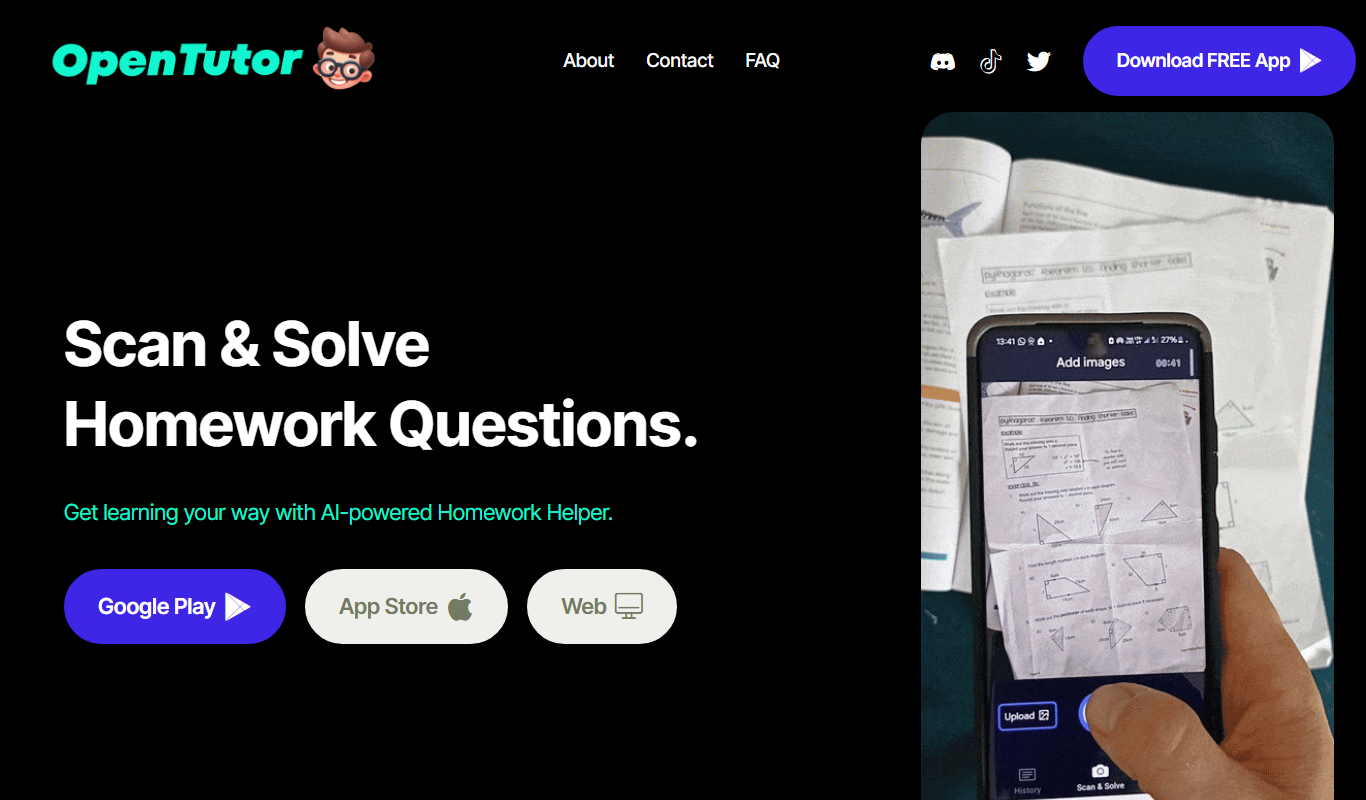
Open Tutor App is an AI homework helper app that scans a photo of a homework question and returns step-by-step solutions and explanations.
Wazgar – ChatGPT in Whatsapp
Wazgar is an AI assistant inside WhatsApp that can assist users at any time, from learning and writing to everyday conversation.

Chat Breezes 1.0
Chat Breezes is an AI-powered omnichannel conversation suite that unifies WhatsApp, Instagram, Facebook and Twitter/X messages in one dashboard for engagement and social selling.

chaterimo.com
Chaterimo is an AI chatbot platform that helps businesses automate customer support and engagement through customizable conversational bots on websites.

Pickaxe
Pickaxe is a no-code platform to build AI agents, package them into products and sell them through branded portals with billing and access control.

ChatHelp.ai
ChatHelp.ai is an AI chatbot platform that automates customer support by engaging website visitors with conversational AI, integrating with helpdesk tools, and providing analytics to optimize service.