

From my experience with Keyframes.app, I found it excels at making complex animation tasks approachable through AI-assisted keyframe interpolation. The web-based interface is clean and intuitive, which helped me create smooth motion graphics quickly without needing advanced animation skills. This tool is particularly well-suited for content creators, marketers, and educators who want to add professional animations to their videos without a steep learning curve. However, since it is web-based, offline use is limited, and some advanced features require a paid subscription. Overall, if you need to produce polished animations efficiently, Keyframes.app delivers solid results.
Keyframes.app - AI-Powered Video Animation and Motion Design Tool
Keyframes.app is a web-based AI animation tool that automates keyframe interpolation to help users create smooth motion graphics and video animations easily.
- Best for
- Create Animated Videos
- Key capability
- AI-Powered Keyframe Interpolation
Do you recommend this tool?
What is Keyframes.app?
Keyframes.app is a web-based AI-powered animation tool that simplifies the process of creating keyframe animations and motion graphics. It allows users to design smooth, professional animations by automating complex timing and easing functions, making animation accessible to creators without deep technical expertise.
Key features of Keyframes.app
The platform offers an intuitive interface for setting keyframes, AI-assisted interpolation for smooth transitions, customizable easing curves, and export options suitable for video production and social media sharing.
AI-Powered Keyframe Interpolation
Automatically generates smooth animation transitions between keyframes using AI algorithms.
Customizable Easing Curves
Adjust the timing and acceleration of animations with intuitive easing curve controls.
Web-Based Interface
Access the animation tool directly from any modern web browser without software installation.
Export Options
Export animations as video files or GIFs optimized for social media and presentations.
Asset Management
Upload and organize images, shapes, and other assets within projects for streamlined animation workflows.
Pros and cons of Keyframes.app
Pros
- Intuitive web-based interface with no installation required
- AI-assisted keyframe interpolation simplifies animation creation
- Flexible export options for various video and social media needs
- Suitable for both beginners and experienced animators
Cons
- Limited offline capabilities as it is web-based
- Advanced features require paid subscription
Key use cases for Keyframes.app
Create Animated Videos
Produce professional-quality animated videos for marketing, social media, or presentations using AI-assisted keyframe animation.
Motion Design for Content Creators
Enable content creators to easily add smooth motion graphics and animations to their videos without advanced skills.
Rapid Prototyping of Animations
Quickly prototype and iterate on animation sequences for UI/UX design, advertisements, or storytelling.
Educational Video Production
Create engaging educational videos with animated elements to better illustrate concepts and retain viewer attention.
How Keyframes.app works
- 1
Sign Up
Create a free account on Keyframes.app to access the animation tools.
- 2
Create a New Project
Start a new animation project by uploading assets or creating shapes directly in the editor.
- 3
Set Keyframes
Define keyframes for different properties such as position, scale, rotation, and opacity.
- 4
Apply AI-Assisted Interpolation
Use AI-powered tools to automatically generate smooth transitions and easing between keyframes.
- 5
Preview and Export
Preview the animation in real-time and export it in various formats for use in videos or online platforms.
Who is using Keyframes.app
Content creators
Marketing professionals
Educators
Video editors
UI/UX designers
Keyframes.app pricing
Free
$0/month
Basic access with limited projects and export options.
Pro
$15/month
Unlimited projects, high-resolution exports, and advanced animation features.
Team
$45/month
Collaboration tools, team management, and priority support.
Plans and prices are as published by the vendor and can change. Check the official site before you buy. Open the pricing page (opens in a new tab)
Frequently asked questions about Keyframes.app
Yes, Keyframes.app is designed to be user-friendly and uses AI to simplify complex animation tasks, making it accessible to beginners.
You can export animations as MP4 video files or GIFs suitable for social media and presentations.
Yes, there is a free plan with limited features and export options to get started.
Collaboration features are available in the Team plan, allowing multiple users to work on animations together.
It depends on your specific needs and how you plan to use the tool. The official website and documentation are the best sources for the latest details.
It depends on your specific needs and how you plan to use the tool. The official website and documentation are the best sources for the latest details.
Sign in to review this tool.
Sign In to ReviewNo reviews yet
Be the first to share how this tool worked for you.
Ask about pricing, limits, or how it compares — or answer someone else.
Sign In to AskNo questions yet
Have a question about using or paying for this tool? Be the first to ask.
Featured on TiorAI



Alternative Tools
Explore similar AI tools that might fit your needs

Free
Animaker
Animaker is a cloud-based platform that allows users to create animated videos and explainer clips using drag-and-drop tools, customizable templates, and a large asset library without needing prior video editing experience.

Free
LottieFiles
LottieFiles is a platform that enables designers and developers to create, edit, preview, and share lightweight, scalable animations in the Lottie JSON format for seamless integration into mobile and web applications.
More AI Animation Generator tools
Other tools in the same category, for when this one is not quite the fit.
Free
Aggie.io
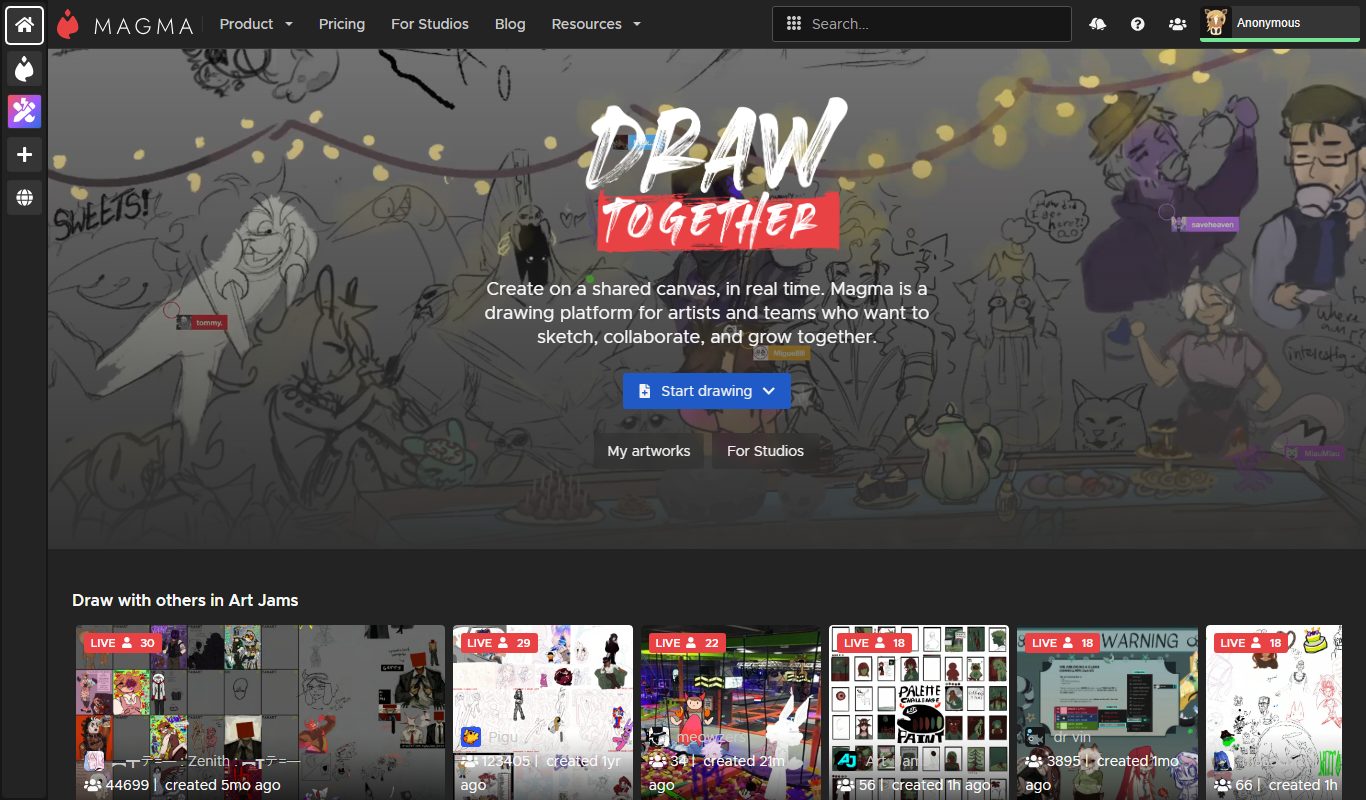
Aggie.io is a free online collaborative drawing tool that allows multiple users to paint together in real time on a shared canvas without requiring installation or accounts.
Free Trial
PlantFactory
PlantFactory is a desktop 3D software tool that enables users to create, customize, and animate realistic plants using procedural modeling techniques, suitable for visual effects, games, and architectural projects.

Free
GIF Brewery
GIF Brewery is a Mac application that allows users to create, edit, and optimize animated GIFs from videos or screen recordings with advanced editing features and easy export options.

Freemium
DeepAR SDK
DeepAR SDK is a cross-platform augmented reality development kit that enables real-time face tracking, AI avatar creation, and 3D AR effects for mobile apps, games, and live streaming.

Custom Pricing
Banuba SDK
Banuba SDK is an AI-powered augmented reality software development kit that enables developers to integrate real-time face tracking, 3D masks, beauty filters, and avatar effects into mobile and desktop applications.

Contact for pricing
8i
8i is a platform that creates photorealistic 3D holograms and avatars using volumetric video technology for VR and AR experiences.

Freemium
Didimo
Didimo is an AI-powered platform that creates realistic 3D digital human avatars from a single photo, supporting gaming, VR, animation, and social media use cases.
Free
ImgPlay
ImgPlay is a mobile and web app that converts videos and photos into animated GIFs with editing tools like text, stickers, and filters for social media sharing.