

Interactive Learning and Quiz Platform for Education and Engagement
Kahoot is a game-based learning platform that enables users to create and play interactive quizzes and games to boost engagement in education, training, and events.
- Best for
- Classroom Engagement
- Key capability
- Quiz Creation Tools
Save Kahoot, follow its updates and vote on it — everything stays in your account.
Sign in or create a free account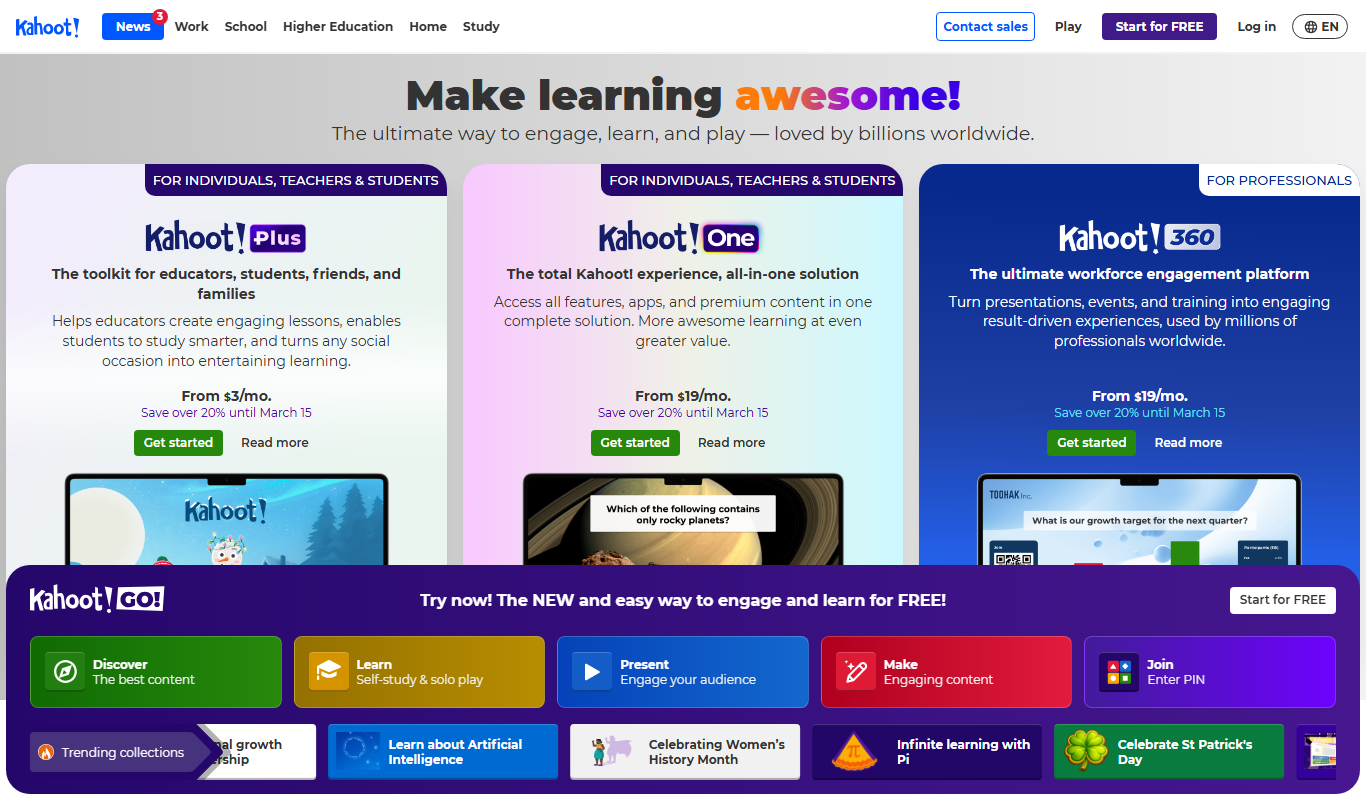
What is Kahoot?
Kahoot is a game-based learning platform that allows users to create, share, and play interactive quizzes and learning games. It is widely used in educational settings, corporate training, and events to increase engagement and knowledge retention through fun, competitive gameplay.
Key features of Kahoot
Kahoot offers a user-friendly interface for creating quizzes, real-time multiplayer gameplay, detailed analytics, and integrations with popular learning management systems. It supports live and self-paced challenges accessible on multiple devices.
Quiz Creation Tools
Easy-to-use editor with multiple question types including multiple choice, true/false, and puzzles.
Live and Self-Paced Modes
Host real-time games or assign challenges for participants to complete on their own schedule.
Multiplayer Engagement
Supports up to thousands of players simultaneously, fostering competition and collaboration.
Detailed Analytics
Access reports on participant responses, scores, and engagement metrics.
Integrations
Works with platforms like Microsoft Teams, Google Classroom, and Zoom for seamless use.
Pros and cons of Kahoot
Pros
- Engaging and interactive learning experience
- Supports both live and self-paced modes
- User-friendly quiz creation interface
- Detailed analytics for tracking performance
- Wide platform compatibility and integrations
Cons
- Advanced features require paid subscription
- Participant limits on free plan are low
- Customization options can be limited for branding
Key use cases for Kahoot
Classroom Engagement
Teachers use Kahoot to create interactive quizzes and games that increase student participation and make learning fun.
Corporate Training
Businesses use Kahoot for employee training sessions, onboarding, and team-building exercises to boost knowledge retention.
Remote Learning
Kahoot supports virtual classrooms by enabling live quizzes and challenges that keep remote learners engaged.
Event Interaction
Event organizers use Kahoot to engage audiences during conferences, workshops, and webinars with live polls and quizzes.
Marketing Campaigns
Brands leverage Kahoot to create interactive marketing campaigns that increase customer engagement and brand awareness.
How Kahoot works
- 1
Create an Account
Sign up for a free or paid Kahoot account on the website or mobile app.
- 2
Build Your Quiz
Use the intuitive editor to create quizzes, surveys, or polls with various question types.
- 3
Host or Assign
Launch your quiz live for participants to join via a game PIN or assign it as a self-paced challenge.
- 4
Engage Participants
Players answer questions in real-time or at their own pace, competing for points and rankings.
- 5
Analyze Results
Review detailed reports and analytics to assess participant performance and engagement.
Who is using Kahoot
Kahoot pricing
Kahoot! Go
Free
Basic version: supports up to 10 participants for personal and student use, or up to 40 for classroom use.
Kahoot!+ Bronze
$3 per month, $36 billed annually
Everyday learning and reviewing: quick quizzes, exit tickets and AI content generation. Player limit: 50.
Kahoot!+ Silver
$7 per month, $84 billed annually
Presentations and feedback with student-centered features. Player limit: 100.
Kahoot!+ Gold
$12 per month, $144 billed annually
Player limit: 200. Instantly create content from any topic, URL, or Wikipedia article.
Kahoot! One
$19 per month, $228 billed annually
Player limit: 800, with all question types.
Plans and prices are as published by the vendor and can change. Check the official site before you buy. Open the pricing page (opens in a new tab)
Frequently asked questions about Kahoot
Yes. Kahoot! Go is the basic version of Kahoot!, and lets you create, host, and join games with basic features and a limited number of players per session.
Absolutely, Kahoot supports live and self-paced quizzes that work well for virtual classrooms and remote learners.
You can create multiple choice, true/false, puzzle, and open-ended questions depending on your plan.
Kahoot! Go supports up to 10 participants for personal and student use, or up to 40 for classroom use. Kahoot!+ raises the player limit to 50 on Bronze, 100 on Silver, and 200 on Gold, and Kahoot! One goes up to 800, Kahoot! One Max up to 2,000, and Kahoot! One Ultra up to 4,000.
It depends on your specific needs and how you plan to use the tool. The official website and documentation are the best sources for the latest details.
This tool is designed to help users accomplish its core tasks more efficiently. It is typically used by individuals or teams looking to improve productivity and workflow.
Yes, it can help with that use case depending on how you configure it and what features are available. You’ll get the best results with clear inputs and a defined goal.
Conclusion
Quizzes, surveys and polls are built in an editor, then hosted live with participants joining via a game PIN or assigned as a self-paced challenge. Only the host needs a paid plan, and a player needs nothing more than the game PIN to join. AI creation tools turn notes, PDFs or topics into interactive kahoots and study sets. Reports on participant responses, scores and engagement then help assess performance.
Classrooms are the core setting, yet businesses also use it for employee training and onboarding, and event organizers run live polls at conferences and webinars. The free Kahoot! Go version supports a small number of participants per session, while the paid Kahoot!+ Bronze, Silver and Gold tiers and Kahoot! One raise the player limit step by step.
Sources
Sign in to review this tool.
Sign In to ReviewNo reviews yet
Be the first to share how this tool worked for you.
Ask about pricing, limits, or how it compares — or answer someone else.
Sign In to AskNo questions yet
Have a question about using or paying for this tool? Be the first to ask.
Featured on TiorAI



Alternative Tools
Explore similar AI tools that might fit your needs

Mentimeter
Mentimeter is an interactive presentation platform that allows users to create live polls, quizzes, and Q&A sessions to engage audiences in real-time during meetings, webinars, and events.

Socrative
Socrative is an interactive student response system that enables educators to create real-time quizzes and assessments to engage students and provide instant feedback.
More Education tools
Other tools in the same category, for when this one is not quite the fit.
CK-12 Foundation
CK-12 Foundation is a free online platform providing customizable STEM educational resources, including digital textbooks, interactive simulations, and adaptive exercises for K-12 students and teachers.

Magoosh
Magoosh is an online platform offering affordable, self-paced test preparation for exams like GRE, GMAT, SAT, and TOEFL with practice questions and video lessons.
FluentU
FluentU is a language learning platform that uses real-world videos with interactive subtitles and quizzes to help learners improve vocabulary, listening, and comprehension skills.
PhET Interactive Simulations
PhET Interactive Simulations is a free educational platform from the University of Colorado Boulder that offers interactive, research-based simulations in physics, chemistry, biology, earth science, and math to support STEM learning.

Testbook
Testbook is an Indian online learning platform offering mock tests, live classes, and personalized study plans to help students prepare for competitive exams effectively.

Worksheet Crafter
Worksheet Crafter is a desktop software that enables educators to design and customize worksheets and teaching materials for various subjects and student levels, featuring templates, clipart, and automatic exercise generation.

Times Tables Rock Stars
Times Tables Rock Stars is an interactive platform that helps children improve their multiplication and division skills through engaging games and detailed progress tracking.
Mathletics
Mathletics is an online math learning platform that provides interactive, curriculum-aligned math activities and real-time progress tracking for students, teachers, and parents.