

From my experience with Flickr, it stands out as a reliable platform for photographers seeking both high-quality image hosting and a vibrant community. The ability to organize photos with albums and tags, combined with flexible privacy controls, makes it practical for personal and professional use. While the free plan is somewhat limited, the Pro subscription unlocks valuable features like unlimited storage and ad-free browsing. However, the interface feels a bit dated compared to newer competitors, which might affect user experience. Overall, Flickr remains a solid choice for photo enthusiasts wanting to share and discover photography worldwide.
Flickr Photo Sharing Platform for High-Quality Image Hosting and Discovery
Flickr is an online photo sharing and hosting service that allows users to upload, organize, and share high-quality photos with a global community, offering both free and subscription plans.
- Best for
- Photo Hosting and Backup
- Key capability
- High-Resolution Photo Storage
Do you recommend this tool?
What is Flickr?
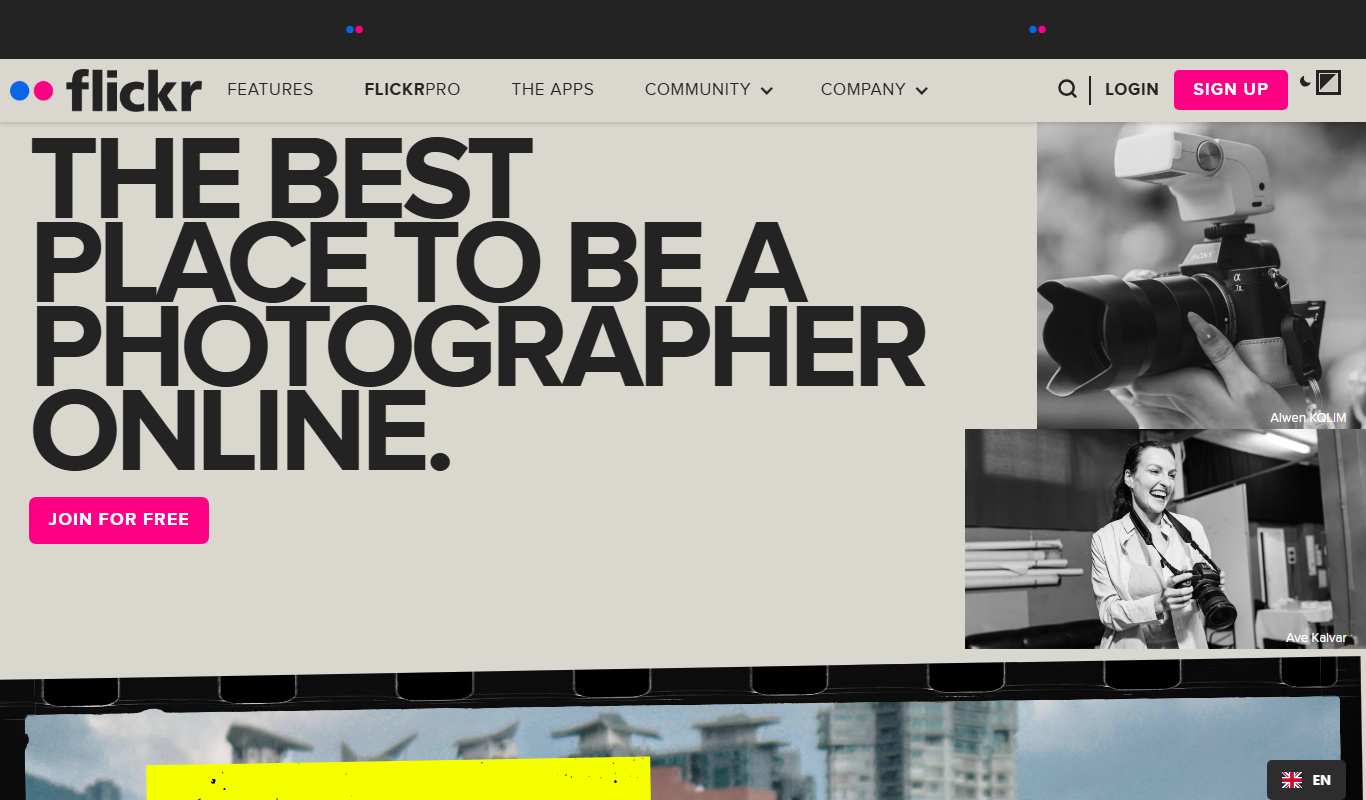
Flickr is a popular online photo management and sharing platform that allows users to upload, organize, and share high-quality images. It serves both amateur and professional photographers by providing cloud storage, community engagement features, and tools for photo discovery. Owned by SmugMug, Flickr offers a robust ecosystem for photo enthusiasts to showcase their work and connect globally.
Key features of Flickr
Flickr provides cloud-based photo storage, advanced organizational tools, privacy controls, community groups, and social sharing capabilities. It supports high-resolution images and offers both free and subscription plans with varying storage limits and features.
High-Resolution Photo Storage
Supports uploading and storing photos in original high quality.
Advanced Photo Organization
Albums, tags, and collections help users efficiently manage large photo libraries.
Community and Social Features
Groups, comments, and following enable social interaction and feedback.
Privacy Controls
Flexible settings to control who can view or download your photos.
Mobile Apps
iOS and Android apps allow uploading and browsing on the go.
Pros and cons of Flickr
Pros
- Robust community with millions of active users
- Supports high-resolution photo uploads
- Flexible privacy and sharing options
- Mobile apps for easy access and upload
- Free tier available for casual users
Cons
- Free plan has limited storage and ads
- Interface can feel outdated compared to newer platforms
- Some advanced features require Pro subscription
Key use cases for Flickr
Photo Hosting and Backup
Store and back up high-resolution photos securely in the cloud with easy access from any device.
Photo Sharing and Community Engagement
Share photos publicly or privately with friends, family, or the global Flickr community to receive feedback and connect with other photographers.
Photo Discovery and Inspiration
Explore millions of photos from around the world, discover trending images, and find inspiration for photography projects.
Portfolio and Professional Use
Create a professional portfolio to showcase photography work and attract potential clients or collaborators.
Organizing and Managing Photos
Use albums, tags, and collections to organize photos efficiently for easy retrieval and presentation.
How Flickr works
- 1
Create an Account
Sign up for a free Flickr account using your email or social login.
- 2
Upload Photos
Upload photos from your device or camera directly to your Flickr account.
- 3
Organize Your Photos
Use albums, tags, and collections to categorize and manage your photo library.
- 4
Set Privacy and Sharing Options
Choose whether photos are public, private, or shared with specific groups or contacts.
- 5
Engage with the Community
Join groups, comment on photos, and follow other photographers to build connections.
Who is using Flickr
Amateur photographers
Professional photographers
Photo enthusiasts and hobbyists
Creative professionals
Social media users interested in photo sharing
Flickr pricing
Free
$0/month
Limited storage with ads, basic features, and upload limits.
Pro
$6.99/month
Unlimited storage, ad-free browsing, advanced stats, and priority support.
Plans and prices are as published by the vendor and can change. Check the official site before you buy. Open the pricing page (opens in a new tab)
Frequently asked questions about Flickr
Yes, Flickr supports video uploads with certain size and length limits.
Free accounts have upload limits, while Pro accounts offer unlimited storage.
You can set photos to public, private, or share with specific groups or contacts.
Yes, Flickr has apps available for both iOS and Android devices.
This tool is designed to help users accomplish its core tasks more efficiently. It is typically used by individuals or teams looking to improve productivity and workflow.
Pricing depends on the plan and included features. For the most accurate and up-to-date details, check the official pricing page.
Yes, it can help with that use case depending on how you configure it and what features are available. You’ll get the best results with clear inputs and a defined goal.
Some tools offer a free plan or trial with limited features. Availability can vary, so confirm on the official website.
Sign in to review this tool.
Sign In to ReviewNo reviews yet
Be the first to share how this tool worked for you.
Ask about pricing, limits, or how it compares — or answer someone else.
Sign In to AskNo questions yet
Have a question about using or paying for this tool? Be the first to ask.
Featured on TiorAI



Alternative Tools
Explore similar AI tools that might fit your needs

Free
500px
500px is a photography platform that allows photographers to share, showcase, and license their photos globally, offering portfolio tools and community engagement.
Free Trial
SmugMug
SmugMug is an online platform offering unlimited photo and video storage, customizable galleries, client proofing, and e-commerce tools for photographers and creatives.
More AI Photography tools
Other tools in the same category, for when this one is not quite the fit.

Freemium
3DF Zephyr
3DF Zephyr is a Windows-based photogrammetry software that automatically reconstructs 3D models from photos, supporting drone mapping and detailed 3D mesh creation.
Paid
MyPetPortrait
MyPetPortrait is an online service that creates personalized pet portraits from your photos, offering various artistic styles and options for digital or printed artwork.
Freemium
HeadshotsPro
HeadshotsPro is an AI-based online tool that converts selfies into professional-quality headshots with customizable backgrounds and styles, ideal for business and social media profiles.

Freemium
Portrait AI
Portrait AI is a web-based AI avatar generator that creates realistic and artistic digital portraits from user photos using advanced AI technology.

Package Pricing
Headshots by The Headshot Truck
The Headshot Truck offers mobile professional headshot photography by traveling to your location with a fully equipped studio, providing convenient, high-quality portraits for individuals and organizations.

Free
Reincubate Camo
Reincubate Camo is a webcam app that lets you use your smartphone as a high-quality webcam for computers, enhancing video calls and streaming with HD video and manual controls.

Free
BrickIt
BrickIt is an AI-powered mobile app that scans LEGO bricks from photos, identifies them, and generates building instructions for models you can build with those bricks.

Custom Pricing
VHT Studios
VHT Studios provides professional virtual photography, 3D tours, and video marketing services designed to enhance real estate listings and accelerate property sales.