

Create Personalized Holiday Videos with ElfYourself Online Tool
ElfYourself is a free online tool that lets users create personalized holiday videos by uploading photos and mapping faces onto animated dancing elves, which can then be shared on social media or downloaded.
- Best for
- Holiday Greeting Videos
- Key capability
- Face Upload and Mapping
Save ElfYourself, follow its updates and vote on it — everything stays in your account.
Sign in or create a free accountWhat is ElfYourself?
ElfYourself is an online entertainment tool that allows users to upload photos of faces and insert them into animated dancing elf characters. It is primarily used during the holiday season to create humorous and personalized videos that can be shared with friends, family, or on social media. The tool is free to use and accessible via web browsers on desktop and mobile devices.
Key features of ElfYourself
ElfYourself offers easy photo upload, face detection and mapping, a variety of elf dance animations, customizable video options, and simple sharing capabilities. It provides a lighthearted way to create unique holiday-themed videos without requiring video editing skills.
Face Upload and Mapping
Simple interface to upload photos and automatically map faces onto animated elves.
Multiple Elf Characters
Add up to five faces to create group dance videos.
Variety of Dance Animations
Choose from different elf dance routines to customize the video.
Easy Sharing Options
Share videos via social media or download for offline use.
Mobile Friendly
Accessible on mobile browsers for creating videos on the go.
Pros and cons of ElfYourself
Pros
- Easy and fun to use with no video editing skills needed
- Free access with no hidden charges
- Creates highly shareable and personalized holiday content
Cons
- Limited to holiday-themed elf dance animations
- No advanced video customization or editing features
- Requires good quality photos for best face mapping results
Key use cases for ElfYourself
Holiday Greeting Videos
Create fun and personalized holiday greeting videos to share with friends and family.
Social Media Content
Generate engaging and shareable animated videos for social media platforms.
Corporate Holiday Campaigns
Businesses can use ElfYourself to create festive promotional videos for marketing campaigns.
Family Entertainment
Users can entertain family members by inserting faces into dancing elf animations.
How ElfYourself works
- 1
Upload Photos
Users upload photos of themselves or others to be used in the animation.
- 2
Map Faces
The tool automatically detects and maps faces onto dancing elf characters.
- 3
Customize Video
Select different dance routines and add multiple faces to create a group animation.
- 4
Generate Video
ElfYourself processes the animation and generates a personalized video.
- 5
Share
Users can download the video or share it directly on social media platforms.
Who is using ElfYourself
ElfYourself pricing
Free
$0
Access to all basic features and video creation without cost.
Plans and prices are as published by the vendor and can change. Check the official site before you buy. Open the pricing page (opens in a new tab)
Frequently asked questions about ElfYourself
Yes, ElfYourself is completely free to create and share videos.
Yes, you can upload photos of friends or family members, but ensure you have their permission.
You can add up to five faces to create a group elf dance video.
Yes, after generating the video, you can download it to your device.
It depends on your specific needs and how you plan to use the tool. The official website and documentation are the best sources for the latest details.
Yes, it can help with that use case depending on how you configure it and what features are available. You’ll get the best results with clear inputs and a defined goal.
Yes, it can help with that use case depending on how you configure it and what features are available. You’ll get the best results with clear inputs and a defined goal.
Conclusion
ElfYourself turns uploaded photos into a personalized holiday video, detecting faces automatically and mapping them onto dancing elf characters before generating the animation. Up to five faces can go into one group video, with different dance routines to choose from. The result can be downloaded to a device or shared directly on social media platforms.
It is a free seasonal tool that runs in web browsers on desktop and mobile devices. It is built for families looking for holiday entertainment and social media users wanting unique festive content, and businesses can also make festive promotional videos with it. Photos of friends or family can be used with their permission, but output is limited to holiday-themed elf dance animations and face mapping needs good quality photos.
Sources
Sign in to review this tool.
Sign In to ReviewNo reviews yet
Be the first to share how this tool worked for you.
Ask about pricing, limits, or how it compares — or answer someone else.
Sign In to AskNo questions yet
Have a question about using or paying for this tool? Be the first to ask.
Featured on TiorAI



More AI Avatar Generator tools
Other tools in the same category, for when this one is not quite the fit.

Looking Glass Factory
Looking Glass Factory offers advanced glasses-free 3D holographic displays that enable users to view and interact with volumetric 3D content without headsets, suitable for design, education, and entertainment.

DeepAR SDK
DeepAR SDK is a cross-platform augmented reality development kit that enables real-time face tracking, AI avatar creation, and 3D AR effects for mobile apps, games, and live streaming.

Banuba SDK
Banuba SDK is an AI-powered augmented reality software development kit that enables developers to integrate real-time face tracking, 3D masks, beauty filters, and avatar effects into mobile and desktop applications.
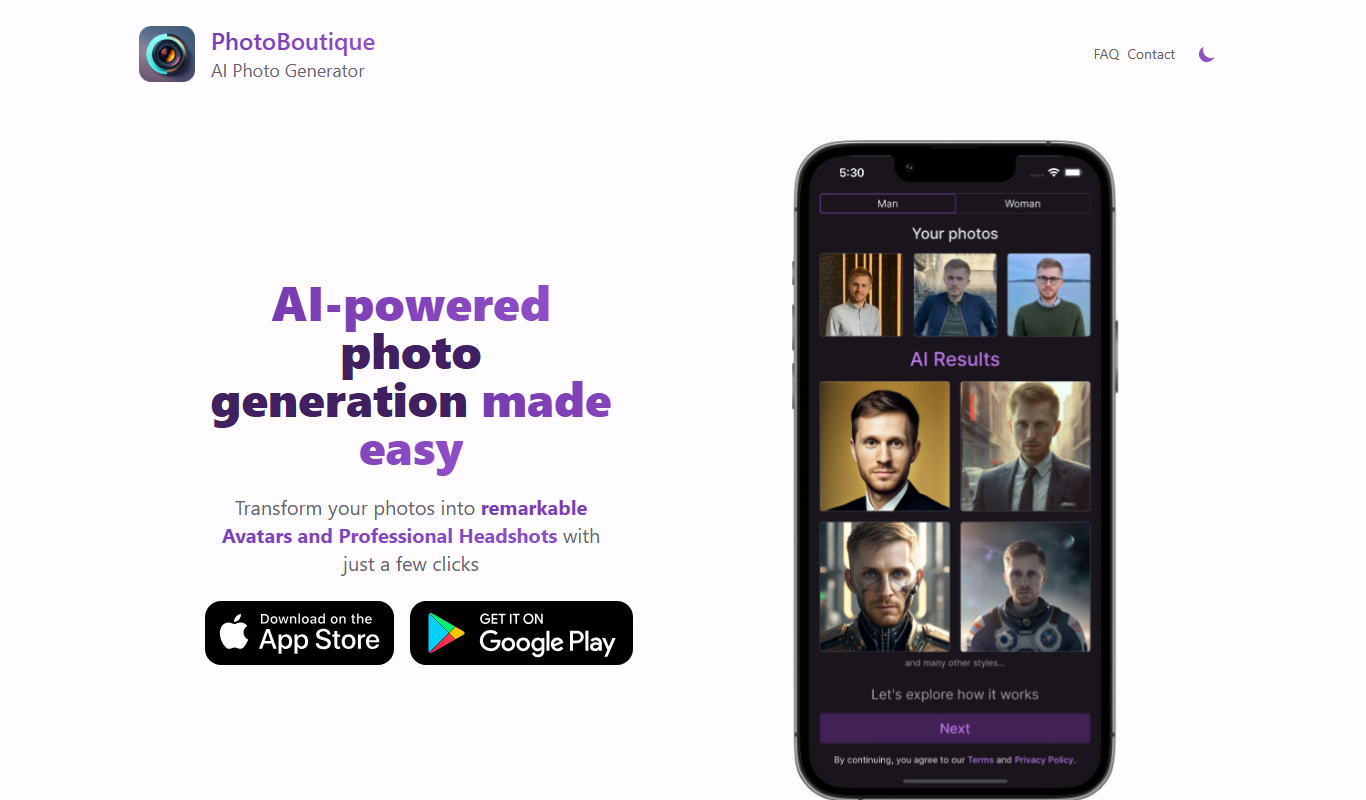
PhotoBoutique – AI Avatar maker
PhotoBoutique is a web-based AI avatar maker that generates personalized avatars using artificial intelligence, suitable for social media profiles, gaming, and creative uses.

FaceTec
FaceTec is an AI-driven biometric authentication platform specializing in 3D facial recognition and liveness detection to securely verify user identities and prevent fraud.

Portrait AI
Portrait AI is a web-based AI avatar generator that creates realistic and artistic digital portraits from user photos using advanced AI technology.

ArcFace
ArcFace is an AI-powered facial recognition software developed by ArcSoft that provides high-accuracy face detection and verification with anti-spoofing features, suitable for identity verification and security applications.

Open Peeps
Open Peeps is a free, open source library of modular hand-drawn character illustrations that designers and developers can customize and use in digital projects.