

Elfsight Widgets - Customizable Website Widgets for Enhanced User Engagement
Elfsight Widgets is a no-code platform providing customizable website widgets such as social feeds, forms, and reviews to enhance website functionality and user engagement.
- Best for
- Enhance Website Engagement
- Key capability
- Wide Widget Selection
Save Elfsight Widgets, follow its updates and vote on it — everything stays in your account.
Sign in or create a free account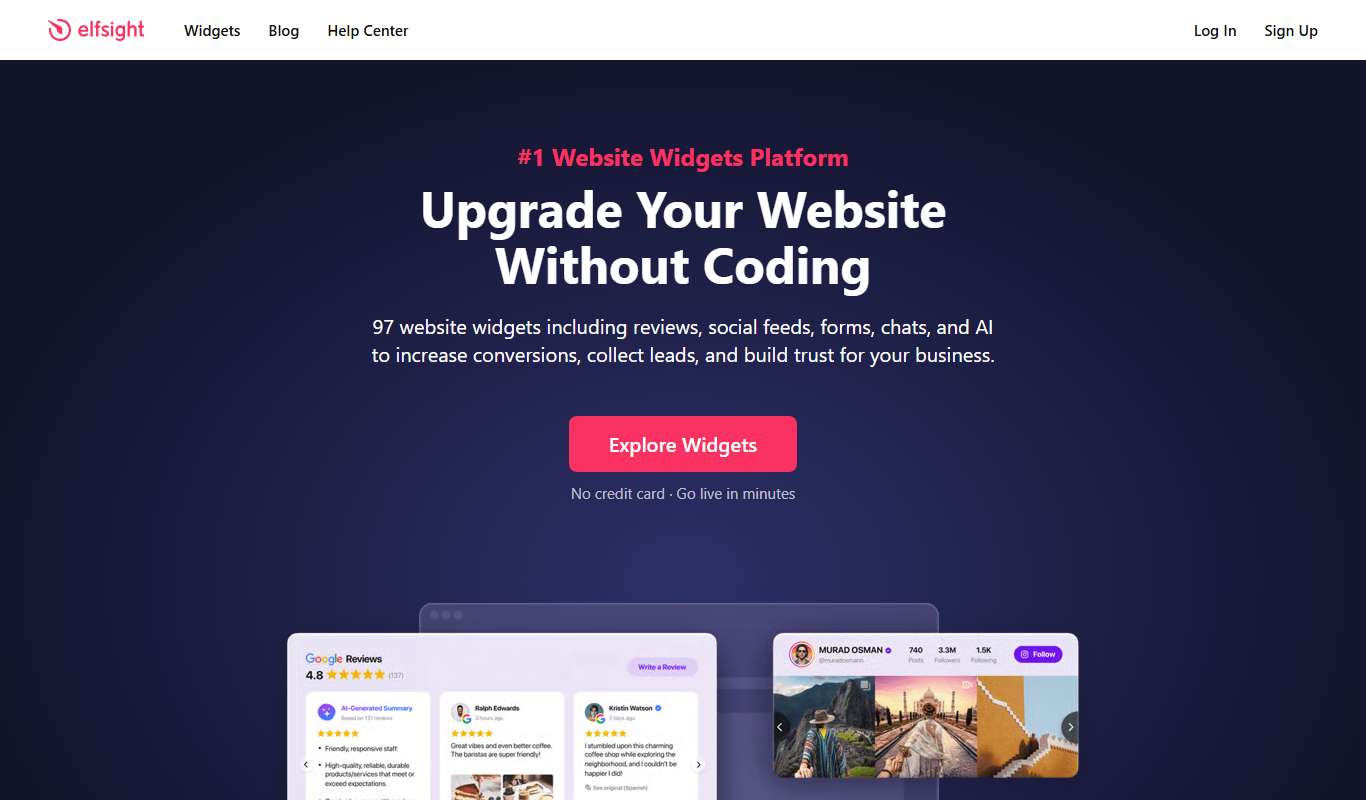
What is Elfsight Widgets?
Elfsight Widgets is a no-code platform offering a wide range of customizable widgets that website owners can easily embed to enhance functionality and user engagement. It supports various widget types including social media feeds, forms, reviews, and e-commerce tools, enabling businesses to enrich their websites without programming skills.
Key features of Elfsight Widgets
The platform provides an intuitive widget builder with real-time customization, responsive design, and seamless integration options. Users can select from over 50 widget types, customize appearance and behavior, and embed them via simple code snippets or plugins for popular CMS platforms.
Wide Widget Selection
Access to over 50 widget types covering social media, forms, reviews, and e-commerce.
No-Code Customization
Visual editor allows easy customization without any programming knowledge.
Responsive Design
Widgets automatically adapt to different screen sizes and devices.
CMS Integration
Supports embedding via plugins for WordPress, Shopify, Wix, and other platforms.
Real-Time Updates
Widgets update content dynamically without requiring website changes.
Pros and cons of Elfsight Widgets
Pros
- Extensive variety of widgets covering many website needs
- User-friendly no-code customization interface
- Responsive and mobile-friendly widgets
- Easy integration with major CMS platforms
- Real-time content updates without website redeployment
Cons
- Limited advanced customization options for developers
- Pricing can increase with higher usage and multiple widgets
- Some widgets have feature restrictions on free plan
Key use cases for Elfsight Widgets
Enhance Website Engagement
Add interactive widgets like social feeds, reviews, and forms to increase visitor interaction.
Social Media Integration
Embed social media content from platforms such as Instagram, Facebook, and Twitter directly on websites.
Lead Generation
Use contact forms, surveys, and popups to capture visitor information and generate leads.
E-commerce Support
Integrate product reviews, price tables, and countdown timers to boost online store performance.
Content Display
Showcase testimonials, galleries, and blogs dynamically to enrich website content.
How Elfsight Widgets works
- 1
Select Widget
Choose the desired widget type from Elfsight’s extensive library.
- 2
Customize Widget
Use the visual editor to adjust design, content sources, and settings.
- 3
Generate Embed Code
Copy the provided code snippet or use a CMS plugin to add the widget to your website.
- 4
Publish and Monitor
Publish your website with the widget and monitor performance through the Elfsight dashboard.
Who is using Elfsight Widgets
Elfsight Widgets pricing
Free
$0/month
Basic access with limited widget types and usage.
Basic
$5/month
Access to more widgets and higher usage limits.
Pro (single app)
$10 (annual) or $12 (monthly)
Pro plan for a single app.
96 Apps Pack
From $15
The Basic tier of the 96 Apps Pack starts at $15.
Plans and prices are as published by the vendor and can change. Check the official site before you buy. Open the pricing page (opens in a new tab)
Frequently asked questions about Elfsight Widgets
No, Elfsight Widgets are designed for users without coding experience, featuring a visual editor for easy customization.
Yes, widgets can be embedded on any website that supports HTML code, including popular CMS platforms via plugins.
Elfsight offers a free plan with limited features so you can try the widgets before upgrading.
Support is available via email and live chat, with priority support for Pro plan users.
It depends on your specific needs and how you plan to use the tool. The official website and documentation are the best sources for the latest details.
Yes, it can help with that use case depending on how you configure it and what features are available. You’ll get the best results with clear inputs and a defined goal.
Some tools offer a free plan or trial with limited features. Availability can vary, so confirm on the official website.
It depends on your specific needs and how you plan to use the tool. The official website and documentation are the best sources for the latest details.
Conclusion
Widgets are chosen from a library of over 50 types, adjusted in a visual editor and then added to a site with a code snippet or a CMS plugin. The library covers social media feeds, forms, reviews and e-commerce tools. Plugins support WordPress, Shopify, Wix and other platforms, and widgets can be embedded on any website that supports HTML code. Widgets automatically adapt to different screen sizes and devices.
No coding experience is needed, since customization happens in the visual editor. A free plan with limited features lets users try the widgets before upgrading. Basic costs $5/month, while the Pro plan for a single app is $10 annual or $12 monthly. The page notes that some widgets have feature restrictions on the free plan.
Sources
Sign in to review this tool.
Sign In to ReviewNo reviews yet
Be the first to share how this tool worked for you.
Ask about pricing, limits, or how it compares — or answer someone else.
Sign In to AskNo questions yet
Have a question about using or paying for this tool? Be the first to ask.
Featured on TiorAI



More Business Management tools
Other tools in the same category, for when this one is not quite the fit.

LawHelp Interactive
LawHelp Interactive is a free web-based platform that helps users create legal documents through guided interviews, designed primarily for self-represented individuals and legal aid organizations.
Metabase
Metabase is an open source business intelligence tool that helps users create interactive dashboards and reports by connecting to various databases, enabling data exploration without requiring SQL skills.

Sievo
Sievo is a spend analytics platform that helps organizations analyze procurement data, optimize supplier management, and reduce costs through AI-driven insights and integrations with ERP systems.

Piwigo
Piwigo is an open source photo gallery software that allows users to organize, manage, and share images online with customizable themes, user permissions, and plugin support.

Waydev
Waydev is an engineering analytics platform that analyzes git data to provide software development teams with insights on productivity, code quality, and agile process efficiency.

LinearB
LinearB is a software engineering analytics platform that helps DevOps and agile teams monitor and optimize their software delivery processes through real-time metrics and workflow insights.

edraw ai
Edraw AI is an AI-powered diagramming tool by EdrawSoft that helps users create flowcharts, mind maps, and business diagrams efficiently with AI-assisted features and real-time collaboration.
Storypark
Storypark is a cloud-based platform that helps early childhood educators document children's learning and engage parents through digital portfolios and communication tools accessible via web and mobile apps.