

From my experience with AI Fashion Models (Face Swap) by insMind, the tool stands out for its ability to produce highly realistic face swaps tailored specifically for fashion applications. The web interface is straightforward, making it accessible even for users without technical expertise. It’s particularly useful for designers and marketers who want to visualize clothing on different faces quickly. However, the free version limits usage and adds watermarks, which might restrict casual users. Overall, if you need a specialized AI face swap tool for fashion visualization or marketing content, this platform offers a practical and efficient solution.
AI Fashion Models Face Swap Tool for Virtual Try-On and Design
AI Fashion Models (Face Swap) by insMind is a web-based tool that uses deep learning to swap faces onto fashion model images, enabling virtual try-on and customized fashion visualization.
- Best for
- Virtual Fashion Try-On
- Key capability
- High-Quality Face Swap
Your actions
Save AI Fashion Models (Face Swap) by insMind, follow its updates and vote on it — everything stays in your account.
Sign in or create a free account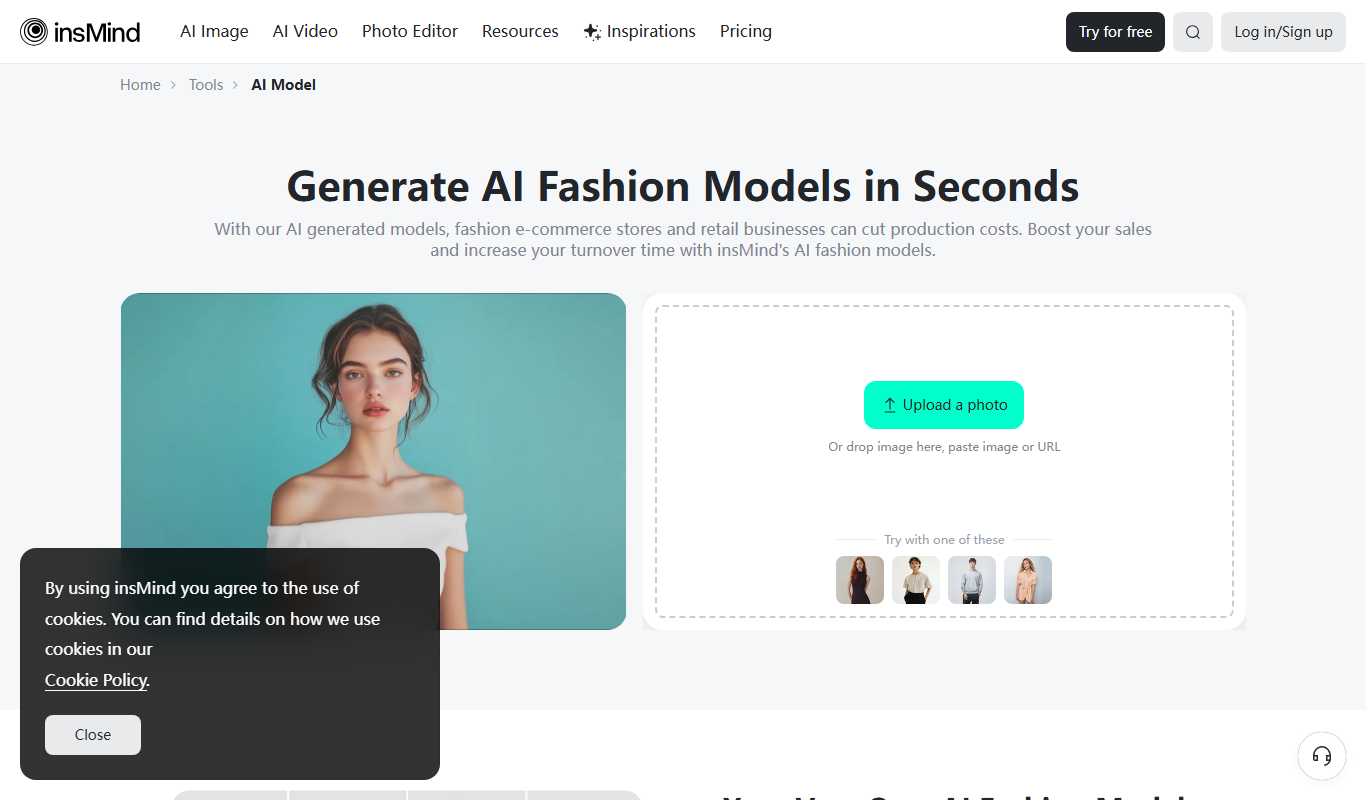
What is AI Fashion Models (Face Swap) by insMind?
AI Fashion Models (Face Swap) by insMind is an AI-powered web tool that enables users to swap faces onto professional fashion model images. It leverages advanced deep learning algorithms to create realistic and high-quality face swaps, primarily aimed at virtual try-on experiences, fashion design visualization, and marketing content creation. The tool simplifies the process of visualizing how different faces look on fashion models, helping brands, designers, and content creators generate customized images efficiently.
Key features of AI Fashion Models (Face Swap) by insMind
The tool offers realistic face swapping on fashion model images, supports multiple face inputs, and provides high-resolution outputs suitable for marketing and social media. It integrates AI-driven image synthesis techniques to maintain natural facial expressions and lighting consistency, ensuring professional-quality results.
High-Quality Face Swap
Produces realistic and seamless face swaps preserving facial expressions and lighting.
Fashion Model Gallery
Access to a curated collection of fashion model images for diverse styling options.
User-Friendly Interface
Intuitive web interface that requires no technical skills to operate.
Fast Processing
AI-powered backend ensures quick turnaround times for image generation.
Multiple Language Support
Supports English and Chinese languages for broader accessibility.
Pros and cons of AI Fashion Models (Face Swap) by insMind
Pros
- Produces high-quality, realistic face swaps
- Easy-to-use web interface with no technical skills required
- Offers a free plan to try basic features
- Supports commercial use with paid plans
- Fast image processing times
Cons
- Limited free usage with watermarked images
- Only available as a web platform, no mobile app
- Face swap quality depends on input photo clarity
Key use cases for AI Fashion Models (Face Swap) by insMind
Virtual Fashion Try-On
Users can swap faces onto fashion models to preview clothing and accessories virtually.
Fashion Design Visualization
Designers can visualize their clothing designs on different model faces to assess appeal.
Marketing and Advertising
Brands can create customized promotional images featuring diverse models quickly.
Social Media Content Creation
Content creators can generate unique fashion images with face swaps for engagement.
How AI Fashion Models (Face Swap) by insMind works
- 1
Upload Face Image
Users upload a clear photo of the face they want to swap onto the fashion model.
- 2
Select Fashion Model
Choose from a gallery of professional fashion model images available on the platform.
- 3
AI Processing
The AI engine processes the images, performing face detection, alignment, and realistic swapping.
- 4
Download Result
Users receive a high-quality image with the swapped face, ready for download and use.
Who is using AI Fashion Models (Face Swap) by insMind
Fashion designers
Marketing agencies
Social media content creators
E-commerce brands
Photographers and stylists
AI Fashion Models (Face Swap) by insMind pricing
Free
$0/month
Limited number of face swaps per month with watermark on output images.
Pro
$19/month
Unlimited face swaps, high-resolution downloads, and no watermarks.
Plans and prices are as published by the vendor and can change. Check the official site before you buy. Open the pricing page (opens in a new tab)
Frequently asked questions about AI Fashion Models (Face Swap) by insMind
Yes, you can upload your own face photos to swap onto the fashion models.
With the Pro plan, images can be used commercially, but please review the terms of service.
The Free plan has a monthly limit; the Pro plan offers unlimited swaps.
The AI uses advanced deep learning models to ensure highly realistic and natural results.
It depends on your specific needs and how you plan to use the tool. The official website and documentation are the best sources for the latest details.
Yes, it can help with that use case depending on how you configure it and what features are available. You’ll get the best results with clear inputs and a defined goal.
This tool is designed to help users accomplish its core tasks more efficiently. It is typically used by individuals or teams looking to improve productivity and workflow.
Sign in to review this tool.
Sign In to ReviewNo reviews yet
Be the first to share how this tool worked for you.
Ask about pricing, limits, or how it compares — or answer someone else.
Sign In to AskNo questions yet
Have a question about using or paying for this tool? Be the first to ask.
Featured on TiorAI



Alternative Tools
Explore similar AI tools that might fit your needs

Free
FaceApp
FaceApp is an AI photo editing application that uses neural networks to apply realistic face transformations such as aging, gender swaps, and makeup filters.

Free
Reface
Reface is an AI-driven app that enables users to swap faces in videos and GIFs realistically, creating personalized and entertaining content for social media and messaging.
More AI Background Remover tools
Other tools in the same category, for when this one is not quite the fit.

Freemium
Clipping Magic
Clipping Magic is an AI-based online tool that automatically removes backgrounds from images with options for manual refinement, ideal for e-commerce, design, and social media content creation.

Freemium
Camera+ 2
Camera+ 2 is an iOS photography app that combines manual camera controls with AI-powered editing features like background removal and portrait enhancements, designed for professional and enthusiast iPhone photographers.

Free Trial
PhotoWorks
PhotoWorks is an AI-driven photo editing software for Windows and macOS that automates background removal, portrait retouching, and photo restoration.

Custom Pricing
FittingBox
FittingBox is an augmented reality platform that enables virtual try-on of eyewear using 3D modeling and face detection technology, enhancing online and in-store shopping experiences.

Free
MakePassportPhoto.com
MakePassportPhoto.com is an online tool that helps users create official passport and ID photos by uploading a photo, automatically removing the background, resizing, and formatting it to meet country-specific requirements.
Free
IDPhoto4You
IDPhoto4You is a free online tool that helps you create passport, visa, and ID photos compliant with official standards by automatically resizing, cropping, and removing backgrounds.

Free
Passport Photo Online
Passport Photo Online is a web tool that helps users create passport, visa, and ID photos compliant with official standards by automating background removal, cropping, and formatting.
Freemium
OsiriX
OsiriX is a specialized medical image viewer for MacOS and iOS that supports DICOM images, providing advanced 2D, 3D, and 4D visualization and analysis tools for radiology and medical imaging professionals.