

XML Formatter
Understanding XML Formatting XML is a markup language used to structure data in a hierarchical way. While XML is designed to be both machine- and human-readable, raw XML files often lack consistent indentation and spacing, making them difficult to interpret. An XML formatter restructures the…
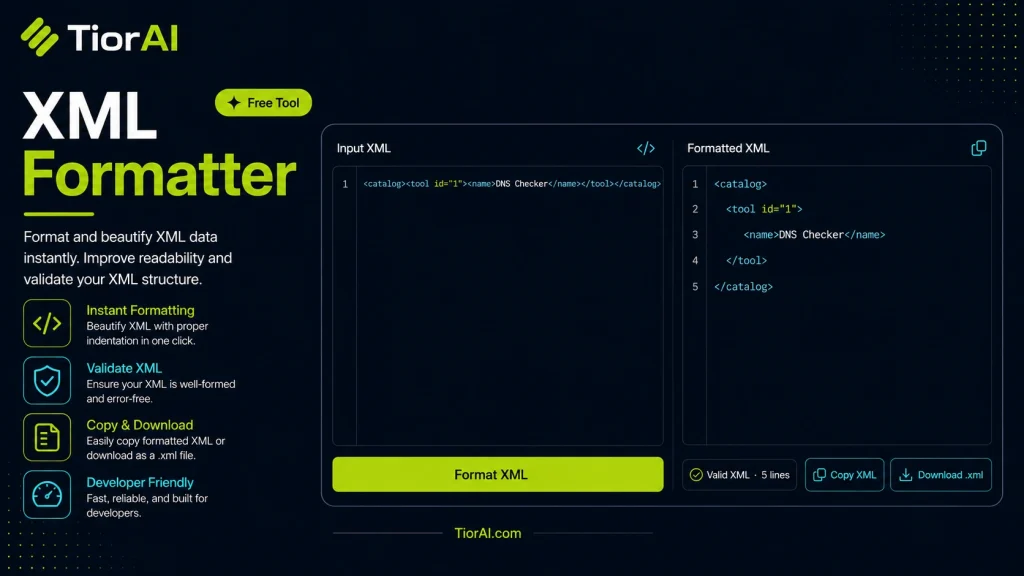
How to use it
- Paste or Enter Your Input Paste your code, text, or data into the input field. The tool supports large inputs without performance issues.
- Process and Analyze Click the action button or let the tool auto-process your input. Results appear in real time with highlighted details.
- Copy or Download the Output Review the results and copy the output to clipboard or download as a file for use in your project.
Tip This tool preserves your input formatting. Check format settings if the output differs from expected.
About XML Formatter
XML (eXtensible Markup Language) is a markup language designed to store and transport data in a structured, readable format. Unlike HTML, which focuses on displaying data, XML emphasizes the organization and description of data. However, raw XML files can often be difficult to read due to lack of indentation, inconsistent spacing, or long lines of code.
An XML formatter is a tool that takes unformatted or minified XML code and restructures it with proper indentation and line breaks. This makes the XML easier to read, understand, and debug. Formatting XML is crucial when working with configuration files, data exchange between systems, or APIs that use XML as a data format.
Why format XML?
- Improved readability: Proper indentation helps developers and analysts quickly grasp the hierarchical structure of the data.
- Error detection: Well-formatted XML makes it easier to spot missing tags or syntax errors.
- Collaboration: Teams working on XML files benefit from consistent formatting standards.
Common use cases
- Developers debugging XML responses from web services.
- Data analysts preparing XML data for import into databases.
- System administrators editing configuration files in XML format.
Understanding XML Formatting
XML is a markup language used to structure data in a hierarchical way. While XML is designed to be both machine- and human-readable, raw XML files often lack consistent indentation and spacing, making them difficult to interpret. An XML formatter restructures the code by adding appropriate line breaks and indentation, which clarifies the nested relationships between elements.
Properly formatted XML is essential for developers, data analysts, and system administrators who work with XML data regularly. It helps in quickly identifying the structure and spotting errors that might otherwise be missed in a dense block of code.
When to Use an XML Formatter
- When you receive compacted or minified XML that is hard to read.
- Before sharing XML files with others to ensure clarity and consistency.
- While debugging XML responses from APIs or web services.
- Preparing XML data for documentation or presentations.
- Editing configuration files that use XML syntax.
Common Mistakes to Avoid
- Inputting non-XML content, which can cause the formatter to fail or produce no output.
- Expecting the formatter to validate or correct XML syntax errors—it only beautifies well-formed XML.
- Using the formatter on very large XML files without considering browser or tool performance limits.
Using an XML formatter improves readability and helps maintain clean, understandable XML code, which is crucial for effective data exchange and system configuration.
Frequently asked questions
Reviews and questions
Whether this tool gave people the answer they needed, and what they asked about it.
Sign in to review this tool.
Sign In to ReviewNo reviews yet
Be the first to say whether this tool gave you what you needed.
Ask how to read the result, or what the tool does with an edge case — or answer someone else.
Sign In to AskNo questions yet
Not sure how to read a result? Be the first to ask.
AI tools related to this topic
Tools from the TiorAI directory that work on the same kind of job.

ChatGPT
ChatGPT is an AI chatbot by OpenAI powered by GPT-4o. It handles writing, coding, research, data analysis, and natural conversation. Free tier available, Plus at $20/month.