

XML Compare
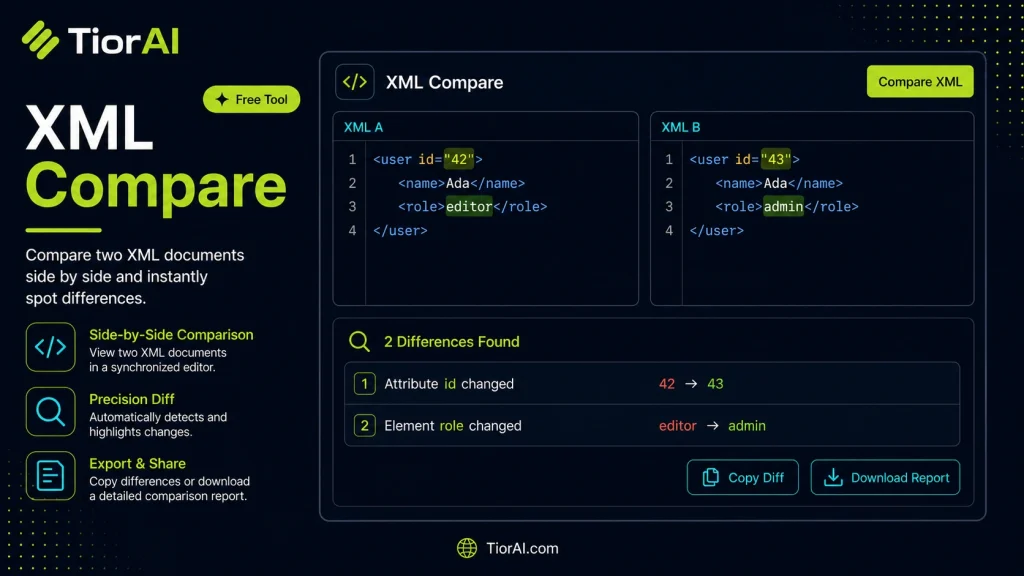
Find the difference between two XML documents. Paste or load your XML, click Compare, and see changes highlighted side by side. Fast, private & unlimited.
How to use it
- Paste or Enter Your Input Paste your code, text, or data into the input field. The tool supports large inputs without performance issues.
- Process and Analyze Click the action button or let the tool auto-process your input. Results appear in real time with highlighted details.
- Copy or Download the Output Review the results and copy the output to clipboard or download as a file for use in your project.
Tip Keyboard shortcut: Ctrl+V to paste input, then Ctrl+C to copy output - saves time in repetitive workflows.
About XML Compare
XML Compare tools are designed to identify differences between two XML files or data structures. XML, or eXtensible Markup Language, is a widely used format for storing and transporting data in a structured, hierarchical way. Comparing XML files is essential when you need to verify changes, synchronize data, or debug issues in configurations, code, or data exchanges.
Unlike plain text comparison, XML comparison understands the hierarchical nature of XML. It compares elements, attributes, and values while ignoring irrelevant differences such as whitespace or attribute order if configured. This makes it more accurate for developers and data analysts who work with XML-based formats like SOAP messages, configuration files, or data feeds.
Why XML Comparison is Needed
- Version Control: Track changes between different versions of XML files.
- Data Validation: Ensure data consistency between systems exchanging XML.
- Debugging: Identify what changed in configuration or data files causing issues.
- Synchronization: Merge or update XML data by understanding differences.
Common use cases include comparing API responses, configuration files in software projects, or XML exports from databases. XML Compare tools help automate this process, saving time and reducing human error.
Understanding XML Comparison
XML Compare tools are specialized utilities that help you find differences between two XML files by analyzing their structure and content. Unlike simple text comparison, these tools parse the XML hierarchy, comparing elements, attributes, and values to provide meaningful insights into what has changed.
This capability is crucial when working with XML data in software development, data exchange, or configuration management. For example, developers often need to verify changes in configuration files or API responses, while data analysts may compare XML exports from different systems to ensure consistency.
When to Use XML Compare
- Verifying changes between versions of XML configuration files.
- Comparing XML outputs from different systems to check for data consistency.
- Tracking modifications in XML resource files during software development.
- Debugging issues caused by unexpected changes in XML data.
- Merging updates from multiple XML sources by identifying differences.
Common Mistakes to Avoid
- Using plain text comparison tools that do not account for XML structure, leading to misleading results.
- Overlooking namespace differences, which can cause incorrect comparison outcomes.
- Failing to configure the tool to ignore insignificant differences such as whitespace or attribute order, resulting in noise in the comparison output.
By understanding how XML Compare works and when to use it, you can efficiently manage and validate XML data changes, saving time and reducing errors in your workflows.
Frequently asked questions
Reviews and questions
Whether this tool gave people the answer they needed, and what they asked about it.
Sign in to review this tool.
Sign In to ReviewNo reviews yet
Be the first to say whether this tool gave you what you needed.
Ask how to read the result, or what the tool does with an edge case — or answer someone else.
Sign In to AskNo questions yet
Not sure how to read a result? Be the first to ask.
AI tools related to this topic
Tools from the TiorAI directory that work on the same kind of job.

ChatGPT
ChatGPT is an AI chatbot by OpenAI powered by GPT-4o. It handles writing, coding, research, data analysis, and natural conversation. Free tier available, Plus at $20/month.