

WWW Redirect Checker
Check if your domain properly redirects between www and non-www versions.
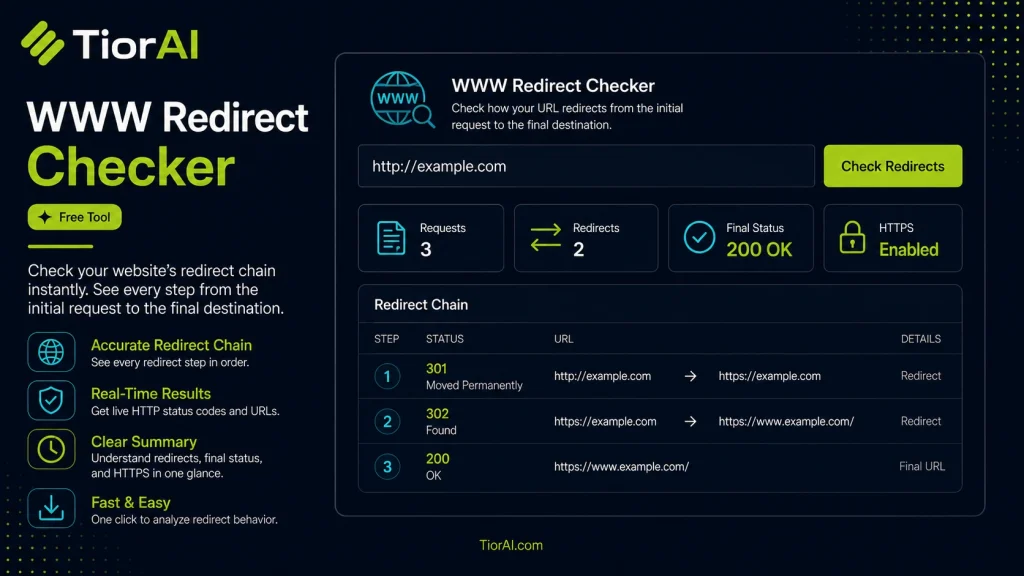
How to use it
- Enter Domain or IP Enter the domain name, IP address, or URL into the Www Redirect Checker to start the lookup or analysis.
- Run the Check Click the check button to query the relevant databases. Results are retrieved and displayed in seconds.
- Analyze the Results Review the detailed results including status, records, and diagnostics to troubleshoot or verify your query.
Tip Run the Www Redirect Checker from different times of day to catch intermittent issues that only appear during peak traffic.
Understanding WWW Redirects and Their Importance
When you type a website address into your browser, it often starts with either www or directly with the domain name (like example.com). A WWW redirect is a server-side instruction that automatically sends visitors from one version of the URL to another, typically from www.example.com to example.com or vice versa.
This redirection is crucial for SEO and user experience because it consolidates traffic and search engine rankings to a single URL version, avoiding duplicate content issues. Without proper redirects, search engines might treat the www and non-www versions as separate sites, splitting your SEO value.
Redirects work through HTTP status codes, most commonly 301 (permanent redirect) or 302 (temporary redirect). A redirect checker tool analyzes these HTTP responses to verify if the redirect is set up correctly and follows best practices.
Common situations where WWW redirects are used include:
- Ensuring consistent URL structure for branding and SEO
- Migrating a website to a new domain or URL format
- Fixing broken or outdated links
- Improving website security by redirecting HTTP to HTTPS versions
What is a WWW Redirect?
A WWW redirect is a server-side instruction that sends visitors from one version of a website URL to another, typically between the www and non-www versions of a domain. This ensures users and search engines access a consistent URL, which is important for SEO and avoiding duplicate content.
When to Use a WWW Redirect Checker
Use a redirect checker when you want to verify that your website correctly redirects from www to non-www or vice versa. It helps confirm that the redirects use the proper HTTP status codes (usually 301 for permanent redirects) and that there are no redirect loops or chains that could harm your site’s SEO or user experience.
Common Mistakes to Avoid
- Not verifying the redirect status code, which can lead to SEO issues if temporary redirects are used instead of permanent ones.
- Creating redirect loops by misconfiguring server rules, causing browsers to fail loading the page.
- Ignoring multiple redirects in a chain, which can slow down page load times and dilute SEO value.
- Failing to redirect both
wwwand non-wwwversions, resulting in duplicate content problems.
Technical Context
Redirects are implemented via HTTP status codes, with 301 indicating a permanent redirect and 302 a temporary one. A redirect checker tool sends a request to the URL and follows any redirects, reporting the HTTP status codes and final destination. This allows website owners and SEO professionals to audit and optimize their redirect setup effectively.
Frequently asked questions
Reviews and questions
Whether this tool gave people the answer they needed, and what they asked about it.
Sign in to review this tool.
Sign In to ReviewNo reviews yet
Be the first to say whether this tool gave you what you needed.
Ask how to read the result, or what the tool does with an edge case — or answer someone else.
Sign In to AskNo questions yet
Not sure how to read a result? Be the first to ask.
AI tools related to this topic
Tools from the TiorAI directory that work on the same kind of job.

Action Network
Action Network is a free digital organizing platform designed for progressive activists and nonprofits to manage petitions, fundraising, email and SMS outreach, and events.

Layla Network AI
Layla Network AI is an AI-driven platform that automates network monitoring, anomaly detection, and troubleshooting to improve network reliability and operational efficiency.