

Adjust until your known object matches on screen. 96
Scale: -
How to use it
- Paste or Enter Your Input Paste your code, text, or data into the input field. The tool supports large inputs without performance issues.
- Process and Analyze Click the action button or let the tool auto-process your input. Results appear in real time with highlighted details.
- Copy or Download the Output Review the results and copy the output to clipboard or download as a file for use in your project.
Tip Keyboard shortcut: Ctrl+V to paste input, then Ctrl+C to copy output - saves time in repetitive workflows.
About Online Ruler
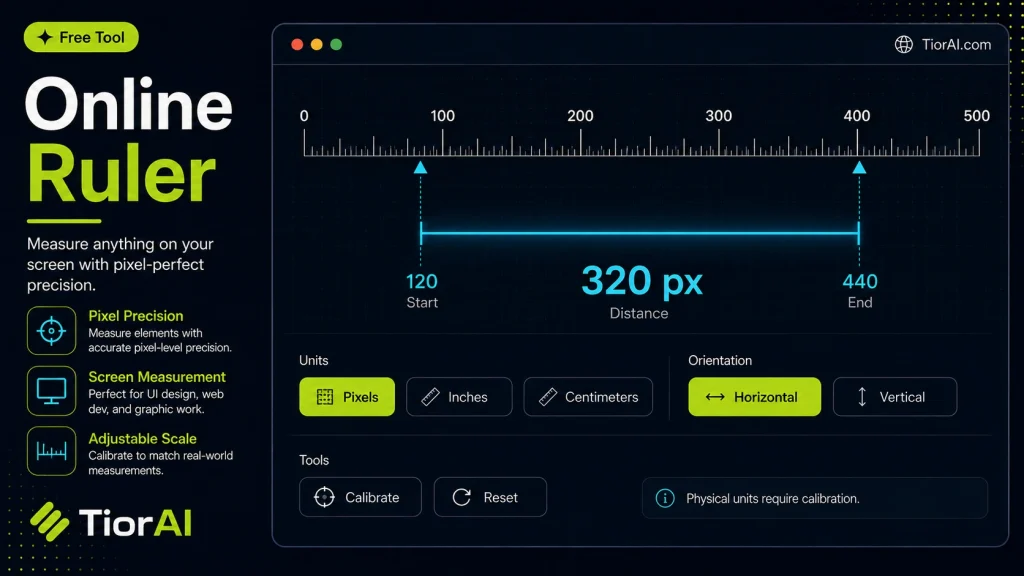
An online ruler is a digital measuring tool that displays a scale on your screen, allowing you to measure objects or distances directly from your device. Unlike physical rulers, online rulers use pixels or calibrated units to represent length, which can be adjusted to match real-world measurements.
Why use an online ruler? It provides a quick and accessible way to measure items without needing a physical tool. This is especially useful when working with digital designs, images, or layouts where precise dimensions are important.
How does it work? The tool typically shows a scale in units such as pixels, centimeters, or inches. Users can calibrate the ruler by comparing it to a known physical measurement, ensuring accuracy. Once calibrated, the ruler can measure objects on the screen or help verify dimensions in digital content.
Common use cases include:
- Checking image sizes or spacing in graphic design.
- Measuring elements on web pages for development or testing.
- Estimating dimensions of objects when a physical ruler is unavailable.
- Assisting in crafting or DIY projects where digital references are used.
Understanding Online Rulers
An online ruler is a digital tool that displays a measurement scale on your screen, allowing you to measure lengths and distances without a physical device. It works by representing units such as pixels, centimeters, or inches, which can be calibrated to match real-world sizes. This calibration is essential because different screens have varying resolutions and pixel densities.
Online rulers are useful in many scenarios, especially when working with digital content like images, web layouts, or graphic designs. They provide a quick way to check dimensions without needing a physical ruler nearby.
When to Use an Online Ruler
- Measuring elements within digital designs or web pages.
- Checking image sizes or spacing when editing photos or graphics.
- Working remotely without access to physical measuring tools.
- Using mobile devices to estimate sizes on the go.
Common Mistakes to Avoid
- Failing to calibrate the ruler before use, which leads to inaccurate measurements.
- Assuming the ruler’s accuracy is consistent across different devices without recalibration.
- Using the ruler while the screen is zoomed or scaled, which distorts the measurement scale.
By understanding how online rulers work and when to use them, you can effectively measure digital content and screen elements with confidence. Always remember to calibrate your tool and use it at standard zoom levels for the best accuracy.
Frequently asked questions
Reviews and questions
Whether this tool gave people the answer they needed, and what they asked about it.
Sign in to review this tool.
Sign In to ReviewNo reviews yet
Be the first to say whether this tool gave you what you needed.
Ask how to read the result, or what the tool does with an edge case — or answer someone else.
Sign In to AskNo questions yet
Not sure how to read a result? Be the first to ask.
AI tools related to this topic
Tools from the TiorAI directory that work on the same kind of job.

ChatGPT
ChatGPT is an AI chatbot by OpenAI powered by GPT-4o. It handles writing, coding, research, data analysis, and natural conversation. Free tier available, Plus at $20/month.