

Day Countdown Calculator
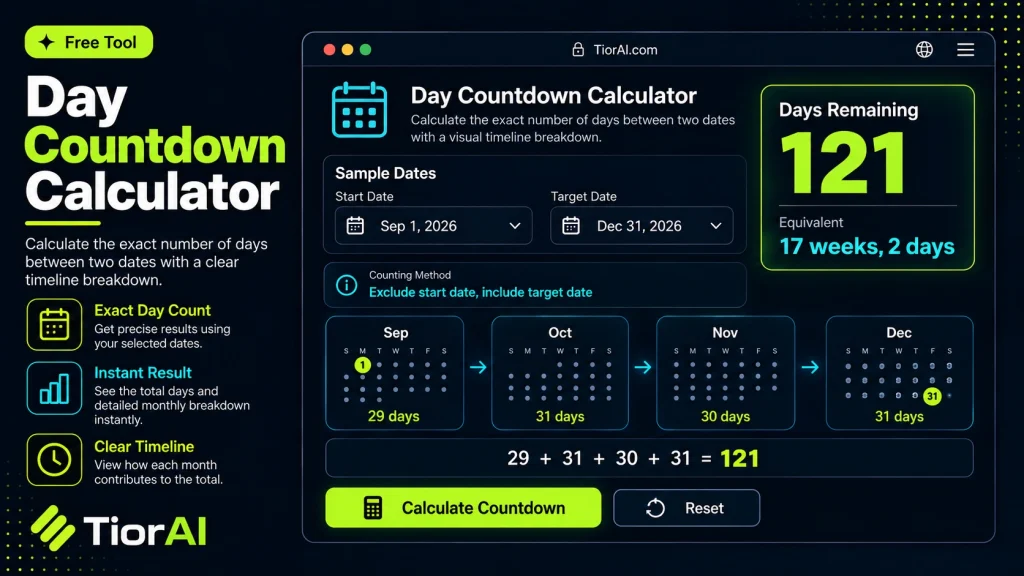
Count how long is left until a date that matters — in days, weeks, working days and hours. Past dates are counted too, so you can also see how long ago something happened.
Only used to label the result — leave it empty if you do not need it.
How the Countdown Is Counted
The countdown is measured in whole calendar days from today to the target date, so today counts as zero and tomorrow as one. Times of day are not involved, which keeps the number stable no matter when you load the page.
Working days count Monday to Friday between today and the target date. Public holidays are not deducted, because they differ from country to country.
Everything is worked out in your own time zone, using the date your device reports as today.
How to use it
- Enter Your Values Input your numbers or parameters into the Day Countdown Calculator. Fill in all required fields for an accurate calculation.
- Calculate Results Click the calculate button to process your inputs. The Day Countdown Calculator delivers instant, accurate results.
- Review and Use Review your calculated results, explore the breakdown, and copy or share the output for your needs.
Tip Bookmark the Day Countdown Calculator page for quick access whenever you need to run calculations on the go.
Understanding Day Countdown Calculations
A day countdown calculator is a utility that computes the number of days between two dates. This calculation is essential for tracking time intervals, planning events, or measuring durations. The core concept involves subtracting one date from another to find the difference in days, which can be positive or negative depending on the order.
Why is this important? Many real-world tasks require precise day counts, such as project deadlines, event planning, or personal milestones. Unlike simply counting calendar days, a countdown calculator accounts for complexities like leap years and varying month lengths, ensuring accuracy.
Common situations where day countdown calculations are used include:
- Determining how many days remain until a future event, like a vacation or deadline.
- Calculating the number of days elapsed since a past event, such as a birthday or anniversary.
- Planning schedules that depend on exact day intervals, for example, medication courses or training programs.
By automating these calculations, users avoid manual errors and save time, especially when dealing with long date ranges or irregular calendar factors.
What is a Day Countdown Calculator?
A day countdown calculator determines the number of days between two specific dates. This calculation is useful for tracking how much time remains until an event or how many days have passed since a particular date. Unlike manual counting, this tool automatically accounts for calendar complexities such as leap years and different month lengths, ensuring precise results.
When to Use a Day Countdown Calculator
- To monitor the time left before a project deadline or important appointment.
- To find out how many days have elapsed since a past event like a birthday or anniversary.
- For planning trips or events that span multiple days.
- When scheduling tasks that require exact day intervals.
- To verify durations between historical dates for research purposes.
Common Mistakes to Avoid
- Entering dates in an incorrect format, which can cause errors or inaccurate results.
- Assuming the countdown includes the start date by default, when it often counts only full days between dates.
- Overlooking time zone differences, which may shift the day count by one if the event times are near midnight.
- Ignoring leap years, leading to slight inaccuracies in long-term calculations.
Understanding these factors helps ensure you get accurate and meaningful results from your day countdown calculations.
Frequently asked questions
Reviews and questions
Whether this tool gave people the answer they needed, and what they asked about it.
Sign in to review this tool.
Sign In to ReviewNo reviews yet
Be the first to say whether this tool gave you what you needed.
Ask how to read the result, or what the tool does with an edge case — or answer someone else.
Sign In to AskNo questions yet
Not sure how to read a result? Be the first to ask.