

JWT Decoder
Decode a JSON Web Token and inspect its header, payload and signature.
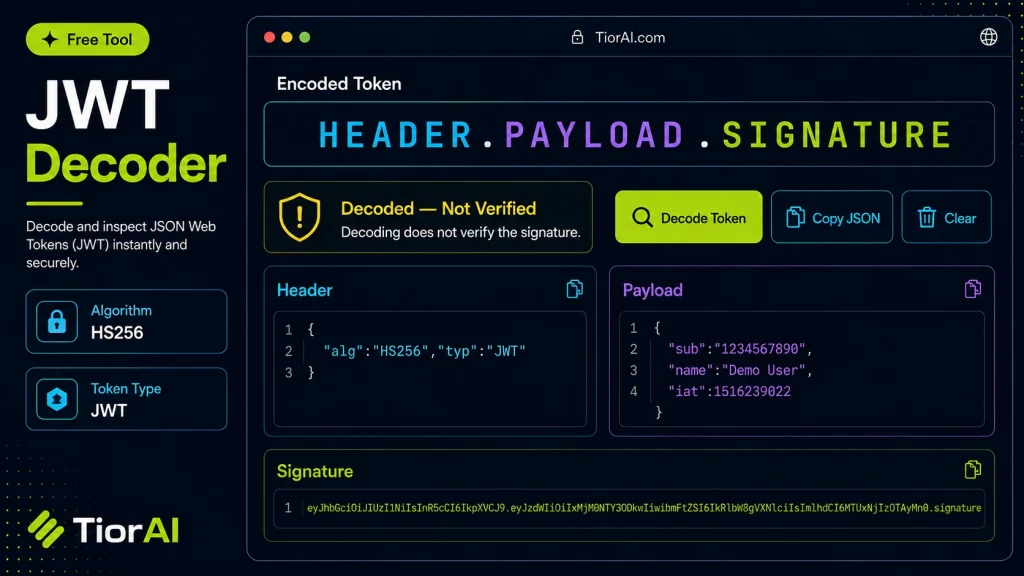
Disclaimer: This tool only decodes; it does NOT verify the signature.
How to use it
- Paste or Enter Your Input Paste your code, text, or data into the input field. The tool supports large inputs without performance issues.
- Process and Analyze Click the action button or let the tool auto-process your input. Results appear in real time with highlighted details.
- Copy or Download the Output Review the results and copy the output to clipboard or download as a file for use in your project.
Tip This tool preserves your input formatting. Check format settings if the output differs from expected.
Understanding JSON Web Tokens (JWTs)
JSON Web Tokens (JWTs) are a compact, URL-safe means of representing claims to be transferred between two parties. They are commonly used for authentication and information exchange in web applications. A JWT consists of three parts: a header, a payload, and a signature, each encoded in Base64Url format and separated by dots.
Decoding a JWT means extracting and reading the header and payload sections without verifying the signature. This process converts the encoded Base64Url strings back into readable JSON objects, revealing information such as user identity, token expiration, and permissions.
Why decode JWTs? Developers and security analysts decode JWTs to inspect the token’s contents during debugging, troubleshooting authentication issues, or verifying claims without needing the secret key. It helps ensure the token carries the expected data and is formatted correctly.
Common use cases include:
- Debugging authentication flows in web or mobile apps.
- Verifying token claims during development.
- Inspecting tokens received from third-party services.
- Learning and understanding JWT structure and content.
What is a JWT?
A JSON Web Token (JWT) is a compact token format used to securely transmit information between parties as a JSON object. It is widely used in authentication and authorization systems to represent claims about a user or system.
Why Decode JWTs?
Decoding a JWT means converting its encoded header and payload back into readable JSON. This is useful for inspecting the token’s contents, such as user details and expiration times, without needing to verify its signature.
When to Use a JWT Decoder
- During development to debug authentication flows.
- To inspect tokens received from APIs or identity providers.
- To verify that the token contains expected claims.
- For educational purposes to understand JWT structure.
Common Mistakes When Decoding JWTs
- Believing that decoding confirms the token is valid or untampered.
- Ignoring Base64Url encoding differences, which can cause decoding errors.
Technical Context
JWTs consist of three parts: header, payload, and signature. The header and payload are Base64Url encoded JSON objects, while the signature ensures integrity and authenticity. Decoding only reveals the first two parts; verifying the signature requires cryptographic checks with the secret or public key.
Using a JWT decoder tool helps developers quickly inspect token contents without manual decoding, speeding up troubleshooting and validation tasks.
Frequently asked questions
Reviews and questions
Whether this tool gave people the answer they needed, and what they asked about it.
Sign in to review this tool.
Sign In to ReviewNo reviews yet
Be the first to say whether this tool gave you what you needed.
Ask how to read the result, or what the tool does with an edge case — or answer someone else.
Sign In to AskNo questions yet
Not sure how to read a result? Be the first to ask.
AI tools related to this topic
Tools from the TiorAI directory that work on the same kind of job.

ChatGPT
ChatGPT is an AI chatbot by OpenAI powered by GPT-4o. It handles writing, coding, research, data analysis, and natural conversation. Free tier available, Plus at $20/month.