

JSON Sorter
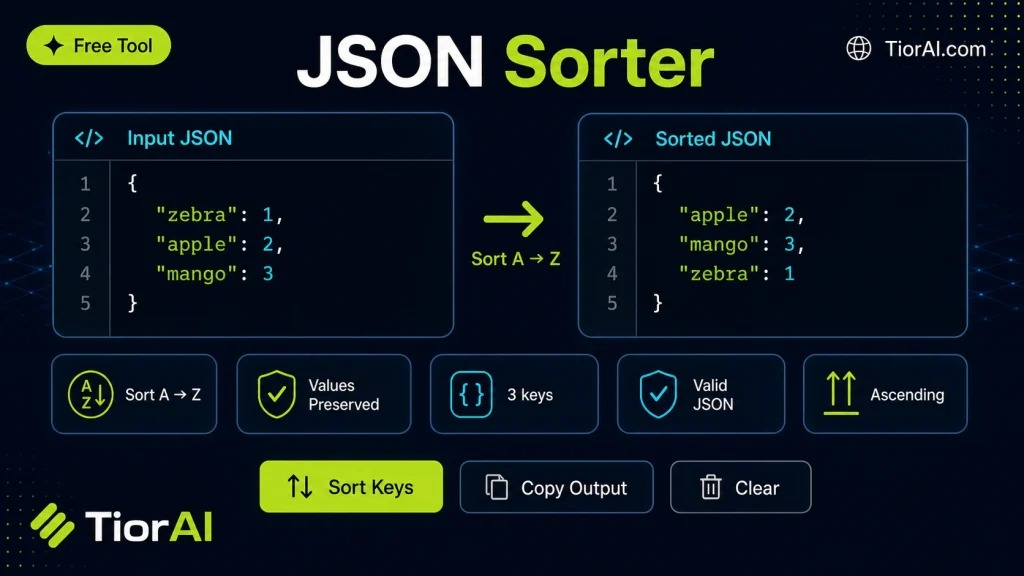
Understanding JSON Sorting JSON is a popular format for exchanging data, structured as key-value pairs within objects. Sorting JSON means arranging these keys in a consistent order, typically alphabetically. This does not alter the data but makes it easier to read and compare. Sorting is…
How to use it
- Paste or Enter Your Input Paste your code, text, or data into the input field. The tool supports large inputs without performance issues.
- Process and Analyze Click the action button or let the tool auto-process your input. Results appear in real time with highlighted details.
- Copy or Download the Output Review the results and copy the output to clipboard or download as a file for use in your project.
Tip Keyboard shortcut: Ctrl+V to paste input, then Ctrl+C to copy output - saves time in repetitive workflows.
About JSON Sorter
JSON (JavaScript Object Notation) is a lightweight data-interchange format widely used for storing and exchanging data between systems. It represents data as key-value pairs and arrays, making it easy for humans to read and machines to parse.
Sorting JSON involves organizing the keys within JSON objects in a specific order, usually alphabetically. This process does not change the data itself but rearranges the structure to improve readability and consistency.
Why sort JSON?
- Improved readability: Sorted keys make it easier for developers to scan and understand the data structure.
- Consistent formatting: When multiple people or systems generate JSON, sorting ensures uniform key order, which helps in version control and diff comparisons.
- Debugging and maintenance: Sorted JSON can reveal missing or unexpected keys quickly.
Common use cases
- Preparing JSON data for code reviews or collaboration.
- Normalizing JSON before storing or transmitting to ensure consistent structure.
- Comparing JSON files or API responses by eliminating key order differences.
Understanding JSON Sorting
JSON is a popular format for exchanging data, structured as key-value pairs within objects. Sorting JSON means arranging these keys in a consistent order, typically alphabetically. This does not alter the data but makes it easier to read and compare.
Sorting is especially useful when working with large or complex JSON files, as it helps developers quickly locate keys and spot differences between versions. It also standardizes JSON output from different sources, which is important in collaborative environments.
When to Use a JSON Sorter
- Before committing JSON files to version control to reduce unnecessary diffs caused by key order changes.
- When preparing JSON for APIs that require keys in a specific order.
- During debugging to better understand nested data structures.
- To normalize JSON data from multiple sources for easier comparison.
- When working with nested objects that need consistent key ordering throughout the entire structure.
Common Mistakes to Avoid
- Confusing sorting keys with changing data values—sorting only affects key order.
- Attempting to sort arrays, which can disrupt the intended data sequence.
- Failing to sort nested objects recursively, resulting in partial ordering.
Using a JSON sorter correctly ensures your data remains intact while improving clarity and consistency, making it a valuable tool for developers and data professionals alike.
Frequently asked questions
Reviews and questions
Whether this tool gave people the answer they needed, and what they asked about it.
Sign in to review this tool.
Sign In to ReviewNo reviews yet
Be the first to say whether this tool gave you what you needed.
Ask how to read the result, or what the tool does with an edge case — or answer someone else.
Sign In to AskNo questions yet
Not sure how to read a result? Be the first to ask.
AI tools related to this topic
Tools from the TiorAI directory that work on the same kind of job.

ChatGPT
ChatGPT is an AI chatbot by OpenAI powered by GPT-4o. It handles writing, coding, research, data analysis, and natural conversation. Free tier available, Plus at $20/month.