

Ipv4 Range Expander
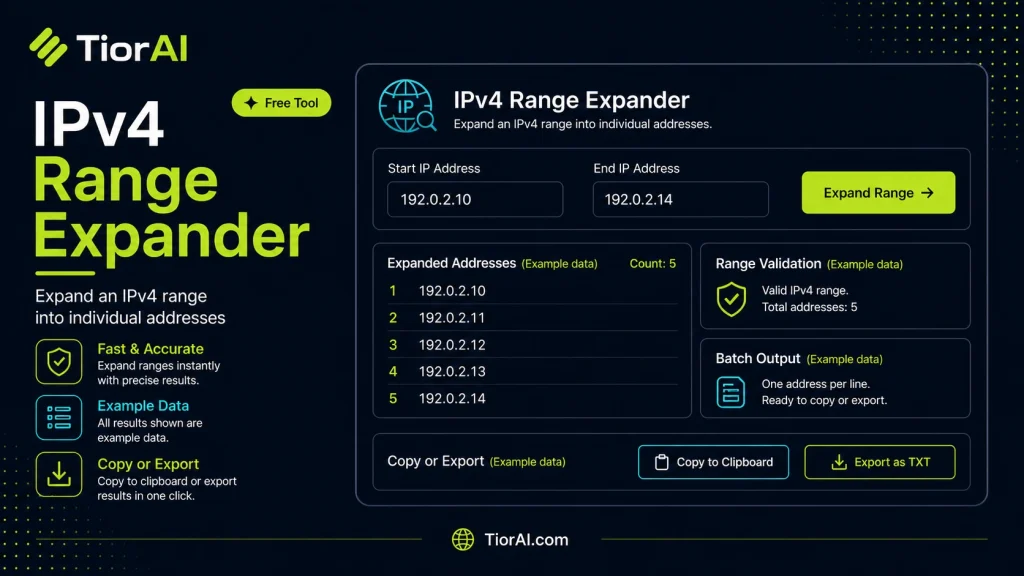
Check network details quickly with the ipv4 range expander. This free tool queries multiple databases simultaneously and returns comprehensive results in seconds.
How to use it
- Enter Domain or IP Enter the domain name, IP address, or URL into the Ipv4 Range Expander to start the lookup or analysis.
- Run the Check Click the check button to query the relevant databases. Results are retrieved and displayed in seconds.
- Analyze the Results Review the detailed results including status, records, and diagnostics to troubleshoot or verify your query.
Tip Compare results from the Ipv4 Range Expander with your hosting provider's dashboard to spot discrepancies early.
Understanding IPv4 Address Ranges and Expansion
IPv4 addresses are 32-bit numerical labels assigned to devices on a network, typically expressed in dotted decimal notation, such as 192.168.1.1. In many networking and development scenarios, IP addresses are grouped into ranges to represent multiple devices or endpoints. These ranges can be specified in various formats, including start-end notation (e.g., 192.168.1.1-192.168.1.10) or CIDR notation (e.g., 192.168.1.0/28).
Expanding an IPv4 range means enumerating every individual IP address within a specified range. This process is essential for tasks like network scanning, firewall rule creation, or bulk configuration of devices. Instead of manually listing each IP, developers and network administrators use range expanders to automate this enumeration.
Technical Standards and Formats:
- Dotted Decimal Notation: The standard human-readable format for IPv4 addresses, consisting of four octets separated by dots.
- CIDR (Classless Inter-Domain Routing): A compact representation of IP ranges using a base address and a subnet mask length (e.g.,
192.168.1.0/24), defined in RFC 4632. - Range Notation: Specifies a start and end IP address, often used in firewall configurations or access control lists.
Developers use IPv4 range expansion in real projects such as:
- Generating lists of IPs for automated testing or monitoring scripts.
- Configuring network devices that require explicit IP entries.
- Performing security audits by scanning all IPs within a subnet.
By converting a compact range into a full list of IPs, developers can integrate these addresses into their workflows, ensuring comprehensive coverage and accuracy.
What is IPv4 Range Expansion?
IPv4 addresses are fundamental to networking, identifying devices on a network using a 32-bit number expressed in dotted decimal format. Often, instead of dealing with single IPs, developers and network administrators work with ranges of IP addresses. These ranges represent multiple devices or endpoints within a network segment.
IPv4 range expansion is the process of converting a compact representation of an IP range into a full list of individual IP addresses. For example, given a range like 192.168.1.1-192.168.1.10, expansion produces every IP from 192.168.1.1 through 192.168.1.10. This is useful because many network tools and scripts require explicit IP addresses rather than ranges.
When to Use an IPv4 Range Expander
- Network Scanning: To scan all devices within a range, you need each IP listed explicitly.
- Firewall and Access Control: Some firewall configurations require individual IP entries rather than ranges.
- Automation Scripts: Deployment or monitoring scripts often iterate over explicit IP addresses.
- Security Audits: Enumerating all IPs ensures no device is overlooked during vulnerability assessments.
Common Mistakes to Avoid
- Invalid IP Input: Entering IPs outside the valid IPv4 range (0.0.0.0 to 255.255.255.255) or malformed addresses can cause errors.
- Confusing Formats: Mixing CIDR notation with start-end ranges without proper conversion leads to unexpected results.
Technical Context
IPv4 addressing follows standards defined in RFC 791 and CIDR notation in RFC 4632. While CIDR is efficient for representing ranges, many tools and configurations still require explicit IP lists. Expanding ranges bridges this gap, enabling developers to work with precise IP addresses for their applications.
Understanding how to expand IP ranges is essential for network programming, security, and infrastructure management. It ensures comprehensive coverage and precise control over network resources.
Common use cases
- Expanding a simple IP range
- Expanding a subnet range in start-end format
Frequently asked questions
Reviews and questions
Whether this tool gave people the answer they needed, and what they asked about it.
Sign in to review this tool.
Sign In to ReviewNo reviews yet
Be the first to say whether this tool gave you what you needed.
Ask how to read the result, or what the tool does with an edge case — or answer someone else.
Sign In to AskNo questions yet
Not sure how to read a result? Be the first to ask.
AI tools related to this topic
Tools from the TiorAI directory that work on the same kind of job.

insMind AI Image Expander
insMind AI Image Expander is a web-based AI tool that enlarges and enhances images by increasing resolution up to 8x while preserving details and reducing noise.

Range
Range is a team collaboration platform that enables asynchronous daily standups, integrates with tools like Slack and Jira, and helps remote teams stay aligned and productive.