

IP Information
Check network details quickly with the ip information. This free tool queries multiple databases simultaneously and returns comprehensive results in seconds.
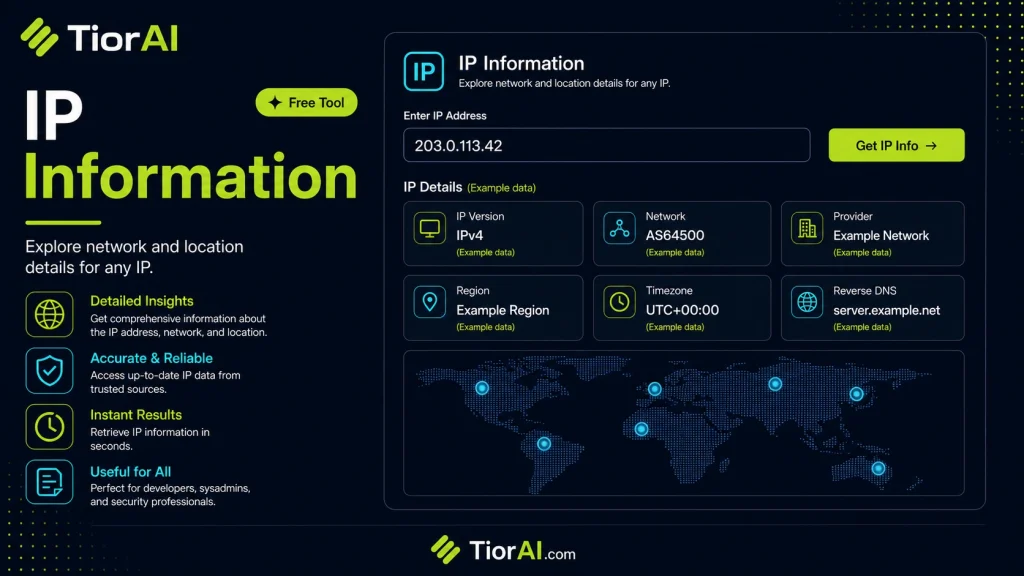
How to use it
- Enter Domain or IP Enter the domain name, IP address, or URL into the Ip Information to start the lookup or analysis.
- Run the Check Click the check button to query the relevant databases. Results are retrieved and displayed in seconds.
- Analyze the Results Review the detailed results including status, records, and diagnostics to troubleshoot or verify your query.
Tip Compare results from the Ip Information with your hosting provider's dashboard to spot discrepancies early.
Understanding IP Addresses and Their Role in Networking
An IP address (Internet Protocol address) is a unique identifier assigned to each device connected to a network that uses the Internet Protocol for communication. It functions similarly to a postal address, enabling devices to send and receive data across the internet or local networks. IP addresses come in two main versions: IPv4 and IPv6. IPv4 addresses are 32-bit numbers typically represented in dotted decimal format (e.g., 192.168.1.1), while IPv6 addresses are 128-bit hexadecimal numbers designed to accommodate the growing number of internet-connected devices.
IP addresses serve two primary purposes: identifying the host or network interface, and providing the location of the host in the network. This dual role allows routers and other network devices to forward packets efficiently.
Technical Standards and Protocols
The Internet Protocol is defined by the Internet Engineering Task Force (IETF) in standards such as RFC 791 for IPv4 and RFC 8200 for IPv6. These documents specify how IP addresses are structured, assigned, and used in packet routing.
IP Information and Lookup in Development
Developers often use IP information tools to extract details about an IP address, such as its geographical location, ISP (Internet Service Provider), hostname, and connection type. This data is useful for:
- Security: Detecting suspicious activity by identifying unusual IP addresses or locations.
- Personalization: Customizing content or services based on user location.
- Analytics: Understanding user demographics and traffic sources.
- Network troubleshooting: Diagnosing connectivity issues by verifying IP assignments and routes.
IP geolocation databases and APIs, such as those provided by MaxMind or IP2Location, map IP addresses to physical locations using data collected from ISPs and network registries. While not always perfectly accurate, this information is sufficient for many practical applications.
In real projects, developers integrate IP lookup functionality via APIs or libraries to automate the retrieval of IP-related data. This can be part of backend services, web applications, or security systems.
What is IP Information?
IP information refers to the data associated with an Internet Protocol (IP) address, which uniquely identifies a device on a network. This data typically includes the IP version (IPv4 or IPv6), the geographic location of the device, the Internet Service Provider (ISP), hostname, and sometimes the organization or connection type. Understanding this information is essential for developers working with networked applications, security systems, and analytics.
When to Use IP Information Tools
IP information tools are valuable in several concrete scenarios:
- Geolocation: When you want to customize content or services based on the user’s approximate location, such as displaying local news or currency.
- Security: To detect suspicious activity by identifying IP addresses from unexpected regions or known malicious sources.
- Network Troubleshooting: To verify the IP addresses assigned to devices or servers and diagnose connectivity issues.
- Access Control: To block or allow traffic from specific IP ranges based on organizational policies.
Common Mistakes When Using IP Information Tools
Despite their usefulness, users often make mistakes when interpreting IP information:
- Overestimating Accuracy: Assuming IP geolocation data is exact down to the street or building level, when it is usually approximate and can vary significantly.
- Confusing IP Types: Expecting lookup tools to provide information on private IP addresses (like 192.168.x.x), which are not routable on the public internet and thus not traceable via these tools.
Technical Context for Developers
IP addresses are fundamental to internet communication, governed by standards such as RFC 791 for IPv4 and RFC 8200 for IPv6. Developers integrate IP lookup functionality using APIs that query geolocation databases maintained by organizations like MaxMind or IP2Location. These databases map IP ranges to locations and ISPs based on data from regional internet registries and ISPs themselves.
In practice, IP information is used in backend services to enhance security, personalize user experiences, and gather analytics. However, developers must handle this data responsibly, respecting privacy and understanding its limitations.
Common use cases
- Lookup of a Public IPv4 Address
- Checking an IPv6 Address
Frequently asked questions
Reviews and questions
Whether this tool gave people the answer they needed, and what they asked about it.
Sign in to review this tool.
Sign In to ReviewNo reviews yet
Be the first to say whether this tool gave you what you needed.
Ask how to read the result, or what the tool does with an edge case — or answer someone else.
Sign In to AskNo questions yet
Not sure how to read a result? Be the first to ask.