

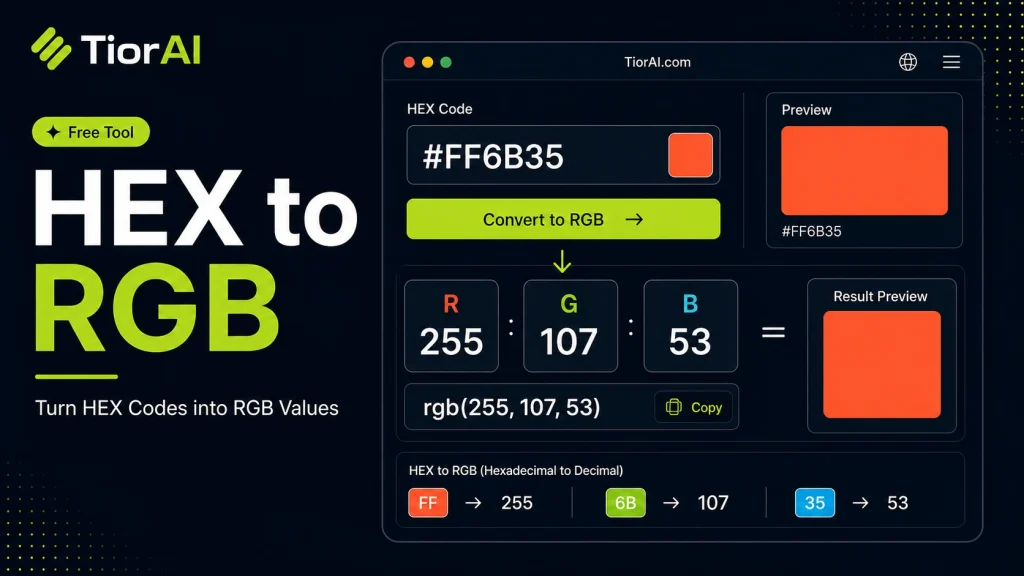
How to use it
- Enter Source Value Type or paste the value you want to convert into the Hex to Rgb. The tool accepts a wide range of input formats.
- Select Target Format Choose your desired output format or unit from the available options. The conversion starts automatically.
- Copy the Result Review the converted output and click copy to use it in your project, document, or workflow.
Tip The Hex to Rgb preserves formatting and structure during conversion, so your output stays clean and usable.
Understanding Hex and RGB Color Codes
Colors on digital screens are often represented using different coding systems. Two of the most common are HEX and RGB. HEX codes are six-digit hexadecimal numbers prefixed with a hash (#), such as #FF5733. Each pair of digits corresponds to the intensity of red, green, and blue components respectively, using base-16 numbering.
RGB stands for Red, Green, Blue and expresses colors as three decimal numbers ranging from 0 to 255, for example, rgb(255, 87, 51). This format directly represents the intensity of each color channel.
Converting HEX to RGB is essential because some applications, programming languages, or design tools prefer one format over the other. For instance, CSS supports both, but certain APIs or graphic software might require RGB values. Understanding this conversion helps developers and designers ensure color consistency across platforms.
Common uses include:
- Web development where CSS styles may use RGB for transparency effects.
- Graphic design software that requires RGB input for color adjustments.
- Programming environments where color manipulation is easier with numeric RGB values.
What is Hex to RGB Conversion?
Colors on digital devices are often represented using HEX or RGB codes. HEX codes are six-digit hexadecimal numbers that define the intensity of red, green, and blue channels in base-16. RGB codes express these intensities as decimal numbers between 0 and 255. Converting HEX to RGB translates the hexadecimal values into decimal numbers, making it easier to work with colors in programming and design environments.
When to Use Hex to RGB Conversion
- When coding stylesheets or scripts that require RGB color input.
- When working with graphic design tools that accept RGB but not HEX.
- When performing color calculations or adjustments programmatically.
Common Mistakes to Avoid
- Forgetting to include the ‘#’ symbol before the HEX code, which can cause errors.
- Using shorthand HEX codes like
#FFFwithout expanding them to six digits. - Confusing RGB values with percentages instead of the 0-255 scale.
Understanding the technical difference between HEX and RGB helps ensure accurate color representation across different platforms and tools. This conversion is a fundamental skill for web developers, designers, and anyone working with digital colors.
Frequently asked questions
Reviews and questions
Whether this tool gave people the answer they needed, and what they asked about it.
Sign in to review this tool.
Sign In to ReviewNo reviews yet
Be the first to say whether this tool gave you what you needed.
Ask how to read the result, or what the tool does with an edge case — or answer someone else.
Sign In to AskNo questions yet
Not sure how to read a result? Be the first to ask.
AI tools related to this topic
Tools from the TiorAI directory that work on the same kind of job.

PngMaker.io: Convert Text to PNG Quickly
PngMaker.io is a free online tool that converts text into PNG images with transparent backgrounds, allowing customization of fonts and colors without requiring any software installation or account.