

| Property | Value |
|---|
About This Match
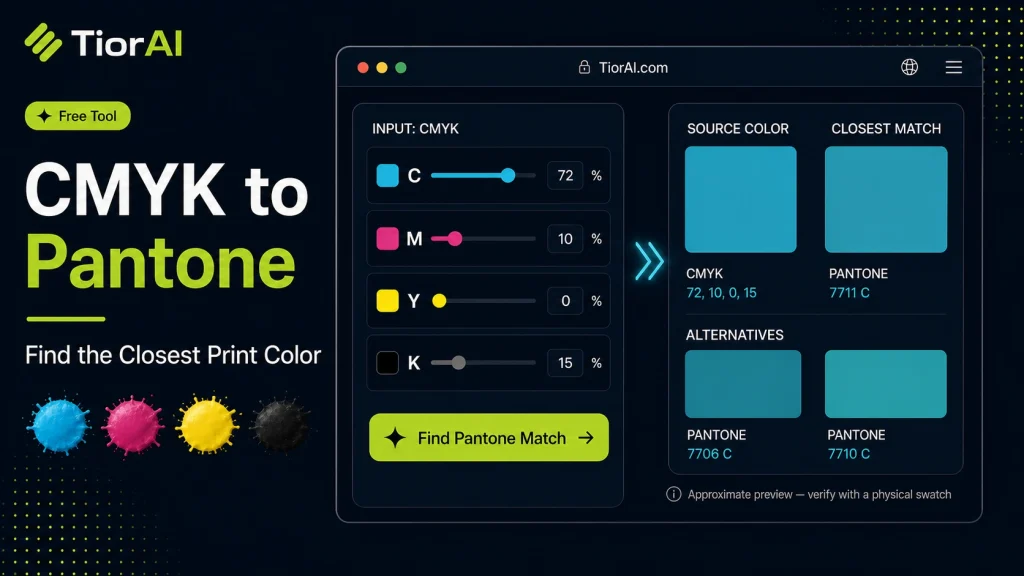
The CMYK values are converted to RGB, then compared against a small built-in set of Pantone base colors. The closest entry by RGB distance is reported.
Approximate and illustrative only — these are not official Pantone® color values. For production printing use a licensed Pantone reference or a color-managed workflow.
How to use it
- Enter Source Value Type or paste the value you want to convert into the Cmyk to Pantone. The tool accepts a wide range of input formats.
- Select Target Format Choose your desired output format or unit from the available options. The conversion starts automatically.
- Copy the Result Review the converted output and click copy to use it in your project, document, or workflow.
Tip The Cmyk to Pantone preserves formatting and structure during conversion, so your output stays clean and usable.
Understanding CMYK and Pantone Color Systems
CMYK and Pantone are two distinct color systems used in printing and design. CMYK stands for Cyan, Magenta, Yellow, and Key (black), which are the four ink colors used in most full-color printing processes. This system creates colors by layering these inks in varying percentages, making it a subtractive color model.
Pantone, on the other hand, is a standardized color matching system that uses pre-mixed inks to produce consistent colors across different print jobs and materials. Each Pantone color has a unique code, ensuring precise color communication between designers and printers.
Converting CMYK values to Pantone colors is essential because CMYK colors can vary depending on the printer, paper, and ink quality, while Pantone colors offer consistency. This conversion helps designers select the closest Pantone match to a CMYK color, ensuring brand colors and design elements appear as intended.
Common Use Cases
- Branding projects requiring exact color matching across various print materials.
- Packaging design where color consistency is critical.
- Preparing files for spot color printing to reduce ink usage and cost.
What is CMYK to Pantone Conversion?
CMYK and Pantone represent two different approaches to color reproduction in printing. CMYK uses four inks combined in varying amounts to create a broad spectrum of colors, but the results can vary depending on printing conditions. Pantone colors are standardized spot colors made from pre-mixed inks, ensuring consistent and repeatable results.
Converting CMYK to Pantone involves finding the closest Pantone color that matches a given CMYK value. This is important because Pantone colors provide reliable color matching across different printers and materials, which is crucial for branding and packaging.
When Should You Use CMYK to Pantone Conversion?
- When preparing print files that require spot colors for consistent branding.
- When communicating exact colors to printers using Pantone standards.
- When converting designs to use spot colors to reduce printing costs.
- When ensuring color consistency across different print runs or materials.
Common Mistakes to Avoid
- Expecting an exact Pantone match for every CMYK color; many matches are approximate.
- Ignoring the impact of printing substrate and finish on final color appearance.
- Relying solely on digital converters without checking physical Pantone swatches.
Understanding these factors helps ensure accurate color communication and consistent print results when converting CMYK colors to Pantone.
Frequently asked questions
Reviews and questions
Whether this tool gave people the answer they needed, and what they asked about it.
Sign in to review this tool.
Sign In to ReviewNo reviews yet
Be the first to say whether this tool gave you what you needed.
Ask how to read the result, or what the tool does with an edge case — or answer someone else.
Sign In to AskNo questions yet
Not sure how to read a result? Be the first to ask.
AI tools related to this topic
Tools from the TiorAI directory that work on the same kind of job.

PngMaker.io: Convert Text to PNG Quickly
PngMaker.io is a free online tool that converts text into PNG images with transparent backgrounds, allowing customization of fonts and colors without requiring any software installation or account.