

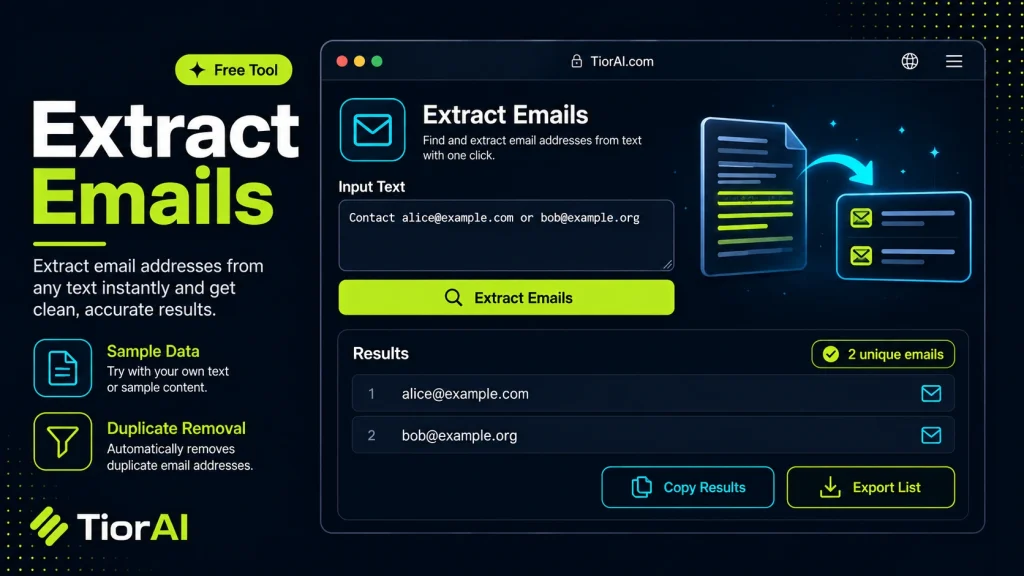
Extract Emails
Email extraction is the process of identifying and isolating email addresses from a larger body of text or data. Email addresses follow a standardized format, which allows software tools to detect and extract them automatically. This process is essential in many fields such as marketing,…
Count: 0
How to use it
- Paste Your Text Paste or type your text into the Extract Emails. The tool handles content of any length with no character limits.
- Apply the Tool Click the action button to process your text. The transformation is applied instantly to your content.
- Copy the Result Review the transformed text and copy it to your clipboard for use in documents, emails, or projects.
Tip The Extract Emails is perfect for content creators who need quick text transformations without installing software.
Understanding Email Extraction
Email extraction is the process of identifying and isolating email addresses from a larger body of text or data. Email addresses follow a standardized format defined by internet protocols, which makes it possible to programmatically detect them using pattern recognition techniques.
Why Email Extraction Exists
Emails are a fundamental means of communication in both personal and professional contexts. Often, email addresses are embedded within documents, web pages, or databases mixed with other types of information. Extracting these addresses efficiently is important for tasks such as building contact lists, marketing campaigns, data analysis, or customer relationship management.
How Email Extraction Works Technically
At its core, email extraction relies on pattern matching, typically using regular expressions (regex). A regular expression is a sequence of characters that defines a search pattern. For emails, the pattern usually looks for strings that match the general structure:
local-part@domain- The
local-partcan include letters, numbers, dots, underscores, and some special characters. - The
domainconsists of a domain name and a top-level domain (e.g.,example.com).
A common regex pattern for emails might be:
[a-zA-Z0-9._%+-]+@[a-zA-Z0-9.-]+.[a-zA-Z]{2,}This pattern scans the text and extracts all substrings that fit the email format. More advanced extractors may also validate domain names or check for common typos.
Common Real-World Scenarios
- Web scraping: Extracting emails from websites for lead generation or research.
- Document processing: Pulling contact information from PDFs, Word documents, or emails.
- Data cleaning: Isolating emails from mixed datasets to prepare for marketing or communication.
- Customer support: Automatically identifying customer emails from chat logs or feedback forms.
In all these cases, the goal is to automate the tedious task of manually searching for email addresses, improving efficiency and accuracy.
What is Email Extraction?
Email extraction is the process of identifying and isolating email addresses from a larger body of text or data. Email addresses follow a standardized format, which allows software tools to detect and extract them automatically. This process is essential in many fields such as marketing, data analysis, and customer support.
How Does Email Extraction Work?
Technically, email extraction relies on pattern matching, often implemented with regular expressions (regex). A regex is a sequence of characters that defines a search pattern. For emails, the pattern looks for strings that match the general structure of an email address: a local part, an ‘@’ symbol, and a domain part.
The local part can include letters, numbers, dots, underscores, and certain special characters. The domain part includes the domain name and top-level domain, such as ‘.com’ or ‘.org’. By scanning text for these patterns, extraction tools can isolate all email addresses present.
When to Use Email Extraction Tools
- When you have large blocks of text or documents containing multiple email addresses that need to be isolated quickly.
- Preparing contact lists from raw data such as meeting notes, newsletters, or scraped web content.
- Automating the extraction of emails from customer feedback or support tickets.
- Cleaning datasets to separate emails from other types of information for marketing or communication purposes.
Common Mistakes to Avoid
- Expecting the tool to extract emails hidden in images or scanned documents without OCR capabilities.
- Assuming all extracted emails are valid or active without further verification.
- Using overly broad input text that includes unrelated data, which can lead to false positives.
Technical Context
Email extraction is a subset of text parsing and data mining. It leverages the predictable syntax of email addresses to automate what would otherwise be a manual and error-prone task. While extraction tools are effective at finding emails in plain text, they do not validate the deliverability or existence of those addresses. For that, additional verification services are required.
Moreover, extraction tools typically cannot read emails embedded in images or scanned documents unless combined with OCR technology, which converts images to text before extraction.
In practice, email extraction is widely used in web scraping, document processing, and data cleaning workflows to streamline communication and marketing efforts.
Worked examples
Extracting emails from a newsletter text
When you receive a newsletter or announcement containing multiple contacts and want to collect all email addresses.
Before Hello team, please contact [email protected] or [email protected] for more info.Extracting emails from a webpage source code
When scraping a webpage's HTML source to gather contact emails for outreach or research.
Before <html>Contact us at [email protected] or [email protected]</html>
Frequently asked questions
Reviews and questions
Whether this tool gave people the answer they needed, and what they asked about it.
Sign in to review this tool.
Sign In to ReviewNo reviews yet
Be the first to say whether this tool gave you what you needed.
Ask how to read the result, or what the tool does with an edge case — or answer someone else.
Sign In to AskNo questions yet
Not sure how to read a result? Be the first to ask.
AI tools related to this topic
Tools from the TiorAI directory that work on the same kind of job.
Extract Agent
Extract Agent by BRYTER reviews contracts and legal documents and extracts clauses, dates and values.