

How to use it
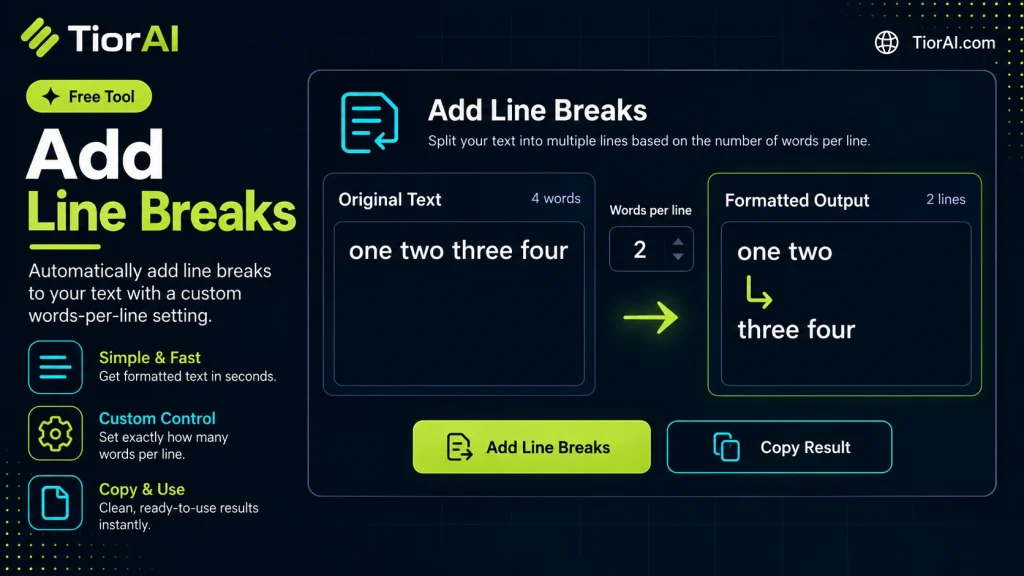
- Paste Your Text Paste or type your text into the Add Line Breaks. The tool handles content of any length with no character limits.
- Apply the Tool Click the action button to process your text. The transformation is applied instantly to your content.
- Copy the Result Review the transformed text and copy it to your clipboard for use in documents, emails, or projects.
Tip Process entire documents through the Add Line Breaks — it handles large text blocks without truncation.
Understanding Line Breaks in Text Processing
Line breaks are special characters or sequences in text that indicate the end of one line and the start of another. They are fundamental to how text is displayed, stored, and processed across different platforms and applications. The most common line break characters are n (newline) and rn (carriage return + newline), with variations depending on operating systems: Unix/Linux uses n, Windows uses rn, and older Mac OS versions used r.
Line breaks exist because plain text is inherently linear, but humans read and write in lines and paragraphs. Without line breaks, text would appear as a continuous stream of characters, making it difficult to read or interpret. They help structure content, separate ideas, and improve readability.
Technically, line breaks are control characters embedded in text data. When a text file or string is rendered by an application, these characters instruct the renderer to move the cursor to the beginning of the next line. In HTML, however, line breaks in source code do not translate directly to visible breaks in rendered content. Instead, HTML requires explicit tags like <br> or wrapping text in block elements like <p> to create visible line breaks.
Common real-world scenarios where line breaks are crucial include:
- Text editors and word processors: Users insert line breaks to separate paragraphs or list items.
- Programming and scripting: Source code uses line breaks to separate statements and improve readability.
- Data formats: CSV or log files use line breaks to separate records.
- Web content: HTML requires explicit tags to represent line breaks visually.
When working with text from different sources or formats, line breaks may be missing, inconsistent, or incorrectly formatted. This can cause display issues, parsing errors, or loss of intended structure. Tools that add line breaks automatically analyze the text and insert appropriate breaks based on rules or patterns, restoring readability and structure.
What Are Line Breaks and Why Do They Matter?
Line breaks are special characters embedded in text that signal the end of one line and the start of another. They are essential for organizing text into readable chunks, whether in documents, code, or data files. Without line breaks, text appears as a continuous stream, which is difficult to read and interpret.
Different operating systems use different conventions for line breaks: Unix-based systems use a newline character (n), Windows uses a carriage return followed by a newline (rn), and older Mac systems used a carriage return (r). Understanding these differences is important when working with text across platforms.
When to Use Tools That Add Line Breaks
Adding line breaks is useful in several practical scenarios:
- Improving readability: Long paragraphs or blocks of text copied from PDFs or web pages often lack line breaks, making them hard to read. Adding breaks restores structure.
- Preparing text for email or messaging: Some clients require explicit line breaks for proper formatting.
- Formatting code or data: When working with logs, CSV files, or source code, line breaks separate entries or statements.
- Converting text for display: In environments that do not automatically wrap text, adding line breaks ensures content fits within display constraints.
Common Mistakes When Adding Line Breaks
Users sometimes make errors such as:
- Adding line breaks without considering the target format, which can cause display issues (for example, inserting raw line breaks in HTML without using
<br>tags). - Inserting breaks arbitrarily, which can split sentences or phrases awkwardly and reduce clarity.
Technical Context
Line breaks are control characters in text encoding standards like ASCII and Unicode. When text is rendered, these characters instruct the display system to move to a new line. However, in markup languages like HTML, line breaks in source code do not translate to visible breaks unless explicitly marked with tags.
Tools that add line breaks typically scan the text for logical breakpoints such as sentence endings, punctuation, or maximum line lengths, then insert the appropriate newline characters. This process helps maintain the semantic integrity of the text while improving its visual structure.
Worked examples
Formatting a paragraph copied from a PDF
When text copied from PDFs loses its original line breaks, making it difficult to read or edit.
Before This is a long paragraph copied from a PDF file that has no line breaks and is hard to read because it appears as a single continuous line of text.After This is a long paragraph copied from a PDF file that has no line breaks and is hard to read because it appears as a single continuous line of text.Preparing text for email display
Adding line breaks to plain text emails to improve readability and structure.
Before Dear team, please find the report attached. Let me know if you have any questions. Best regards, John.After Dear team,Please find the report attached. Let me know if you have any questions.Best regards, John.
Frequently asked questions
Reviews and questions
Whether this tool gave people the answer they needed, and what they asked about it.
Sign in to review this tool.
Sign In to ReviewNo reviews yet
Be the first to say whether this tool gave you what you needed.
Ask how to read the result, or what the tool does with an edge case — or answer someone else.
Sign In to AskNo questions yet
Not sure how to read a result? Be the first to ask.
AI tools related to this topic
Tools from the TiorAI directory that work on the same kind of job.

Remove Line Breaks Tool
Remove Line Breaks Tool is a free online utility that removes unwanted line breaks from text, helping you create clean, continuous paragraphs quickly and easily.