

Decode Quoted Printable
Understanding Quoted-Printable Encoding Quoted-Printable encoding is a technique designed to encode data containing non-ASCII characters into a format that can be safely transmitted over protocols that only support 7-bit ASCII characters, such as traditional email systems. This encoding is part of the MIME standard and…
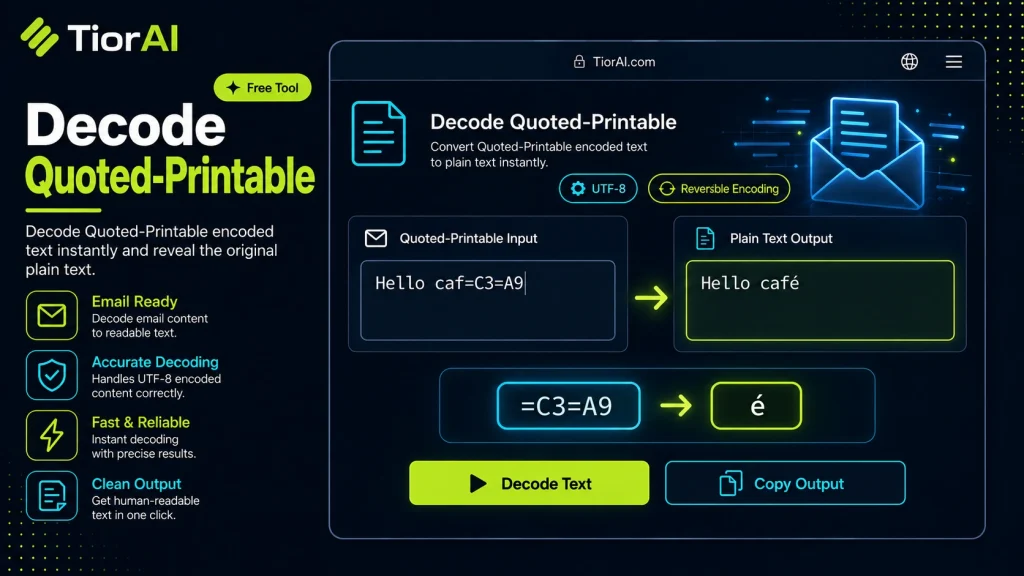
How to use it
- Enter Source Value Type or paste the value you want to convert into the Decode Quoted Printable. The tool accepts a wide range of input formats.
- Select Target Format Choose your desired output format or unit from the available options. The conversion starts automatically.
- Copy the Result Review the converted output and click copy to use it in your project, document, or workflow.
Tip Keep the Decode Quoted Printable open in a browser tab for instant access during development sessions.
What is Quoted-Printable Encoding?
Quoted-Printable is a method of encoding binary or non-ASCII data into ASCII characters, primarily used in email systems to safely transmit data that might otherwise be corrupted or misinterpreted by mail transfer agents. It was defined in RFC 2045 as part of the MIME (Multipurpose Internet Mail Extensions) standard.
The main purpose of Quoted-Printable encoding is to ensure that data containing special characters, such as accented letters, symbols, or control characters, can be sent over protocols that only reliably support 7-bit ASCII characters. This encoding converts non-printable or special characters into a printable ASCII format.
How Quoted-Printable Encoding Works Technically
Quoted-Printable encoding represents bytes outside the printable ASCII range (33 to 126 decimal, excluding the equals sign ‘=’) as an equals sign followed by two hexadecimal digits representing the byte’s value. For example, a newline character (ASCII 10) is encoded as =0A. The equals sign itself is encoded as =3D to avoid confusion.
Additionally, Quoted-Printable encoding limits line length to 76 characters. If a line would exceed this length, a soft line break is inserted by ending the line with an equals sign (=) followed by a newline. This tells the decoder to concatenate the next line without inserting a line break.
Why Quoted-Printable Encoding Exists
Early email systems and protocols were designed to handle only 7-bit ASCII characters, which excludes many characters used in other languages or binary data. Without encoding, sending such data could result in corruption or loss. Quoted-Printable encoding provides a way to encode data so that it remains intact and readable after transmission.
Common Real-World Scenarios
- Email messages: When sending emails with special characters, such as accented letters or symbols, Quoted-Printable encoding is often used to preserve the content.
- HTML email bodies: HTML content in emails may contain characters outside ASCII, requiring encoding.
- Attachments: While base64 is more common for attachments, Quoted-Printable can be used for text-based attachments.
- Legacy systems: Older mail servers and clients rely on Quoted-Printable to handle non-ASCII text.
Understanding Quoted-Printable Encoding
Quoted-Printable encoding is a technique designed to encode data containing non-ASCII characters into a format that can be safely transmitted over protocols that only support 7-bit ASCII characters, such as traditional email systems. This encoding is part of the MIME standard and is widely used to ensure that special characters, accented letters, and control characters are preserved during transmission.
Technically, Quoted-Printable works by converting bytes outside the printable ASCII range into an equals sign followed by two hexadecimal digits representing the byte’s value. For example, the character ‘é’ (e with acute accent) might be encoded as =E9. The equals sign itself is escaped as =3D to avoid confusion. To maintain compatibility with line length limits in email protocols, lines are limited to 76 characters, and if a line is too long, a soft line break is inserted by ending the line with an equals sign (=) and continuing on the next line.
When to Use a Quoted-Printable Decoder
You should use a Quoted-Printable decoder when you encounter text or email content that appears to contain encoded sequences starting with an equals sign followed by hexadecimal digits. Common scenarios include:
- Viewing the raw source of an email message that contains accented characters or special symbols.
- Processing MIME email parts programmatically where the content transfer encoding is Quoted-Printable.
- Debugging or extracting text from legacy email archives or logs.
- Converting encoded text files or email bodies into readable plain text.
Common Mistakes When Decoding Quoted-Printable
Users often make mistakes such as:
- Ignoring soft line breaks: Failing to remove the equals sign at the end of a line and join the next line can lead to broken or corrupted output.
- Mixing up encoding types: Confusing Quoted-Printable with Base64 encoding and applying the wrong decoding method results in unreadable text.
Technical Context and Practical Considerations
Quoted-Printable encoding is optimized for text data that is mostly ASCII with occasional special characters. It is less efficient for binary data, where Base64 encoding is preferred. Understanding the structure of Quoted-Printable encoded data helps in troubleshooting email issues and working with raw email sources.
When decoding, it is important to correctly handle soft line breaks and convert all encoded hexadecimal sequences back to their original bytes. Many programming languages provide libraries to handle this automatically, but online tools offer a quick way to decode text without coding.
Worked examples
Decoding an email body with accented characters
You receive a raw email source where accented characters and punctuation are encoded in Quoted-Printable.
Before Bonjour=2C comment allez-vous=3F=0AJe vais bien=2EAfter Bonjour, comment allez-vous? Je vais bien.Handling soft line breaks in encoded text
An email client or parser needs to correctly join lines broken with soft line breaks.
Before This is a long line that is split into multiple lines= using Quoted-Printable encoding.After This is a long line that is split into multiple linesusing Quoted-Printable encoding.
Frequently asked questions
Reviews and questions
Whether this tool gave people the answer they needed, and what they asked about it.
Sign in to review this tool.
Sign In to ReviewNo reviews yet
Be the first to say whether this tool gave you what you needed.
Ask how to read the result, or what the tool does with an edge case — or answer someone else.
Sign In to AskNo questions yet
Not sure how to read a result? Be the first to ask.
AI tools related to this topic
Tools from the TiorAI directory that work on the same kind of job.

PngMaker.io: Convert Text to PNG Quickly
PngMaker.io is a free online tool that converts text into PNG images with transparent backgrounds, allowing customization of fonts and colors without requiring any software installation or account.