

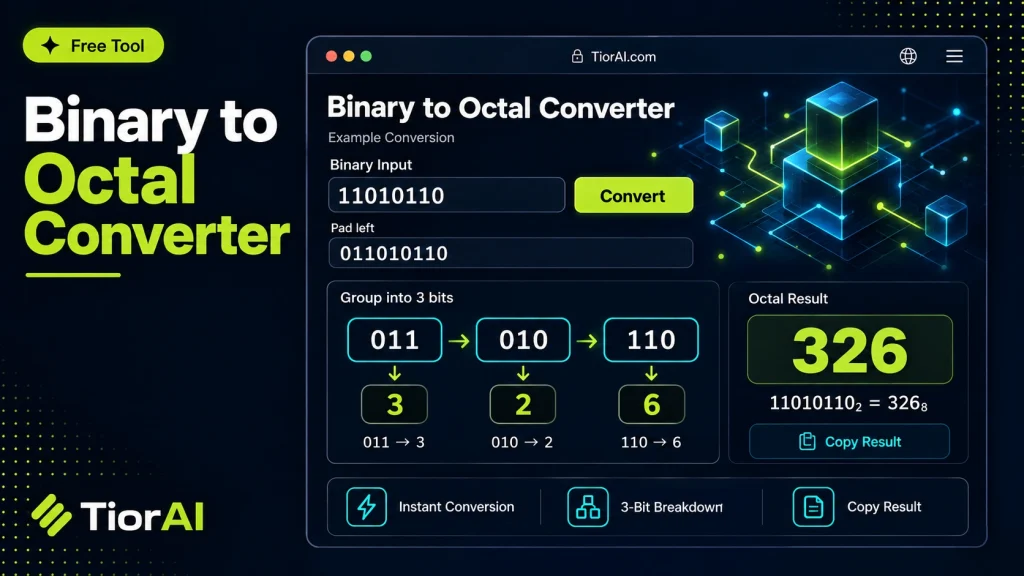
How to use it
- Enter Source Value Type or paste the value you want to convert into the Binary to Octal. The tool accepts a wide range of input formats.
- Select Target Format Choose your desired output format or unit from the available options. The conversion starts automatically.
- Copy the Result Review the converted output and click copy to use it in your project, document, or workflow.
Tip Chain the Binary to Octal with other conversion tools on TiorAI to handle multi-step format transformations.
Understanding Binary to Octal Conversion
Binary and octal are both numeral systems used to represent numbers in different bases. Binary is base-2, using only digits 0 and 1, which is the fundamental language of computers. Octal is base-8, using digits 0 through 7. Converting binary to octal simplifies long binary strings by grouping bits into sets of three, since each octal digit corresponds exactly to three binary digits.
This conversion is important because octal numbers are more compact and easier for humans to read and write compared to long binary sequences. It also helps in debugging, programming low-level hardware, and understanding machine code, where binary data is often represented in octal or hexadecimal for convenience.
Common situations where binary to octal conversion is used include:
- Interpreting machine-level instructions in assembly language programming.
- Working with digital electronics and microcontrollers where binary data is grouped for easier analysis.
- Converting binary data dumps into a more readable format for troubleshooting.
Overall, binary to octal conversion bridges the gap between raw binary data and human-friendly numeric representation.
What is Binary to Octal Conversion?
Binary to octal conversion is the process of translating a number from base-2 (binary) to base-8 (octal). Since computers operate in binary, data is often represented in long strings of 0s and 1s. Octal provides a more compact way to represent these binary numbers by grouping every three binary digits into one octal digit.
When Should You Use Binary to Octal Conversion?
- When you want to simplify binary data for easier reading or debugging.
- When working with hardware or assembly language that uses octal notation.
- When interpreting digital circuit outputs that are naturally grouped in threes.
- When dealing with Unix file permissions, which are often expressed in octal.
Common Mistakes to Avoid
- Failing to group binary digits correctly into sets of three, which leads to incorrect octal results.
- Overlooking leading zeros in binary numbers, causing misalignment in grouping.
- Mixing up octal with hexadecimal conversions, which use groups of four bits instead of three.
Understanding the relationship between binary and octal helps in many technical fields, from programming to electronics. Using an online binary to octal converter can save time and reduce errors, especially with large numbers.
Frequently asked questions
Reviews and questions
Whether this tool gave people the answer they needed, and what they asked about it.
Sign in to review this tool.
Sign In to ReviewNo reviews yet
Be the first to say whether this tool gave you what you needed.
Ask how to read the result, or what the tool does with an edge case — or answer someone else.
Sign In to AskNo questions yet
Not sure how to read a result? Be the first to ask.
AI tools related to this topic
Tools from the TiorAI directory that work on the same kind of job.

Any Video Converter
Any Video Converter is a multimedia software that converts video files between numerous formats, downloads online videos, and offers basic editing and DVD burning features.

Bank Statement Converter
Bank Statement Converter is an online tool that converts PDF bank statements into Excel and CSV formats, enabling easy data extraction and financial management.