Best List
Best Midjourney Alternatives (Tested & Ranked)
Looking for the best midjourney alternatives? Our hands-on comparison reveals the top picks for every use case.
- Tools
- 8
- Free to start
- 7 of 8
At a glance
| Tool | Best for | Pricing | Profile |
|---|---|---|---|
 Midjourney
| Concept Art |
| View |
 Stable Diffusion
| Creative Visual Content Generation |
| View |
 Leonardo AI
| Game Asset Creation |
| View |
 Artbreeder
| Creative Image Generation |
| View |
 Deep Dream Generator
| Creative Image Generation |
| View |
 Gencraft
| Digital Art Creation |
| View |
 Photoroom
| Ecommerce Product Photography |
| View |
 Remove.bg
| E-commerce Product Photos |
| View |
All 8 tools on this list
Number 1: Midjourney
AI Art Generator Subscription

- Best for
- Concept Art
Midjourney is an AI image generation tool creating high-quality artwork from text prompts via Discord. Plans start at $10/month. Known for exceptional visual quality with Midjourney V6.
Key features of Midjourney
-
Midjourney V6 Model
Latest model with dramatically improved photorealism, composition, and prompt adherence.
-
Photorealistic Quality
Cinema-quality images with rich textures, accurate lighting, and painterly detail.
-
Text Rendering in Images
Generate images containing readable, styled text — a major improvement over earlier models.
-
Vary (Region) Inpainting
Edit specific regions of generated images with targeted prompts for precise adjustments.
-
Zoom Out
Expand the canvas of any image outward revealing more scene context.
-
Commercial Rights
All paid plans include full commercial usage rights for generated images.
Pros and cons of Midjourney
Pros
- Best visual quality among all AI image generators
- Unique cinematic and artistic aesthetic
- Commercial rights on all plans
- Continuous model improvements — V6 is exceptional
Cons
- No free tier available
- Discord-based interface less intuitive than web tools
- No native image editing capabilities
- English-only prompts work best
Best use cases for Midjourney
-
Marketing Visuals
Generate eye-catching social media graphics, ads, and brand imagery at scale.
-
Illustration
Produce book illustrations, editorial art, and character designs in any style.
-
Game Assets
Design characters, environments, and item assets for game development.
Pricing
| Plan | Price |
|---|---|
| Basic | $10/month |
| Standard | $30/month |
| Pro | $60/month |
Number 2: Stable Diffusion
AI Stable Diffusion Tools Free Freemium

- Best for
- Creative Visual Content Generation
Stable Diffusion is an open-source AI model by Stability AI that generates high-quality images from text prompts, used widely for creative and commercial visual content creation.
Key features of Stable Diffusion
-
Open-Source Model
Stable Diffusion is freely available for modification and deployment, encouraging community innovation.
-
High-Quality Image Generation
Produces detailed and diverse images from simple text prompts with photorealistic or artistic styles.
-
API Access
Provides developers with API endpoints to integrate image generation into apps and services.
-
Customizable Parameters
Users can control style, resolution, and other generation settings for tailored outputs.
-
Multi-Platform Availability
Accessible via web, desktop apps, and APIs for flexible usage scenarios.
Pros and cons of Stable Diffusion
Pros
- Open-source with strong community support
- Generates high-quality, diverse images
- Flexible usage via web, desktop, and API
- Customizable generation parameters
Cons
- Requires some technical knowledge for advanced features
- Output quality depends on prompt quality
- May produce unexpected or biased results without careful prompt design
Best use cases for Stable Diffusion
-
Concept Art and Design Prototyping
Assist artists and designers in quickly visualizing concepts and ideas through AI-generated imagery.
-
Marketing and Advertising
Create custom visuals for campaigns, social media, and promotional materials without the need for traditional graphic design.
-
Educational and Research Applications
Use AI-generated images to support teaching, presentations, and research in creative fields.
Pricing
| Plan | Price |
|---|---|
| Free (self-hosted) | $0 (open-source) |
| Stable Diffusion API | Pay-as-you-go |
| Enterprise | Custom pricing |
Number 3: Leonardo AI
AI Image Generator Freemium
- Best for
- Game Asset Creation
Leonardo AI is an AI image generation platform specialized for game assets and concept art with 30+ specialized models and Real-Time Canvas. Free tier with 150 tokens/day.
Key features of Leonardo AI
-
Specialized Art Models
Choose from 30+ models optimized for anime, game assets, cinematic photography, and more.
-
Real-Time Canvas
Paint and sketch in real-time with AI generating images live as you draw.
-
AI Elements System
Apply style modifiers consistently across multiple generations for cohesive asset libraries.
-
Motion Video Generation
Generate short AI video clips from static images with smooth motion.
-
3D Texture Generation
Create seamless 3D textures from text prompts for game environments.
-
Model Fine-Tuning
Train custom models on your own images for highly consistent brand or character output.
Pros and cons of Leonardo AI
Pros
- Specialized models for game assets and concept art
- Generous free tier (150 tokens/day)
- Real-Time Canvas for live AI painting
- Model fine-tuning for consistent style
Cons
- Token system can be confusing for new users
- Quality below Midjourney V6 for pure artistic output
- Learning curve for advanced features like ControlNet
- Web-only — no desktop app
Best use cases for Leonardo AI
-
Concept Art
Create concept art for characters, environments, and props in pre-production.
-
Character Design
Generate consistent characters with customizable appearance across multiple images.
-
Environment Art
Design detailed environment paintings, landscapes, and architectural concepts.
Pricing
| Plan | Price |
|---|---|
| Free | $0/month |
| Apprentice | $12/month |
| Artisan | $30/month |
Number 4: Artbreeder
AI Anime Art Free Subscription
- Best for
- Creative Image Generation
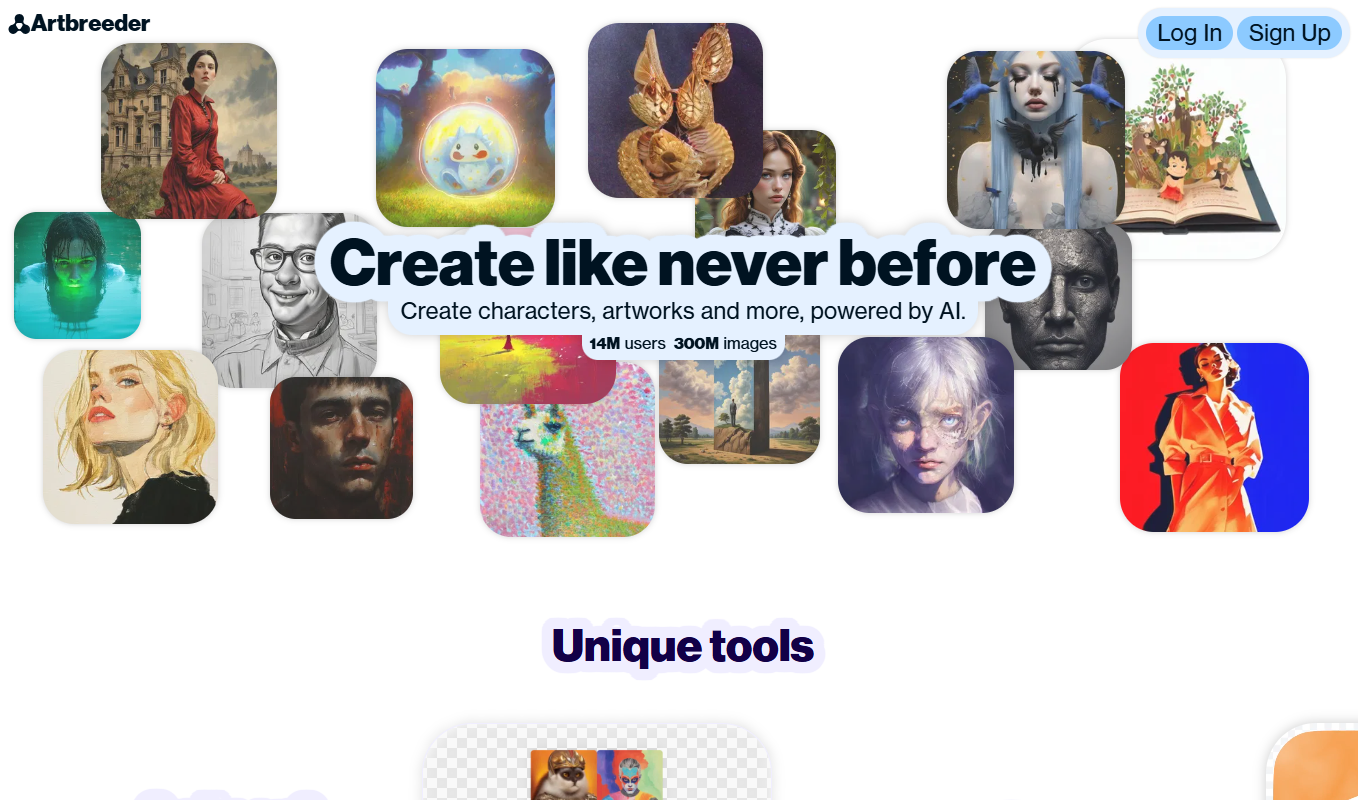
Artbreeder is an AI-powered platform that allows users to create and evolve images by blending and editing visual traits using generative adversarial networks.
Key features of Artbreeder
-
Image Blending
Combine multiple images to create new, unique visuals by blending their features.
-
Gene Editing Sliders
Fine-tune specific attributes like age, gender, color, and style using intuitive sliders.
-
Community Gallery
Explore and remix images created by other users to inspire your own creations.
-
High-Resolution Downloads
Download your images in high resolution for professional use or printing.
-
Multiple Image Categories
Work with portraits, landscapes, anime, and other artistic styles within the platform.
Pros and cons of Artbreeder
Pros
- Easy-to-use interface for creative image generation
- Strong community with shared images and inspiration
- High-quality outputs suitable for various projects
- Flexible gene editing for detailed customization
Cons
- Limited free plan features and downloads
- No dedicated mobile app available
- Some learning curve to master gene adjustments
Best use cases for Artbreeder
-
Avatar and Character Design
Create custom avatars and characters for games, social media, or personal projects by manipulating facial features and styles.
-
Concept Art and Inspiration
Artists and designers use Artbreeder to explore new visual ideas and generate concept art quickly.
-
Photo Manipulation and Enhancement
Modify photos by adjusting genes and parameters to enhance or alter image attributes creatively.
Pricing
| Plan | Price |
|---|---|
| Free | $0/month |
| Starter | $8.99/month |
| Advanced | $18.99/month |
Number 5: Deep Dream Generator
AI Anime Art Free Subscription
- Best for
- Creative Image Generation
Deep Dream Generator is an online AI tool that uses neural networks to create surreal and artistic images from user photos by applying various AI styles and effects.
Key features of Deep Dream Generator
-
Multiple AI Styles
Offers various neural network styles including Deep Style and Thin Style for diverse artistic effects.
-
High-Resolution Outputs
Supports generating high-quality images suitable for printing or professional use.
-
Community Gallery
Users can explore and share AI-generated artworks within an active online community.
-
User-Friendly Interface
Intuitive web interface that requires no technical knowledge to create AI art.
-
Customizable Parameters
Allows fine-tuning of style intensity, iterations, and other settings for personalized results.
Pros and cons of Deep Dream Generator
Pros
- Easy to use with no technical background required
- Produces unique and visually striking AI art
- Offers multiple AI styles and customization options
- Active community for sharing and inspiration
Cons
- Free plan has limited features and output quality
- Processing times can be slow during peak usage
- Customization options may be overwhelming for beginners
Best use cases for Deep Dream Generator
-
Artistic Style Transfer
Transform ordinary images into surreal artworks by blending styles and patterns using AI.
-
Visual Content Creation for Social Media
Create eye-catching AI-generated visuals to enhance social media posts and digital marketing campaigns.
-
Inspiration for Artists and Designers
Use AI-generated images as creative inspiration or base material for further artistic projects.
Pricing
| Plan | Price |
|---|---|
| Free | $0/month |
| Advanced | $9/month |
| Professional | $19/month |
Number 6: Gencraft
AI Anime Art Free Subscription

- Best for
- Digital Art Creation
Gencraft is an AI-powered tool that generates digital artwork from text prompts, enabling users to create unique images quickly and easily.
Key features of Gencraft
-
Text-to-Image Generation
Convert descriptive text prompts into detailed and creative images.
-
Multiple Artistic Styles
Apply different art styles to images to match user preferences or project needs.
-
High-Resolution Outputs
Produce images suitable for professional use with high resolution and quality.
-
User-Friendly Interface
Simple web-based platform accessible without technical expertise.
-
Fast Processing
Quick image generation to support rapid creative workflows.
Pros and cons of Gencraft
Pros
- Easy to use with no artistic skills required
- Supports multiple artistic styles
- Fast image generation
- High-quality, high-resolution outputs
Cons
- Limited free tier usage
- Web-only platform without mobile apps
- Customization options could be expanded
Best use cases for Gencraft
-
Graphic Design Assistance
Create creative design elements and concepts quickly to support graphic design workflows.
-
Social Media Content
Produce eye-catching images and visuals to enhance social media posts and campaigns.
-
Concept Art Generation
Develop concept art for games, films, and other creative media using AI-powered image synthesis.
Pricing
| Plan | Price |
|---|---|
| Free | $0/month |
| Pro | $9.99/month |
Number 7: Photoroom
AI Audio Editing Free Freemium

- Best for
- Ecommerce Product Photography
Photoroom is an AI-based tool that automatically removes backgrounds from photos and offers easy editing features for ecommerce and social media content creation.
Key features of Photoroom
-
AI Background Removal
High-precision automatic background removal powered by advanced AI models.
-
Customizable Templates
Pre-designed templates for ecommerce, social media posts, and marketing materials.
-
Batch Processing
Process multiple images simultaneously to save time on large projects.
-
Mobile and Web Access
Available as a mobile app and web platform for editing on the go or at a desktop.
-
Integration with Marketplaces
Direct export options optimized for platforms like Shopify, Etsy, and Instagram.
Pros and cons of Photoroom
Pros
- Fast and accurate AI background removal
- User-friendly interface suitable for beginners
- Mobile and web platform availability
- Good selection of customizable templates
Cons
- Free plan includes watermarks on exports
- Advanced features require paid subscription
- Limited manual editing tools compared to professional software
Best use cases for Photoroom
-
Social Media Content Creation
Create eye-catching visuals with transparent backgrounds and custom designs optimized for social media platforms.
-
Marketing and Advertising
Design promotional images and banners quickly by isolating subjects and adding custom backgrounds or effects.
-
Personal Photo Editing
Enhance personal photos by removing unwanted backgrounds and applying creative edits easily on mobile devices.
Pricing
| Plan | Price |
|---|---|
| Free | $0/month |
| Pro | $9.99/month |
| Business | $29/month |
Number 8: Remove.bg
AI Age Progression Free Pay As You Go

- Best for
- E-commerce Product Photos
Remove.bg is an AI tool that automatically removes backgrounds from images, offering fast, high-quality transparent cutouts for various uses including e-commerce and design.
Key features of Remove.bg
-
Automatic Background Removal
Instantly removes backgrounds from images with AI precision.
-
Batch Processing
Process multiple images simultaneously to save time.
-
API Integration
Developers can integrate background removal into apps and workflows via a REST API.
-
High-Resolution Downloads
Supports exporting images in high resolution suitable for professional use.
-
Background Replacement
Replace removed backgrounds with colors, images, or transparent layers.
Pros and cons of Remove.bg
Pros
- Fast and automatic background removal
- Supports batch processing and API access
- High-quality transparent image outputs
- User-friendly interface with editing options
Cons
- Accuracy may decrease with complex backgrounds
- High-resolution downloads require paid credits
- Limited editing tools compared to full photo editors
Best use cases for Remove.bg
-
Graphic Design
Create transparent backgrounds for images to use in marketing materials, presentations, and social media.
-
Photography Editing
Quickly isolate subjects from backgrounds for retouching or compositing in photo editing workflows.
-
Content Creation
Enable content creators to produce thumbnails, banners, and visuals with transparent or custom backgrounds.
Pricing
| Plan | Price |
|---|---|
| Free | $0 (low-res preview) |
| Subscription | From $9/month |
| Pay-as-you-go | From $0.20/image |
How we chose these tools
- Hand-picked, then orderedThe 8 tools on this page were selected by a TiorAI editor from the directory and placed in the positions you see them in. Nothing on this list is generated automatically or ordered by an algorithm.
- Facts come from each tool's profilePricing, categories, features and the pros and cons below are read from the tool's own TiorAI profile rather than retyped here, so one page is never out of step with the other. Follow any tool name to read the full profile.
- What we do not publishYou will not find star ratings or review scores on this page. TiorAI does not hold verified user reviews for these tools, and printing a number without them behind it would tell you nothing.
Related AI tool lists
Other round-ups that recommend some of the same tools, most overlapping first.
Best AI Graphic Design Tools for 2026 (Full Breakdown)
Compare the best AI Graphic Design Tools in 2026 — features, pricing, and which delivers the most value.
Stable Diffusion, Leonardo AI, Artbreeder and 5 moreThe Best AI Image Tools for Marketing in 2026 (Reviewed)
We tested the top AI Image Tools for Marketing and ranked them by quality, pricing, and workflow fit.
Stable Diffusion, Leonardo AI, Artbreeder and 5 moreBest Text-to-Image AI Tools — Compared & Ranked
Explore the best Text-to-Image AI Tools — ranked by performance, pricing, and features to help you choose right.
Stable Diffusion, Leonardo AI, Artbreeder and 5 moreBest AI Photo Editing Tools: Expert Picks 2026
Not sure which AI Photo Editing Tools to choose? Compare the top options by features, pricing, and real results.
Stable Diffusion, Leonardo AI, Artbreeder and 5 moreTop 10 Free AI Image Generators for 2026
We reviewed the top Free AI Image Generators — compare features, pricing, and use cases to find the right tool.
Stable Diffusion, Leonardo AI, Artbreeder and 5 moreBest AI Art Generators in 2026 — Top Picks
Looking for the best AI Art Generators? Compare top tools by features, pricing, and real-world performance.
Stable Diffusion, Leonardo AI, Artbreeder and 5 more
More tools in this area
Tools that share more than one category with the ones on this list, and are not already on it.
 Free
FreeKrita AI
Krita AI is a free, open-source digital painting software that integrates AI features like automatic colorization and brush assistance to help artists create detailed artworks on desktop platforms.

Compare these tools head to head
Published pages that put tools from this list against one other tool, side by side on pricing, features and use cases.

Artbreeder vs Leonardo AI: Which Handles Text in Images Better?
Artbreeder vs Leonardo AI — compare text rendering accuracy, style control, output quality, and pricing tiers.
-
Artbreeder vs Midjourney: Community, Models & API Access
Artbreeder vs Midjourney — compare community model availability, API access, fine-tuning options, and pricing.
-
Artbreeder vs Stable Diffusion: Image Quality, Style Control & Pricing
Artbreeder vs Stable Diffusion — compare image quality, style range, prompt accuracy, pricing plans, and creative control.
-
Deep Dream Generator vs Artbreeder: Free Tier, Resolution & Commercial License
Deep Dream Generator vs Artbreeder — compare free plan limits, output resolution, commercial licensing terms, and pricing tiers.
-
Deep Dream Generator vs Midjourney: Photorealism, Prompt Accuracy & Cost
Deep Dream Generator or Midjourney? Compare photorealism, prompt accuracy, generation speed, and pricing for creative projects.
-
Deep Dream Generator vs Stable Diffusion: Best for Marketing, Art & Product Images?
Deep Dream Generator or Stable Diffusion for marketing visuals? Compare image quality, style range, prompt control, and pricing.
-
Gencraft vs Leonardo AI: Image Quality, Style Control & Pricing
Gencraft vs Leonardo AI — compare image quality, style range, prompt accuracy, pricing plans, and creative control.
-
Gencraft vs Midjourney: Prompt Engineering & Output Consistency
Compare Gencraft and Midjourney on prompt responsiveness, output consistency, and which gives more control at each price.
Looking to switch?
Alternatives guides written about tools on this list, for readers already using one of them.
- Alternatives to Midjourney
10 Best Midjourney Alternatives in 2026 (Free & Paid)
Looking for the best Midjourney alternatives in 2026? We compared the top options to find the right ai image generation tool for your needs.
Stable Diffusion, Adobe Firefly, Leonardo AI and 4 more - Alternatives to Remove.bg
10 Best Remove.bg Alternatives You Should Try in 2026
Switching from Remove.bg? Compare the top alternatives by features, pricing, and use case to find the best image to image tool for you.
Midjourney, Stable Diffusion, Adobe Firefly and 4 more - Alternatives to Stable Diffusion
10 Best Stable Diffusion Alternatives in 2026 (Free & Paid)
Looking for the best Stable Diffusion alternatives in 2026? We compared the top options to find the right ai image generation tool for your needs.
Midjourney, Adobe Firefly, Leonardo AI and 2 more - Alternatives to Artbreeder
Artbreeder Alternatives: Best Ai Art Generation Tools Tools in 2026
Not happy with Artbreeder? Discover the best alternatives — compare pricing, features, and what each does better for your ai art generation tools workflow.
ChatGPT, Claude, Gemini & Gemini Advanced and 7 more - Alternatives to Deep Dream Generator
Best Free & Paid Deep Dream Generator Alternatives (2026 Guide)
Compare the best free and paid Deep Dream Generator alternatives — features, pricing, and which ai art generator tool delivers more value for your use case.
ChatGPT, Claude, Gemini & Gemini Advanced and 7 more - Alternatives to Gencraft
Best Gencraft Alternatives in 2026 (Free & Paid)
Looking for Gencraft alternatives? Compare the top options by features, pricing, and use case to find the best ai art generation tools tool for your workflow.
ChatGPT, Claude, Gemini & Gemini Advanced and 7 more