

Descript is an all-in-one audio and video editing platform that leverages AI to simplify content creation. It combines transcription, multitrack editing, screen recording, and AI-powered voice synthesis to enable users to edit media by editing text transcripts. This approach makes editing accessible to creators without traditional audio or video editing expertise.
Descript Alternatives: Top Picks for 2026
6 tools compared against Descript on pricing, platforms and what each one does differently.
- Alternatives
- 6
- Category
- AI Audio Editing
- Free
- $0/month
- With a free tier
- 4 of 6


What is Descript?
Why Choose Descript AI Alternatives?
People leave Descript for different reasons, and each of the 6 AI Audio Editing tools on this page answers a different one. Here is what separates the shortlist, taken from what each tool actually stores rather than from a ranking.
-
A free way in
4 of the 6 tools below are free, freemium or open source, so you can try them before any card details are involved.
-
Different capabilities
Between them these tools are also filed under AI Voice Assistants, AI Voice Cloning, AI Voice Generation — categories Descript does not carry.
-
A different pricing shape
The shortlist spans API, Free, Free (Open Source), Free Trial, so the choice is not only which tool but which commercial model suits how you work.
-
Wider platform coverage
Tools on this shortlist additionally list API, Python Library, Self-hosted among their platforms, which Descript does not.
-
More than one vendor
These come from 6 different companies, so you are choosing a supplier as well as a product.
Best Descript AI Alternatives in 2026
Every row links to that tool’s full entry further down the page.
| Tool | Best for | Pricing | Free tier | Platforms |
|---|---|---|---|---|
|
Descript
Current tool | Podcast Production |
| Yes | Desktop (Windows, macOS, Web |
 ElevenLabs
| Content Creation |
| Yes | API, Web |
 Whisper AI
| Audio Transcription |
| No | API, Python Library, Self-hosted |
 Veed.io
| Video Editing |
| Yes | Web |
| Cleanvoice AI | Podcast Editing |
| Yes | Web |
| Castmagic | Podcast Transcription |
| No | Web |
 Fireflies.ai
| Meeting Transcription |
| Yes | API, Chrome Extension, Mobile App |
Top Descript AI Alternatives for 2026

Number 1: ElevenLabs

ElevenLabs is an advanced AI-powered platform specializing in realistic text-to-speech (TTS) and voice cloning technology. It enables users to convert written text into natural, human-like speech with high fidelity and emotional nuance. The platform supports custom voice creation by cloning voices from audio samples, making it ideal for content creators, developers, and businesses seeking personalized audio solutions.
Best for Content Creation
vs Descript Also covers AI Voice Assistants, AI Voice Cloning
Key features of ElevenLabs
-
Ultra-Realistic Text-to-Speech
Produces natural-sounding speech with human-like intonation and clarity.
-
Voice Cloning Technology
Creates custom AI voices from short audio samples for personalized applications.
-
Multi-Language Support
Supports multiple languages and accents to cater to global audiences.
-
Emotional Speech Modulation
Allows fine-tuning of emotional tone to match the context and mood.
-
Developer API
Provides a robust API for seamless integration into apps, games, and services.
Pros and cons of ElevenLabs
Pros
- Highly realistic and natural voice output
- Easy-to-use interface with powerful customization
- Supports custom voice cloning
- Multi-language and accent options
Cons
- Limited free tier usage
- Primarily focused on English with fewer languages
- Voice cloning requires quality audio samples
Best use cases for ElevenLabs
-
Voice Cloning
Create custom AI voices by cloning real human voices for personalized audio experiences or brand voice consistency.
-
Accessibility
Provide high-quality text-to-speech solutions to improve accessibility for visually impaired users or those with reading difficulties.
-
Gaming and Entertainment
Develop immersive character voices and dialogue for games, animations, and interactive media.
-
-
Number 2: Whisper AI

Whisper is an open-source automatic speech recognition (ASR) system developed by OpenAI, released in September 2022. Trained on 680,000 hours of multilingual audio data, Whisper achieves near-human accuracy on English transcription and supports 99 languages. Available as a free Python library, via the OpenAI API at $0.006/minute, and as the foundation of many commercial transcription services.
Best for Audio Transcription
vs Descript Paid only, with no free tier, also covers AI Transcription, Speech Recognition
Key features of Whisper AI
-
99-Language Support
Transcribe and translate audio in 99 languages with strong multilingual performance.
-
Near-Human Accuracy
Achieves near-human word error rates on English including technical vocabulary.
-
Multiple Model Sizes
Choose from five sizes from tiny (fast) to large (most accurate).
-
Open Source & Free
Fully open source under MIT license — run locally at zero cost.
-
Language Detection
Automatically detects spoken language from audio without manual configuration.
-
OpenAI API
Use via OpenAI API at $0.006/minute for scalable production deployments.
Pros and cons of Whisper AI
Pros
- Near-human accuracy on English transcription
- Supports 99 languages with strong multilingual performance
- Fully open source and free for self-hosted use
- Robust to accents, background noise, and technical vocabulary
Cons
- Requires technical setup for self-hosting (Python, FFmpeg)
- Slower than real-time for the largest most accurate model
- No built-in UI — developers only for direct use
- Real-time transcription requires additional engineering
Best use cases for Whisper AI
-
Video Subtitling
Generate subtitles and captions for videos in 99 languages.
-
Meeting Notes
Automatically transcribe meeting recordings to searchable shareable notes.
-
Multilingual Transcription
Process multilingual audio with automatic language detection.
-
-
Number 3: Veed.io

Veed.io is a web-based video editing platform that combines traditional editing tools with AI-powered features such as automatic transcription, subtitle generation, and video captioning. It enables users to create professional-quality videos quickly without installing software, making video production accessible to creators, marketers, and businesses.
Best for Video Editing
vs Descript Also covers AI Video Editing, Image Generation & Editing
Key features of Veed.io
-
AI-Powered Automatic Subtitles
Generate subtitles automatically with high accuracy in multiple languages.
-
Intuitive Online Video Editor
Edit videos easily with drag-and-drop tools, trimming, cropping, and adding overlays.
-
Team Collaboration
Share projects with collaborators for feedback and joint editing.
-
Social Media Export Presets
Export videos tailored for platforms like Instagram, TikTok, YouTube, and Facebook.
-
Audio Editing Tools
Remove background noise, adjust volume, and edit audio tracks within videos.
Pros and cons of Veed.io
Pros
- User-friendly interface suitable for beginners
- Powerful AI transcription and subtitle generation
- No software installation required, fully online
- Supports team collaboration and feedback
Cons
- Free plan includes watermark on videos
- Some advanced features require paid subscription
- Dependent on internet connection for performance
Best use cases for Veed.io
-
Automatic Subtitles and Captions
Generate accurate subtitles and captions automatically using AI-powered transcription tools.
-
Video Collaboration
Collaborate with teams on video projects with shared editing and commenting features.
-
Social Media Content Creation
Produce videos optimized for social media platforms with easy export options and aspect ratio presets.
-
Number 4: Cleanvoice AI
Cleanvoice AI is a web-based audio cleaning tool that uses artificial intelligence to automatically detect and remove unwanted sounds such as filler words, mouth noises, stutters, and background noise from audio recordings. It is designed primarily for podcasters, video creators, and voiceover artists who want to streamline their audio editing process and improve sound quality without manual intervention.
Best for Podcast Editing
vs Descript Also covers AI Audio Enhancer, AI Music & Audio Tools
Key features of Cleanvoice AI
-
Filler Word Removal
Automatically detects and removes common filler words like 'um', 'uh', and 'you know'.
-
Mouth Noise Reduction
Eliminates distracting mouth clicks, lip smacks, and other oral noises.
-
Background Noise Suppression
Reduces ambient noise to enhance voice clarity.
-
Stutter Detection and Removal
Identifies and removes stuttering or repeated words for smoother speech.
-
Batch Processing
Allows users to process multiple files simultaneously to save time.
Pros and cons of Cleanvoice AI
Pros
- Automates tedious audio cleanup tasks
- User-friendly web interface with fast processing
- Effective removal of filler words and mouth noises
- Supports batch processing for efficiency
Cons
- Limited language support (English only)
- No desktop or mobile apps, web-only
- Lacks direct integrations with popular podcast tools
Best use cases for Cleanvoice AI
-
Video Audio Cleanup
Enhance audio tracks in videos by eliminating distractions and improving voice clarity.
-
Voiceover Production
Refine voiceover recordings by removing unwanted sounds and improving overall audio quality.
-
Interview Audio Processing
Clean up interview recordings by removing stutters, breaths, and ambient noise for professional results.
-
Number 5: Castmagic
Castmagic is an AI-powered podcast transcription and editing platform designed to streamline the process of converting audio content into text and repurposed media. It leverages advanced speech recognition and natural language processing to automatically transcribe, summarize, and highlight key parts of podcast episodes or other audio recordings. This helps creators save time on manual editing and content creation tasks.
Best for Podcast Transcription
vs Descript Paid only, with no free tier, also covers AI Music & Audio Tools, AI Podcast Tools
Key features of Castmagic
-
Automatic Podcast Transcription
Fast and accurate AI transcription tailored for podcast audio.
-
AI-Powered Highlight Extraction
Identifies important segments and generates shareable highlights.
-
Content Summarization
Creates concise summaries to quickly convey episode topics.
-
Easy Content Repurposing
Exports transcripts and highlights for blogs, social media, or marketing.
-
User-Friendly Web Interface
Simple upload and editing tools accessible via browser.
Pros and cons of Castmagic
Pros
- Saves significant time on manual transcription and editing
- AI highlights help quickly identify key content
- User-friendly interface with easy export options
Cons
- Currently supports only English language transcription
- Web-only platform without mobile apps
- Accuracy can vary with poor audio quality
Best use cases for Castmagic
-
Audio Editing and Summarization
Use AI to identify key moments, generate summaries, and create highlights from long-form audio.
-
Content Repurposing
Transform podcast episodes into blog posts, social media snippets, and marketing content efficiently.
-
Interview and Meeting Notes
Convert recorded interviews or meetings into organized, searchable text for easy reference.
-
-
Number 6: Fireflies.ai
Fireflies.ai is an AI-powered meeting assistant that records, transcribes, and organizes voice conversations from meetings, calls, and webinars. It uses advanced speech-to-text technology combined with AI to automatically capture detailed notes and action items, helping teams stay aligned and productive without manual note-taking.
Best for Meeting Transcription
vs Descript Also covers AI Assistant, AI Meeting Assistant
Key features of Fireflies.ai
-
Real-Time Transcription
Accurately transcribes meetings and calls as they happen with speaker identification.
-
AI Meeting Summaries
Generates concise summaries and highlights action items for quick review.
-
Multi-Platform Integration
Works seamlessly with Zoom, Microsoft Teams, Google Meet, Slack, Salesforce, and more.
-
Searchable Transcript Archive
Stores all meeting transcripts in a searchable database for easy access.
-
Collaboration Tools
Allows commenting, tagging, and sharing transcripts within teams.
Pros and cons of Fireflies.ai
Pros
- Accurate real-time transcription with speaker differentiation
- Easy integration with popular conferencing and CRM tools
- AI-generated summaries save time on note-taking
- Searchable archive improves knowledge management
Cons
- Limited language support beyond English
- Some advanced features require paid plans
- Occasional transcription errors with poor audio quality
Best use cases for Fireflies.ai
-
Voice Assistant for Meetings
Use AI to join meetings, capture notes, and highlight action items without manual effort.
-
Collaboration and Sharing
Easily share transcripts and notes with team members to improve communication and follow-up.
-
CRM and Workflow Integration
Integrate with popular CRM and productivity tools to sync meeting data and automate workflows.
-


No alternatives match that pricing model.
Which Descript alternative is right for you?
Each tool below lists this as the first thing it is built for, in its own words.
- Content Creation
Generate natural-sounding voiceovers for videos, podcasts, and audiobooks to enhance multimedia content.
- Audio Transcription
Transcribe interviews, lectures, recordings, and audio files into accurate text.
- Video Editing
Create, trim, crop, and enhance videos directly in the browser without needing complex software.
- Podcast Editing
Automatically remove filler words, mouth sounds, and background noise to produce clean podcast audio.
- Podcast Transcription
Automatically transcribe podcast audio into accurate text to create show notes or captions.
- Meeting Transcription
Automatically transcribe audio from meetings, calls, and webinars to generate accurate text records.
Compare Descript head to head
Published pages that put Descript against one other tool, side by side on pricing, features and use cases.

Descript Free vs Paid: Free vs Paid Compared
Compare the free and paid tiers of Descript Free and Paid — features, usage limits, and which plan is worth paying for.
-
Descript vs Adobe Premiere: Avatar, Voice & Presentation Features
Compare Descript and Adobe Premiere on AI avatar quality, voice generation, presentation features, and pricing.
-
Descript vs Cleanvoice: Editing Controls, Templates & Workflow
Descript vs Cleanvoice — compare editing flexibility, template library, timeline controls, and workflow efficiency.
- Descript: $24/month Starts at Cleanvoice AI: $15/month
- Descript: 3 Platforms Cleanvoice AI: 1
-
Descript vs Elevenlabs: For Content Creators: Quality & Speed
Descript or ElevenLabs for content creation? Compare video quality, generation speed, editing tools, and pricing.
- Descript: $24/month Starts at ElevenLabs: $5/month
- Descript: 3 Platforms ElevenLabs: 2
-
Descript vs otter.ai: Which AI Video Tool Is Worth It in 2026?
We tested Descript and Otter.ai on video quality, prompt accuracy, editing features, and pricing — here's the verdict.
-
Descript vs Podcastle: Enterprise Features, API & Team Plans
Compare Descript and Podcastle on enterprise features, API access, team collaboration, compliance, and pricing.
More AI Audio Editing tools
Other tools filed under AI Audio Editing that are not already on this page.
 Freemium
AssemblyAI
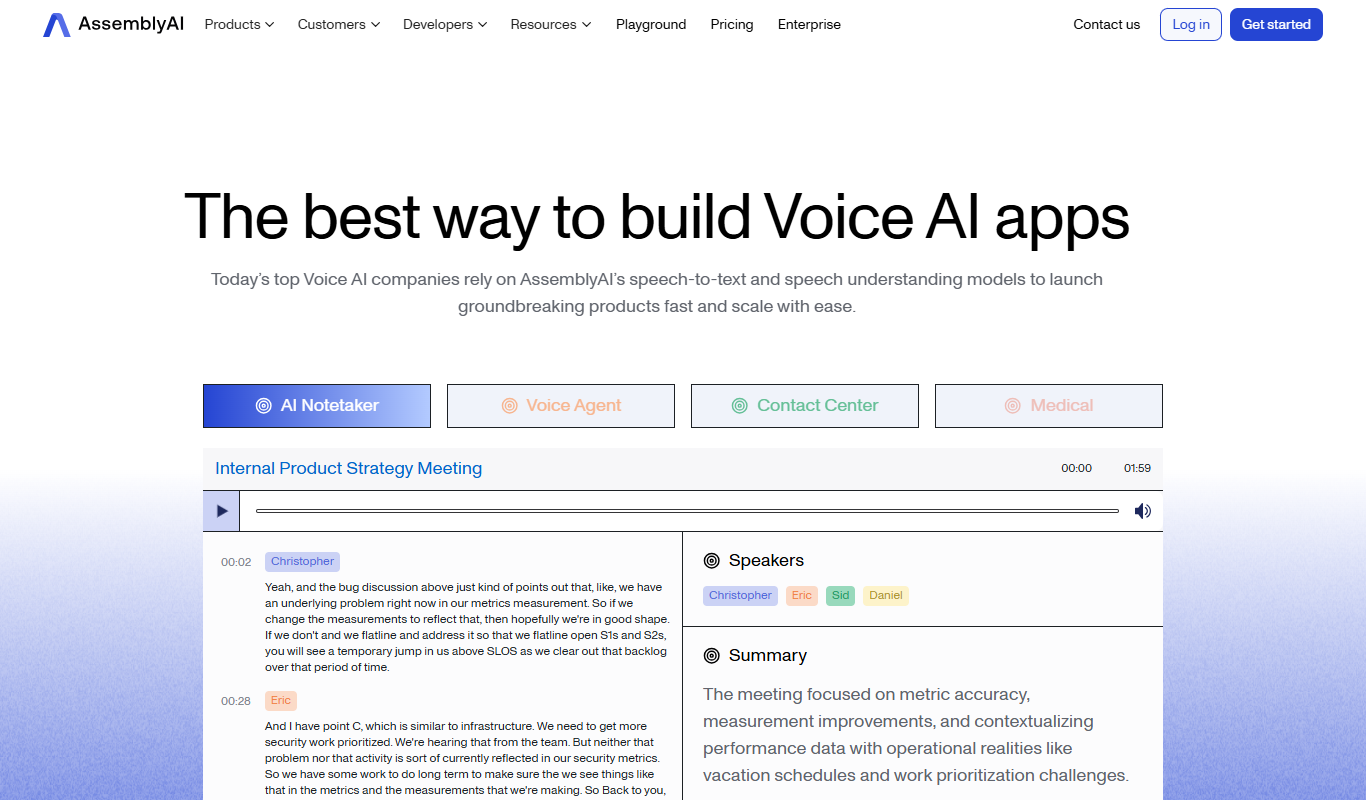
AssemblyAI is an AI platform providing high-accuracy speech-to-text transcription and audio analysis through an easy-to-use API, primarily supporting English audio.
- Free
Krisp AI
Krisp AI is a noise cancelling application that removes background noise from audio calls and recordings in real-time using AI, improving voice clarity across multiple platforms.

AI tool lists that include Descript
Round-ups an editor has placed Descript in, ranked here by how many of this page's tools they share.
The Best AI Meeting Summary Tools in 2026 (Reviewed)
We tested the top AI Meeting Summary Tools and ranked them by quality, pricing, and workflow fit.
Otter AI, Fireflies.ai, Deepgram and 4 moreBest AI Speech-to-Text Tools — Compared & Ranked
Explore the best AI Speech-to-Text Tools — ranked by performance, pricing, and features to help you choose right.
Otter AI, Fireflies.ai, Deepgram and 4 moreBest AI Tools for Zoom: Expert Picks 2026
Not sure which AI Tools for Zoom to choose? Compare the top options by features, pricing, and real results.
Otter AI, Fireflies.ai, Deepgram and 4 more


More AI Audio Editing alternatives
Other alternatives guides whose subject shares a category with this one.
- Alternatives to Krisp AI
10 Best Krisp AI Alternatives You Should Try in 2026
Switching from Krisp AI? Compare the top alternatives by features, pricing, and use case to find the best audio enhancement tool for you.
ChatGPT, Claude, Gemini & Gemini Advanced and 7 more - Alternatives to AssemblyAI
AssemblyAI Alternatives: Free & Paid Options Compared
Looking to replace AssemblyAI? We compared the top free and paid alternatives by features, pricing, and ai audio enhancer use cases for 2026.
ChatGPT, Claude, Gemini & Gemini Advanced and 7 more Fotor AI Alternatives: Top Picks for 2026
Find the best Fotor AI alternatives in 2026 — we compared features, pricing, and real-world performance to help you choose the right tool.
Runway, Pika, HeyGen and 5 more







Browse alternatives by category
Every category with more than one alternatives guide in it.