

Docus AI Layer for Diagnostic Labs
Docus is an AI platform for diagnostic labs that automates interpretation of test results, follow-ups and compliance checks.
- Best for
- Lab result interpretation
- Key capability
- Interpretation reports
Save Docus.ai, follow its updates and vote on it — everything stays in your account.
Sign in or create a free account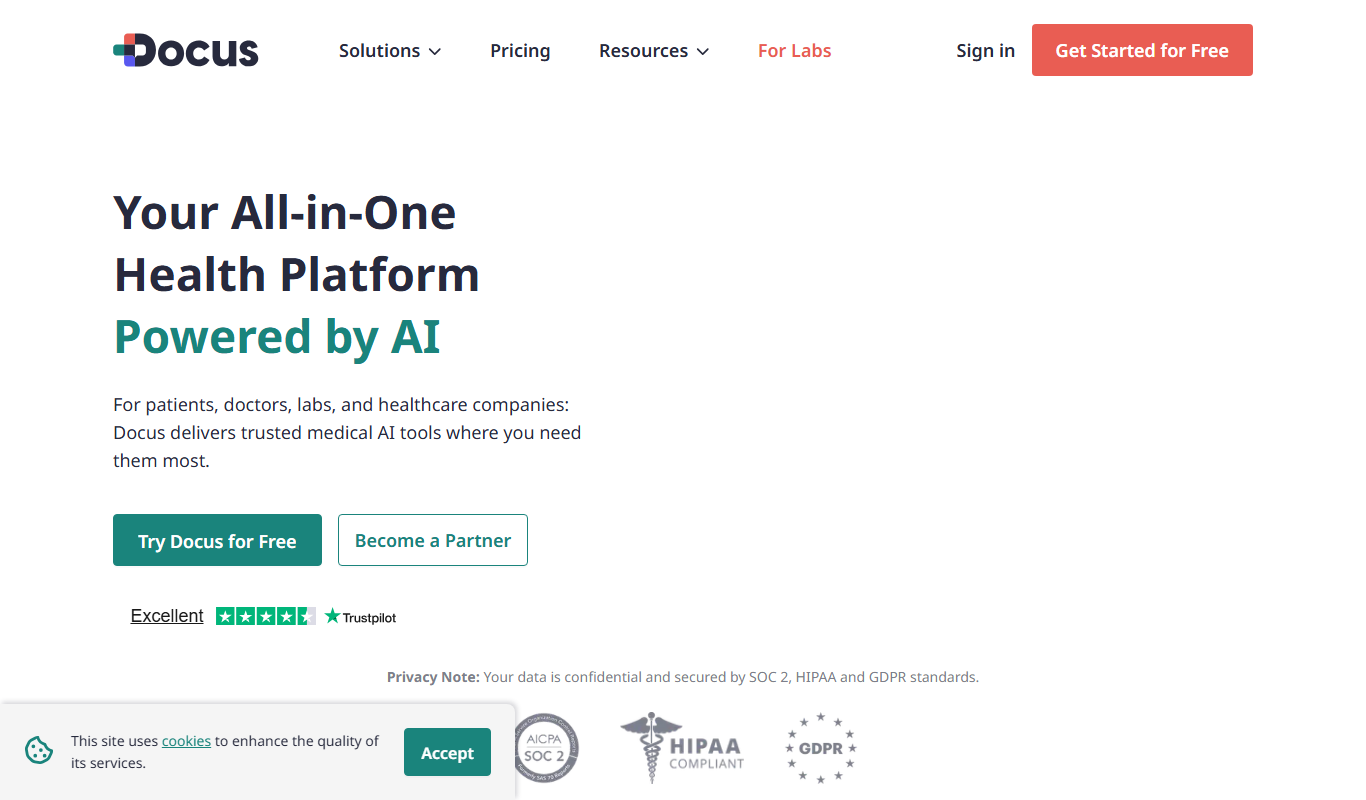

What is Docus.ai?
Docus is an AI platform for diagnostic labs that automates lab result interpretation, follow-ups, compliance checks and digital requisitions. It produces clinical reports for doctors and patient-friendly reports for patients, and it also offers AI platforms for doctors and for patients.
Key features of Docus.ai
Docus offers AI interpretation reports for doctors and patients, follow-up test suggestions and reminders, an AI compliance agent that checks test orders against diagnosis codes, digital requisitions and context-aware AI assistants.
Interpretation reports
Clinical reports for doctors include DDx, follow-up suggestions and clinical plans, and patient-friendly reports explain results in simple terms.
Follow-up recommendations
AI recommends next tests and follow-up steps based on lab results and identified risks, and sends follow-up reminders to patients.
AI compliance agent
Checks ordered tests against diagnosis codes to flag medical necessity issues before denials.
Digital requisitions
Digital requisitions with autocomplete and guided inputs help doctors complete order forms faster.
Context-aware AI assistants
AI assistants for doctors and patients give context-aware answers based on patient data and history.
Pros and cons of Docus.ai
Pros
- Produces separate interpretation reports for doctors and for patients
- Supports routine and specialty tests such as microbiology, pathology, toxicology and PGx
- Works through an API/HL7 integration or ready-made interfaces with no integration required
- The doctor platform has a free plan with no credit card required
Cons
- Limited integrations on lower-tier plans
- Primarily web-based, no mobile app available
Key use cases for Docus.ai
Lab result interpretation
Turn lab results into clinical reports for doctors and patient-friendly reports for patients.
Follow-up testing
Recommend next tests and send follow-up reminders that bring patients back to the lab.
Order compliance
Flag medical necessity issues by checking ordered tests against diagnosis codes before denials.
Digital requisitions
Reduce operational burden and billing issues with AI-validated digital requisitions.
Doctor and patient assistants
Give doctors and patients context-aware AI answers based on patient data and history.
How Docus.ai works
- 1
Connect lab data
Send lab data via API/HL7 or start with the Docus interfaces for labs, doctors and patients.
- 2
Generate interpretation reports
The AI produces clinical reports for doctors and patient-friendly reports for patients.
- 3
Suggest follow-ups
The AI recommends next tests and follow-up steps based on lab results and identified risks.
- 4
Check compliance
Ordered tests are checked against diagnosis codes to flag medical necessity issues.
- 5
Deliver results
Reports and other outputs are delivered directly into the lab’s LIS, CRM or EHR.
Who is using Docus.ai
Docus.ai pricing
Docus Lab Software
Custom subscription
Flexible subscription for diagnostic labs; pricing depends on test volume per month, workflow complexity and regional regulations. Contact Sales.
Doctor platform Free
$0
Manage 1 patient; no credit card required.
Doctor platform Starter
$25/mo, billed annually $300
Manage up to 50 patients, with unlimited access to the AI tools.
Doctor platform Pro
$50/mo, billed annually $600
Manage up to 500 patients.
Doctor platform Ultimate
$100/mo, billed annually $1200
Manage up to 2000 patients.
Plans and prices are as published by the vendor and can change. Check the official site before you buy. Open the pricing page (opens in a new tab)
Frequently asked questions about Docus.ai
Docus supports routine and specialty tests, including microbiology, pathology, toxicology and PGx.
Yes, Docus.ai uses industry-standard encryption and security protocols to protect your documents and data.
Yes. Labs can send data via API/HL7 and receive structured interpretation reports in their LIS, CRM or EHR, or use Docus interfaces with no integration required.
No, the platform is designed for ease of use with an intuitive interface suitable for non-technical users.
It depends on your specific needs and how you plan to use the tool. The official website and documentation are the best sources for the latest details.
Yes, it can help with that use case depending on how you configure it and what features are available. You’ll get the best results with clear inputs and a defined goal.
Data handling and security practices vary by provider. Review the official privacy policy to understand how your data is stored and used.
Conclusion
Docus is aimed at reference, direct-to-consumer and in-house diagnostic labs, where it automates interpretation, follow-ups and compliance work. Lab results go in, and two kinds of report come out: clinical reports for doctors with DDx and follow-up suggestions, and patient-friendly reports that explain results in simple terms. Next tests and follow-up steps are suggested from the results and identified risks.
On the compliance side, an AI agent checks ordered tests against diagnosis codes to flag medical necessity issues, while AI-validated digital requisitions target billing problems. Labs can send data via API/HL7 into their LIS, CRM or EHR, or start with ready-made Docus interfaces that need no integration. Docus also offers an AI Health Assistant for patients and AI clinical decision support for doctors. Lab software is sold as a custom subscription priced by test volume, workflow complexity and region. The doctor platform has a free plan, with paid tiers based on how many patients a doctor manages.
Sources
Sign in to review this tool.
Sign In to ReviewNo reviews yet
Be the first to share how this tool worked for you.
Ask about pricing, limits, or how it compares — or answer someone else.
Sign In to AskNo questions yet
Have a question about using or paying for this tool? Be the first to ask.
Featured on TiorAI



Alternative Tools
Explore similar AI tools that might fit your needs

DocuSign
DocuSign is a cloud-based electronic signature platform that enables secure, legally binding digital signing and management of documents, streamlining workflows and ensuring compliance.
PandaDoc
PandaDoc is a cloud-based platform that automates document creation, approval workflows, and electronic signatures to help businesses streamline proposals, contracts, and payments.
More AI Artificial Intelligence Tools tools
Other tools in the same category, for when this one is not quite the fit.

Newmoney.AI
Newmoney.AI is an AI-powered crypto and cash wallet: buy, trade, swap and send crypto across SUI, Solana, Ethereum and Bitcoin with the AI agent Newton, including via WhatsApp and Telegram.

TwoShot
TwoShot is an AI creative suite for music, audio, video and images: generate music and sounds from text, split stems, make voiceovers and produce in an online studio.

Kuakua – Psychology & AI Tools for Well-Being
Kuakua is a free website of psychology games, tests, screenings and cognitive experiments that turns psychology research into small tools for well-being.

MixPeek
MixPeek is an AI-driven multimedia search engine that indexes videos, images, audio, and documents to enable fast, accurate search through a web interface and developer API.

Musicfy
Musicfy is an AI voice song generator for creating covers in any voice, with 100,000+ voices or a clone of your own.

MusicGen AI
MusicGen is a free AI music generation tool developed by Meta that uses a single Language Model (LM) to create music based on a prompt.

Musick AI
Musick AI is an AI-powered platform that generates original music tracks based on user-selected genres and moods, enabling easy composition for creators without musical expertise.

Ai Musician – AI Music Generator
AI Musician is an all-in-one AI music platform to generate music from text or images, remove vocals, split stems, create lyrics and sound effects, and design album covers.